
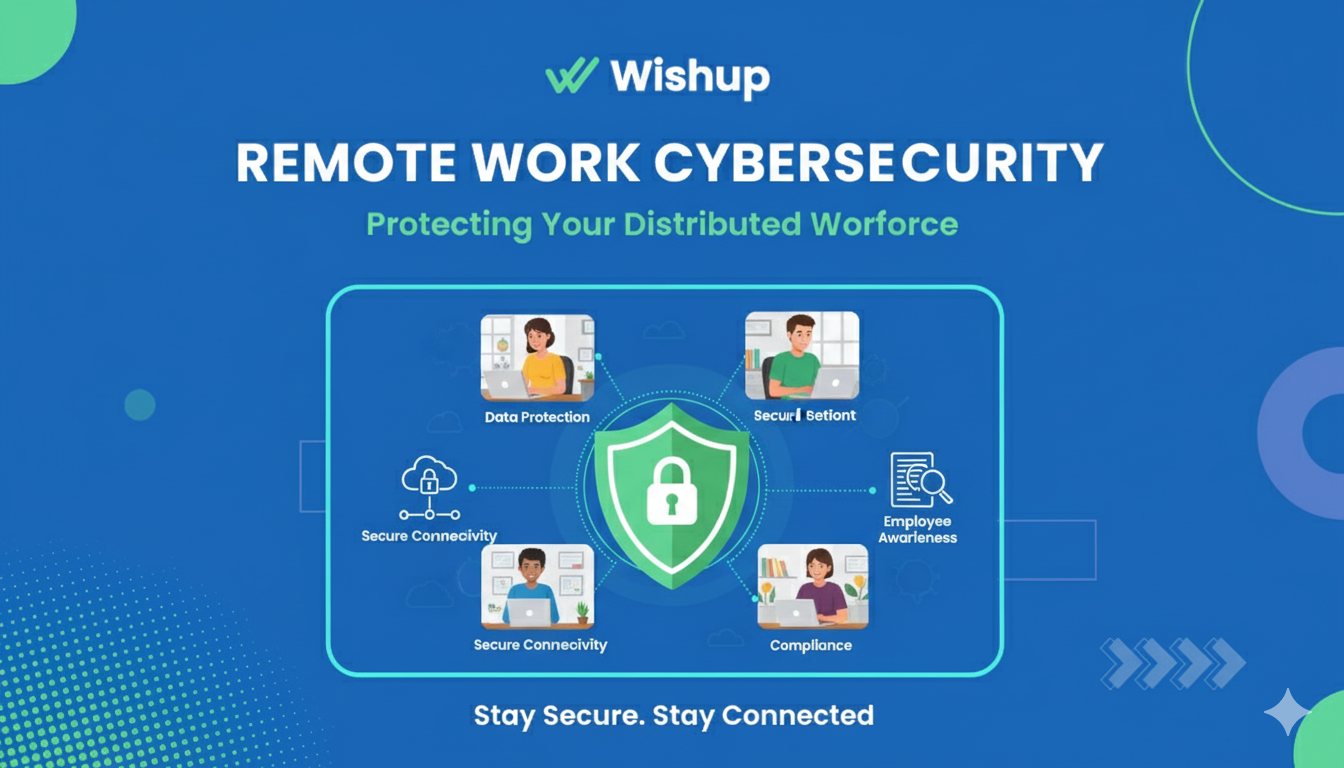
Remote work cybersecurity covers the 5 policies, 5 technologies, and workstation protocols that protect your company's data when your team works from home networks, personal devices, and public Wi-Fi your IT team cannot monitor or control.
This guide delivers a complete, implementable framework, from zero-trust network access and multi-factor authentication to endpoint security, secure communication channels, and data backup, built specifically for small and medium-sized businesses managing remote teams.
Hire a pre-vetted Wishup VA with security built into the engagement from day one.
What is Cybersecurity for Remote Work?
Cybersecurity for remote work is the safeguarding of your organization's data, systems, and networks when your personnel work from nontraditional office environments.
Unlike traditional office security, which was focused on the protection of the office building, cybersecurity for remote work supports an organization facing the unique challenges of remote work, which include:
- Your security perimeter extends to every employee's at-home network and devices.
- Company data is traversing unknown networks and the internet.
- Team members are accessing sensitive data from multiple locations and devices.
This module of operation recognizes that cybersecurity cannot reside solely in the office building; it must follow data wherever it goes and protect its employees, regardless of remote work protocols.
Why Security Must Be Built In, Not Become An Afterthought
Traditional office environments rely on controls such as managed devices, monitored networks, and physical oversight. When remote work appeared, all of these reverted overnight. Now your people can be using personal laptops that have not been updated in 6 months, home routers with the default password, and networks that may have compromised smart devices.
The human factor only increases the technical vulnerability. Phishing attacks now cast a wide net and can closely resemble executive communication, vendor invoices, and client requests. Remote workers employed on behalf of client groups, such as Virtual Assistants, are easy targets.
Shadow IT is also a risk. This happens when employees use unapproved applications because approval can take too long.
What commonly happens is that sensitive customer data is transferred to employees' personal cloud profiles, which are known to your IT department. Then, the data is passed along through an unencrypted service and accessed by a contractor who was never assigned, never worked, and was never removed from access.
Periodically conducting a cloud risk assessment can help surface exactly these kinds of gaps, identifying where sensitive data has drifted outside approved environments and whether access controls still reflect the actual composition of your team.
The common denominator in all three increasing risk factors is the operational gap. Organizations do not fail at security because they are not sophisticated enough to buy the tools, but because they never had security built into the process from the beginning to the day-to-day.
Evaluating Your Remote Security Needs
Evaluate your remote security requirements across 3 dimensions before implementing any tools or policies.
Assess work type sensitivity:
- Employees handling financial data, patient records, or legal documents require encryption, MFA, and least-privilege access controls
- Employees managing social media or scheduling require secure communication channels and password managers
Assess team size:
- Teams under 10 people: implement a password manager, MFA on all accounts, and a VPN as the immediate priority
- Teams of 10–50: add MDM (mobile device management), role-based access control (RBAC), and endpoint detection and response (EDR)
- Teams over 50: deploy zero-trust network access, cloud workload protection, and quarterly security audits
Assess data classification:
- Classify all company data into 4 levels: Public, Internal, Confidential, and Restricted
- Confidential data requires encryption, tagged access, and audit logging
- Restricted data requires additional approval steps and increased monitoring
Securing Network Connections
Secure network connections are the bedrock of a safe remote work environment. They act as a digital barrier, safeguarding sensitive data as it travels between remote workstations and company servers.
Here’s how to fortify your network defenses:
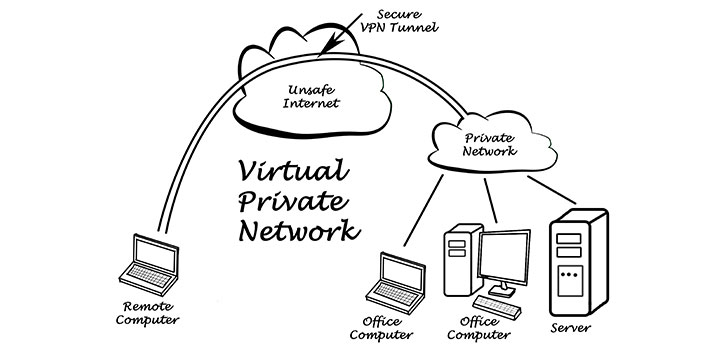
- Utilize virtual private networks (VPNs): VPNs encrypt internet traffic, creating a secure tunnel between remote devices and your internal network. This encryption scrambles data, which makes it unreadable to anyone snooping on the connection.
- Implement firewalls: Think of firewalls as security guards for your network. They meticulously examine incoming and outgoing traffic, allowing only authorized data to pass through. Firewalls effectively block unauthorized access attempts, helping to prevent malware infiltration and data breaches.
- Maintain up-to-date software: Outdated software often contains vulnerabilities that cybercriminals can exploit. By religiously applying updates for your operating systems, network applications, and web browsers, you ensure these vulnerabilities are patched, and your network remains protected.
- Enforce software update policies: Configure automatic updates for operating systems, network applications, and web browsers across all company-managed devices. Unpatched software accounts for 60% of data breaches, scheduled update windows on Tuesday nights prevent both vulnerability exposure and workflow disruption.
Establishing robust network security lays the groundwork for a safe and reliable remote work ecosystem.
The 5 Core Remote Work Security Policies
Effective security policies guide daily behaviour; they are not documents stored in a folder. These 5 policies establish the baseline expectations that protect both the business and its people.
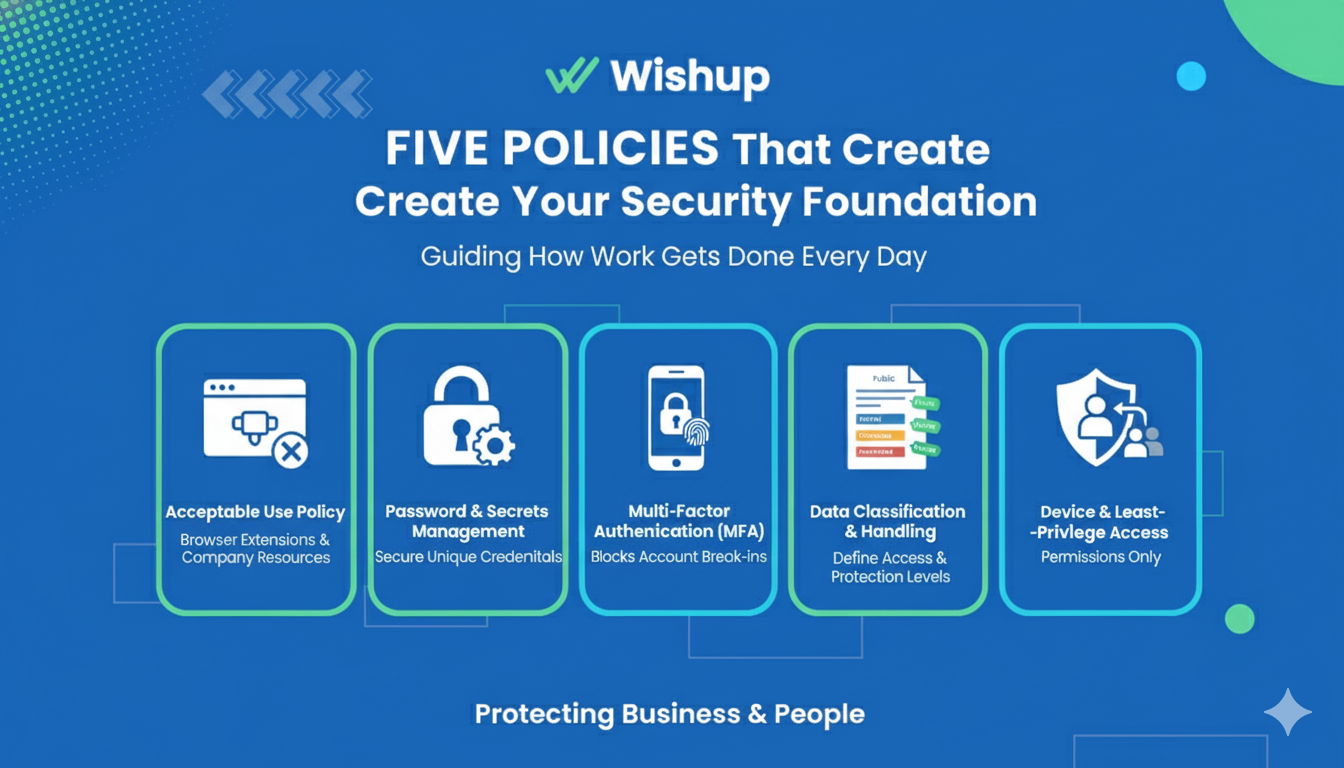
Acceptable Use Policy
Establish clear parameters about what is acceptable and what is prohibited when using a company resource. The most significant issue revolves around browser extensions.
Many well-known, widely used browser extensions request permission to read and modify all web pages, exposing your data. Create three separate categories: required tools, optionally approved and inventoried tools, and simply unacceptable tools, which introduce far too much risk.
Password and Secrets Management
The fact is that people cannot effectively create, remember, and manage strong, unique passwords for the many accounts they will use. Therefore, make password management a requirement rather than an option.
Ensure that every credential utilized at work is generated and stored in the password manager. Furthermore, it must be secure once granted access, meaning the item itself is shared at the item level rather than via a password.
Multi-Factor Authentication
MFA blocks 99.9% of automated account attacks, even when a password is compromised. Multi-factor authentication (MFA) gives you the most value for your security investment. MFA blocks almost all account break-ins, even if someone gets a password. Implement MFA in this order:
- Email accounts first, email resets all other accounts
- Financial and administrative systems (payroll, banking, accounting software)
- CRM and sales platforms (HubSpot, Salesforce)
- Daily productivity tools (Notion, Slack, Google Workspace)
For standard users, a push-based authenticator app (Google Authenticator, Authy) provides strong security with minimal friction. For high-privilege accounts, system administrators and finance leads, require a hardware security key (YubiKey, Titan) that provides phishing-resistant cryptographic verification.
Data Classification and Handling
If you are missing a clear data classification, employee behavior, concerns, and goal setting will dictate each employee's understanding of what is sensitive and how to protect it.
Categorize data into four levels: Public, Internal, Confidential, and Restricted.
For each classification level, provide pre-designated rules.
For example, confidential data must be encrypted and tagged for limited access, while restricted items may require increased logging, limited access, and additional steps in the approval process.
Device and Least-Privilege Access
Any device that requests access to company systems and any individual who obtains permissions presents some level of risk. Apply the least-privilege principle:
- Map each role to the minimum access required to perform that role's tasks, nothing more
- Review all access permissions quarterly and revoke credentials within 24 hours of role change or departure
- Require company-managed or IT-enrolled personal devices for access to Confidential or Restricted data.
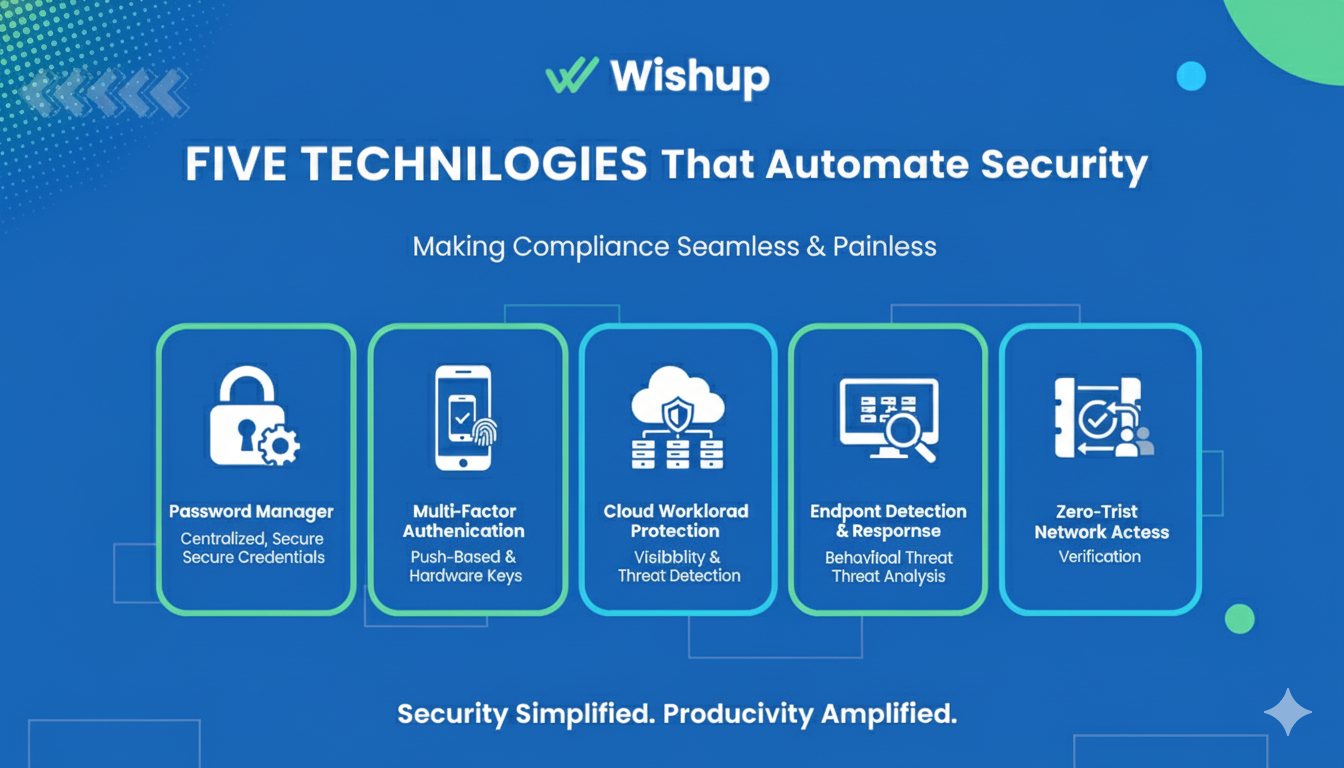
The 5 Technologies That Automate Security Compliance
Policies set expectations. These 5 technologies make compliance automatic rather than dependent on individual memory and discipline.
Technology 1: Business Password Manager
Select a business-grade password manager, 1Password Teams, Bitwarden Business, or NordPass Business, with 3 required capabilities:
- centralised admin management,
- team vault functionality for shared credentials, and
- complete audit logs showing who accessed what and when.
Configure the password manager as the first thing installed during every employee onboarding session, before email access, before any other system login.
Use the built-in security dashboard monthly to identify weak passwords, reused credentials, and accounts without MFA enabled.
Technology 2: Multi-Factor Authentication Everywhere
Deploy MFA across every system using push-based authenticator apps for standard users and hardware security keys for administrators. Audit MFA coverage quarterly, any account with access to customer data, financial systems, or administrative controls that lacks MFA is an open security gap.
Technology 3: Cloud Workload Protection
For businesses that build or run cloud applications, deploy cloud workload protection to provide 3 layers of visibility:
- configuration management (detecting misconfigurations before they are exploited),
- runtime security (monitoring for anomalous behaviour in running workloads), and
- threat detection (identifying attacks in progress).
Tools include Wiz, Aqua Security, and AWS Security Hub.
Technology 4: Endpoint Detection and Response (EDR)
Traditional antivirus detects known malware by signature, it misses novel attacks entirely. EDR agents monitor every device continuously for: processes initiated, files accessed, and network connections established. Behavioural analysis detects threats before data exfiltration occurs.
Deploy cloud-based EDR tools, CrowdStrike Falcon, SentinelOne, or Microsoft Defender for Business, that centralise management across all remote devices without requiring a VPN connection to report.
For larger distributed teams, Extended Detection and Response (XDR) correlates telemetry across endpoints, email, identity, and cloud services to detect lateral movement between systems, the critical gap EDR alone cannot cover.
Technology 5: Zero-Trust Network Access (ZTNA)
Zero-trust replaces the legacy VPN model, which grants broad network access to any verified user, with application-level inspection.
ZTNA verifies 3 factors before granting access to any resource:
- user identity,
- device health status, and
- contextual signals (time, location, behaviour).
If verification fails on any factor, access is denied regardless of the other two.
Implement ZTNA for internal applications using tools such as Cloudflare Access, Zscaler Private Access, or Tailscale. Pair ZTNA with a modern VPN for encrypting traffic on untrusted public Wi-Fi networks, the two tools address different attack surfaces.
Secure Communication for Remote Team
Secure communication for remote teams rests on 3 operational decisions: channel selection, protocol enforcement, and document handling.
Select and enforce approved communication channels:
Configure your team to use 2 primary communication types:
Synchronous communication; This type of communication involves real-time interactions like video calls or chats. This method fosters immediate response as it requires a transmitter and receiver in the same time or space. Thus, the nature of this communication becomes challenging across different time zones.
On the other hand Asynchronous communication involves recorded methods like emails and messages. This type of communication allows delayed response and provides the flexibility of replying at one's convenience.
Both methods have advantages, and a balance between them ensures effective communication in remote teams.
Prohibit consumer messaging apps (WhatsApp, iMessage, personal Gmail) for any work-related communication involving client data, financial information, or strategic plans.
Enforce secure document sharing
Use cloud document platforms, Google Workspace or Microsoft 365, with 4 security configurations enabled:
- Two-factor authentication required for all account access
- Sharing restricted to company domain by default (external sharing requires explicit approval)
- Version history retained for 90 days minimum
- Admin audit logs enabled to track who viewed, edited, or downloaded each document
It is important to ensure that your tools are user-friendly and secure. Tools should comply with data security measures to protect sensitive information. For example, companies like Wishup emphasize the importance of safeguarding client data within their communication tools.
Consider leveraging employee advocacy to create impact across your entire organization with approved, consistent messaging. With Vista Social your employees will be able to repost, like, comment and share brand content with a few clicks and stay compliant with a pre-approved copy.
Maintain communication security through access reviews
Conduct quarterly access reviews of all shared documents, channels, and communication tools. Remove access for departed employees within 24 hours. Revoke external collaborator access when a project closes.
Workstation Setup: Endpoint Security and Device Protection
Remote workstations are the frontline of your security perimeter. Each device accessing company data must meet 5 mandatory security standards before connecting to any company system.
Install antivirus and anti-malware software
Antivirus and anti-malware software act as the first line of defense against malicious software. These programs proactively scan for and neutralize viruses, malware, and other cyber threats that can steal data or disrupt operations.
Enable device encryption
Data encryption scrambles information on a device, rendering it unreadable without a decryption key. Encryption significantly reduces data breaches risks in the event of a lost or stolen device.
Implement mobile device management (MDM) for company-issued devices
MDM solutions provide centralized management of smartphones, tablets, and laptops. They allow IT administrators to configure security settings, enforce policies, and remotely wipe data from lost or stolen devices. MDM provides 4 critical capabilities:
- Enforce security configurations (screen lock, encryption, approved apps) remotely
- Push security updates without employee action
- Monitor device compliance against your security baseline
- Remotely wipe data from lost or stolen devices
Enforce screen lock and session timeout policies
Configure automatic screen lock after 5 minutes of inactivity across all remote devices.
Require password or biometric authentication to unlock. This single control prevents physical access attacks, the most common threat in home office and coworking environments.
Separate work and personal network traffic
Provide employees with written guidance on 3 network security practices:
- Use the company VPN for all work activity on home and public networks
- Configure a dedicated guest network for personal devices on home routers
- Never conduct work on public Wi-Fi without the VPN connected
Educate your employees on potential security risks associated with using remote devices. This includes training them to identify phishing attempts, avoid using public Wi-Fi for sensitive and work-related tasks, and report any suspicious activity.
Protecting Access to Company Resources
Access management reduces your attack surface by ensuring that a compromised account can only reach a limited portion of your systems.
Here are key strategies to implement:
Implement role-based access control (RBAC)
RBAC grants permissions according to an employee’s job role. Common role definitions include:
- Executive: Full read access to financial dashboards; restricted write access to production systems
- Sales team: CRM read/write access; no access to engineering or financial systems
- Virtual Assistant: Task management and communication platforms; read-only access to relevant client files; no access to billing, payroll, or admin systems. This ensures team members can only access data and resources needed to perform their tasks. For instance, a marketing team member couldn’t access financial data.
Use secure file-sharing solutions
With the rise of cloud technology, cloud storage has become commonplace, but security is paramount. Utilize file-sharing platforms that offer encryption to safeguard data at rest and in transit.
Monitor access logs
Review access logs regularly to track user activity and identify suspicious patterns. This can help detect unauthorized access attempts or potential insider threats.
Enforce the principle of least privilege
Quarterly, audit every active user's permissions against their current role. Remove access that was granted for a specific project and no longer applies. Particular attention to: former employees, contractors whose engagement ended, and VAs whose task scope has changed.
Effectively managing access controls helps safeguard sensitive data and lowers the attack surface for cyber threats.
Employee Security Training That Works
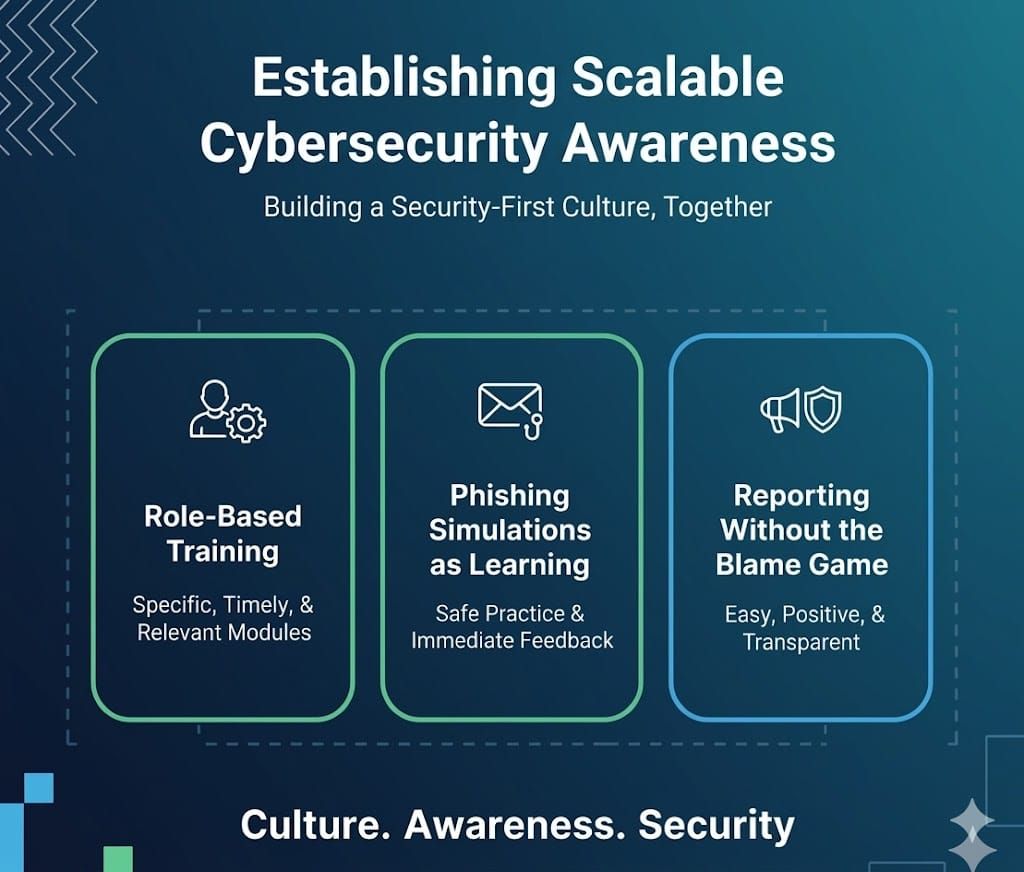
Generic annual security training produces low retention and low behaviour change. Effective security training follows 3 principles: role specificity, frequency over duration, and learning-from-failure.
Role-Based Training
Generic cybersecurity training is ineffective because it is situated far from real work. For instance, Virtual Assistants who manage an executive’s calendar need training focused on executive impersonation scams.
Engineers need training most pertinent to their positions on secure coding or secrets management. Finance staff need training on verifying wire transfers. The most effective training is brief, specific education delivered in 15-minute monthly modules, rather than once-a-year employee training that may last several hours.
Role-based training delivered in 15-minute monthly modules:
Phishing Simulations as Learning
Regularly run phishing simulation attacks for your users to make the concept of an abstract threat actionable. Begin with simple simulations to build confidence, then run full-blown simulations similar to the range of attacks users encounter.
The response to a click is critical: do not punish, but offer immediate feedback that targets the suspicious item and demonstrates that a similar message is being reported in the case of a real phishing email.
Reporting Without the Blame Game
Even the best security tools will not help if your employees are afraid to report. Create simple capabilities for employees to report suspected attack-related issues. Act quickly and positively, and provide timely feedback, even in false-alarm cases.
Make data breaches and suspicious messages visible, and have leaders share them, as this will lead to similar responses from the general population.
This training should also include guidance on managing their personal digital footprint using tools like Aura's digital footprint checker, as publicly available personal information can be exploited by attackers to launch highly targeted social engineering and phishing campaigns against the company.
Backing Up Data Securely
Data loss from cyberattacks, hardware failures, or accidental deletion costs businesses an average of $4.45 million per incident in 2023. Secure backup prevents this outcome.
Apply the 3-2-1 backup rule
- 3 copies of all critical data
- 2 different storage media types (cloud storage + external drive, for example)
- 1 offsite or offline copy that cannot be accessed from the primary network
Configure encrypted backups exclusively
Encrypt all backups using AES-256 encryption before storage. Unencrypted backup files are a direct access point for attackers who bypass primary systems, the backup must be as secure as the primary data.
Use encrypted backups
Encryption scrambles your data, rendering it unreadable without a decryption key. This adds an extra layer of defense in case your backups are compromised.
Store backups offsite
Don’t store backups on the same devices or network as your primary data. Consider cloud or physical backups stored in a separate location to protect against physical disasters like fires or floods.
Test backup recovery
Regularly test your backup recovery process to ensure it functions as intended. This helps identify any issues before a critical data loss event. Schedule a monthly recovery test for each backup system.
Verify that files restore correctly, that recovery time meets your business continuity requirements, and that the decryption process works end-to-end. A backup that cannot be recovered is not a backup.
Secure Remote Work Starts With the Right Team
Wishup Virtual Assistants handle 5 categories of sensitive business data on behalf of clients daily: financial records, client communications, proprietary documents, CRM data, and calendar and scheduling information.
Every Wishup VA operates under 4 mandatory security protocols before accessing any client system:
- Signed NDA before deployment
- Background verification completed
- Time Doctor monitoring active during all working hours
- Least-privilege access provisioned by the client following onboarding
Hire a pre-vetted Wishup VA security built in from day one, starting at $1,299/month.
FAQs
What is the most important first step in remote work cybersecurity?
Implement multi-factor authentication (MFA) on every account that accesses sensitive data, starting with email, since email is used to reset all other accounts. MFA blocks 99.9% of automated account attacks even when passwords are compromised.
What is zero-trust network access and do small businesses need it?
Zero-trust network access (ZTNA) verifies user identity, device health, and contextual signals before granting access to any resource — replacing the legacy VPN model that grants broad access to any verified user. Small businesses with 10+ remote employees handling sensitive client data benefit from ZTNA tools including Cloudflare Access or Tailscale, which offer SMB-friendly pricing starting under $10/user/month.
How do you secure communication in a remote team?
Configure your team to use 2 company-approved communication channels — a synchronous tool (Zoom or Google Meet, with end-to-end encryption enabled) and an asynchronous tool (Slack or Microsoft Teams, with admin audit logging active). Prohibit consumer messaging apps for any work communication involving client data, financial information, or business-sensitive content.
What is endpoint security for remote workers?
Endpoint security for remote workers covers 5 measures: antivirus and anti-malware software, full-disk encryption (BitLocker or FileVault), mobile device management (MDM) enrollment, automatic screen lock after 5 minutes of inactivity, and VPN use on all non-home networks. Deploy these on every device that accesses company systems.
