
If you have been searching for real estate workflow automation, you have probably already read about Zapier, Follow Up Boss, N8N, and GoHighLevel. You know what these tools can do.
What you still do not have is someone who builds and runs those automations for you, tests every trigger, monitors the outputs, and iterates when a zap breaks at 11 PM on a Sunday. That person is a real estate automation expert virtual assistant.
This blog explains exactly what they do, how to hire a real estate virtual assistant for automation work, what it costs, and which workflows to hand off first for the fastest return.

What Is Real Estate Workflow Automation?
Real estate workflow automation is the process of connecting your existing tools, CRMs, inboxes, and calendars so that repetitive tasks execute automatically without manual input from you or your team.
Instead of a staff member copying a lead from a web form into Follow Up Boss, a workflow does it in two seconds. Instead of you remembering to send a showing confirmation email, a trigger fires it automatically when the calendar event is created.
The word automation gets overused. In a real estate context, it means three specific things:
- Trigger-based sequences: When X happens (lead fills a form), Y happens automatically (contact is created in CRM, intro email is sent, lead is tagged by source).
- Scheduled workflows: At a fixed time (48 hours before a showing), a task fires (confirmation SMS goes out, reminder lands in Slack).
- Data synchronisation: When a record changes in one platform (deal stage moves to "Under Contract" in your CRM), that change propagates to every connected tool without manual updates.
Real estate automation is not about replacing your team. It is about removing the gap between what your tools can do and what your team actually has time to do manually. And closing that gap consistently requires someone who understands workflow logic, not just someone who can type fast.

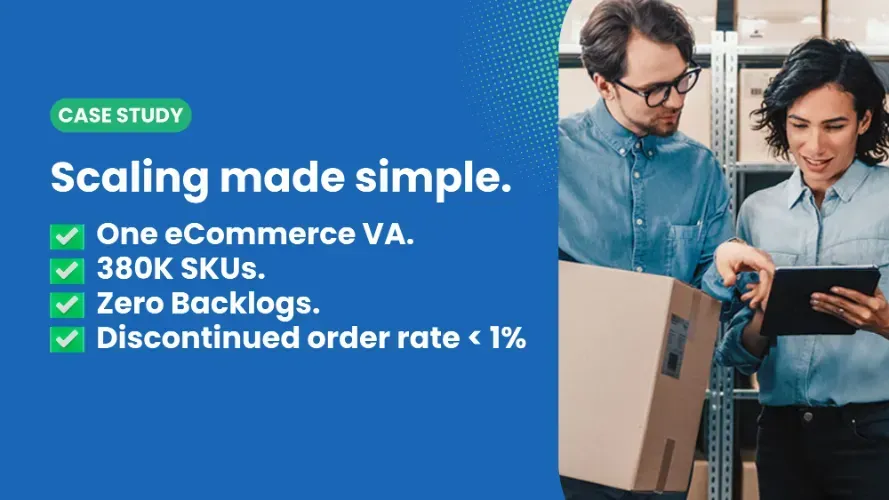
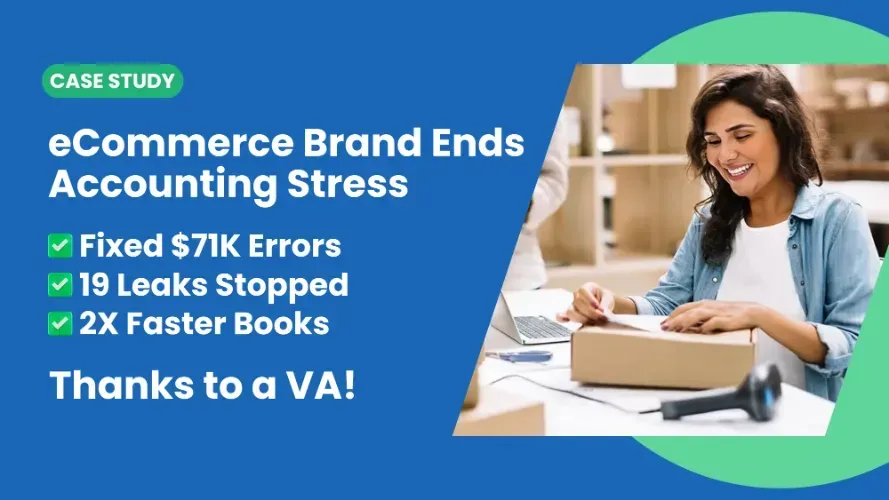
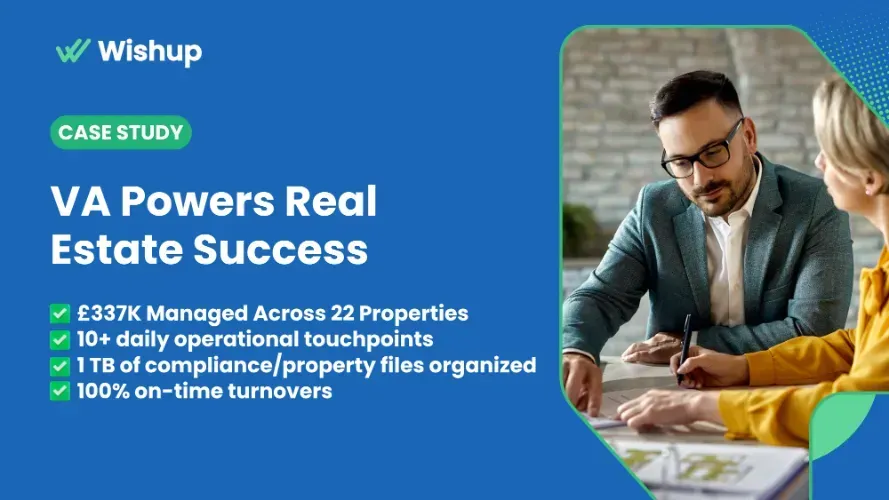
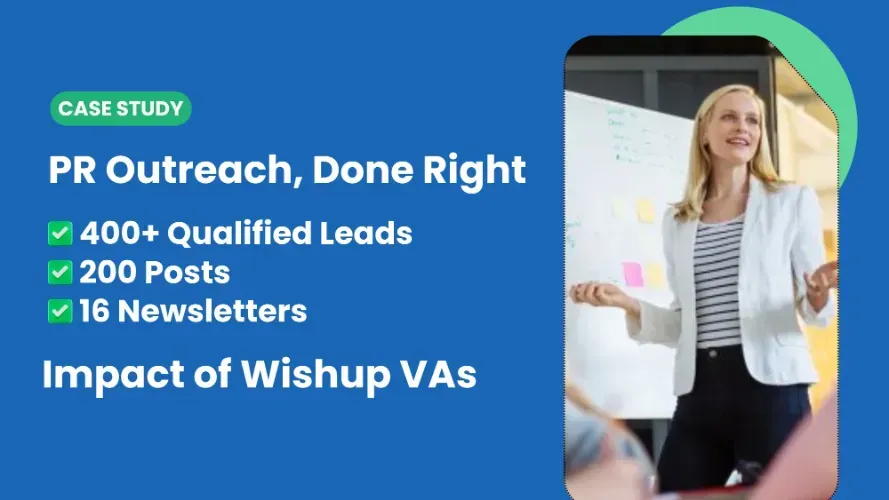
Case Studies of Wishup Virtual Assistants


How Real Estate Workflow Automation Works
Every workflow automation in real estate follows the same three-part structure, regardless of the tool being used.
The tools that connect these three parts in real estate include Zapier, N8N, Make (formerly Integromat), and native automation engines inside platforms like Follow Up Boss, kvCORE, HubSpot, and GoHighLevel. A skilled automation VA knows which tool fits which workflow, builds the logic inside it, and monitors it after launch.

Most real estate agents either skip automation entirely or pay for a software subscription that sits unused because nobody has time to build the workflows inside it. A dedicated automation expert VA solves exactly that problem.
Signs Your Real Estate Business Needs Workflow Automation
You do not need a workflow audit to know if your operations are manual and fragile. These are the most common indicators that real estate automation is the next right investment for your business.
- You or a team member manually copies lead information from a website or portal into your CRM more than twice a day.
- Follow-up emails go out inconsistently because sending them depends on someone remembering to do it.
- New leads sit in your inbox or form submission for more than 30 minutes before first contact.
- You have more than one tool that does not talk to the others, so data lives in multiple places and is never quite in sync.
- Your showing confirmation process involves a person sending an email and then another person adding a calendar invite manually.
- Post-closing, the transaction summary update goes to three different people who all have to input the same data separately.
- When you hired a new team member, onboarding them into your systems took two full days because nothing was documented or automated.
- You pay for a CRM like Follow Up Boss or kvCORE but the pipeline automation features are mostly unconfigured because setting them up requires time you do not have.
Best Real Estate Workflows to Automate First
Not every workflow deserves to be automated immediately. The right starting point is always the workflow that runs most frequently, involves the most manual steps, and causes the most revenue risk when it breaks. For real estate businesses, these are the workflows to build first.
- Lead routing: New leads automatically routed to the correct agent or pipeline based on source, geography, or property type.
- Lead follow-up sequences: Automated email or SMS drip campaigns triggered immediately on lead entry, without manual scheduling.
- Showing confirmation and reminders: Confirmation sent to buyer the moment a showing is booked, reminder fired 24 hours and 2 hours before.
- Post-showing follow-up: Feedback request and next-step email dispatched automatically 2 hours after showing end time.
- Document collection: Automated requests for buyer pre-approval, ID, and signed disclosures triggered by deal stage change.
- Transaction updates: Stage-based status emails to clients as deals move from offer accepted to title search to closing.
- CRM data hygiene: Stale lead records automatically flagged, duplicate contacts merged, and source attribution corrected on a scheduled basis.
- Listing management updates: MLS status changes reflected automatically across all marketing channels and internal tracking sheets.
Your automation VA builds each of these as a tested, documented workflow in your chosen platform. They do not hand you a template. They build it inside your actual tools, test every edge case, and hand you a working system with written documentation so your team understands how it runs.
Examples of Real Estate Workflow Automation Executed by Wishup VAs
Below are the eight most high-impact workflows that a Wishup real estate automation VA builds and manages for agents, brokers, and property managers across the US.
1. Real Estate Lead Routing Workflow Automation
Real estate lead routing workflow automation eliminates the lag between a prospect clicking Submit and your team responding. Every minute of response delay reduces the probability of conversion. An automated routing workflow removes that delay entirely.
Your automation VA builds the routing logic based on your team structure. Whether you route by ZIP code, lead source, property type, or agent availability, the workflow routes correctly every time, including at midnight when your team is offline.
2. Real Estate Showing Confirmation Workflow Automation
Real estate showing confirmation workflow automation removes one of the most manual touchpoints in residential real estate. When a showing is booked, the buyer expects immediate confirmation. A VA-built workflow delivers that confirmation in seconds and follows up with reminders at the right intervals without human involvement.
3. Real Estate Client Onboarding Workflow Automation
Real estate client onboarding workflow automation creates a consistent, professional intake experience for every new buyer or seller without requiring your team to manually assemble welcome packets, send intake questionnaires, or follow up for missing documents.
4. Real Estate Document Collection Workflow Automation
Real estate document collection workflow automation removes the most common source of transaction delays: chasing down pre-approvals, IDs, signed disclosures, and inspection reports. A workflow triggers document requests at the right deal stage and follows up automatically until the document is received.
5. Real Estate Deal Pipeline Workflow Automation
Real estate deal pipeline workflow automation keeps every active transaction visible, updated, and on track without requiring your transaction coordinator to manually move records between stages. When conditions are met, the pipeline updates itself.
6. Real Estate Post-Showing Follow-Up Workflow Automation
Real estate post-showing follow-up workflow automation captures buyer feedback at the highest-intent moment, immediately after the showing ends. Most agents collect this data inconsistently. A workflow sends the right message at the right time, every time.
7. Real Estate Listing Management Workflow Automation
Real estate listing management workflow automation keeps every active listing in sync across MLS, your website, your CRM, and your marketing channels without manual updates at every status change. When you reduce the listing from active to pending, every channel reflects that change.
8. Real Estate Transaction Update Workflow Automation
Real estate transaction update workflow automation keeps buyers and sellers informed throughout the closing process without your team sending manual progress emails at every milestone. Clients stay calm when they receive consistent, timely updates that confirm the transaction is on track.
How to Outsource Real Estate Workflow Automation to a Virtual Assistant?
Outsourcing real estate workflow automation is different from outsourcing a task. You are not handing someone a to-do list. You are giving someone the responsibility of building systems inside your tools and making sure those systems run without breaking.
Here is how to do it correctly.
1. Document the workflow you want to automate before your VA starts.
Write out the trigger ("When a lead submits the contact form"), the current manual steps ("Someone checks the email, copies the info into FUB, sends a reply"), and the desired outcome ("Lead is in FUB pipeline, reply is sent, agent is notified within 5 minutes"). Your VA builds the automation to match this specification.
2. Give your VA access to the tools involved, scoped appropriately.
Your automation VA needs read/write access to your CRM, your Zapier for real estate automation or N8N account, and any source tools (web form platform, calendar, email). They do not need admin access to billing or sensitive records. A well-managed service handles this with an NDA and password manager before any access is shared.
3. Set a priority order for workflows.
Start with the highest-frequency, lowest-complexity automation first. Lead routing is usually the best first workflow because it runs dozens of times per day, it is entirely manual right now, and the automation logic is straightforward. Build confidence in the process before tackling complex multi-step transaction workflows.
4. Require documentation for every workflow built.
A good automation VA does not just build the zap. They document the trigger, every action step, the tools involved, and the conditions under which the workflow should and should not fire. If the VA ever needs to be replaced, the next person can pick up and maintain the workflow without starting from scratch.
5. Schedule weekly monitoring check-ins.
Zaps break. Triggers fire on edge cases they were not designed for. API rate limits hit. Your VA should review automation performance weekly, flag anything that misfired, and send you an end-of-day report on workflow status. This is what separates a managed automation service from a freelancer who builds and disappears.
See which tasks can be automated by a virtual assistant in your business and what a trained automation VA can take off your plate.
Automate Real Estate Lead Follow-Up Workflows
Lead follow-up is the highest-leverage automation in real estate. Studies on lead conversion consistently show that responding to a new lead within 5 minutes increases conversion probability by 9 times versus responding within 30 minutes. No human team responds to every lead within 5 minutes. An automated workflow does.
A Wishup automation VA builds a real estate lead generation automation sequence that includes immediate response (personalised to the lead source), a 24-hour warm follow-up, a 3-day check-in for leads who did not respond, and a 7-day re-engagement for leads who are silent. Every message is sent automatically. Every interaction is logged in your CRM without manual data entry.
This is not a generic drip sequence from a template library. Your VA writes the copy, tests the timing, monitors open rates if your platform supports it, and adjusts the sequence based on what your leads respond to.
Automate Real Estate CRM Updates Without Manual Data Entry
Manual CRM data entry is both the most common complaint among real estate agents and the most straightforward problem to solve with automation. A trained VA uses Zapier RE Automation, N8N, or your CRM's native automation engine to connect every lead source directly to your CRM, so no record requires manual entry.
The specific workflows your VA builds for real estate automation around your CRM include:
- All web form submissions automatically create or update contacts in your CRM with source tags applied.
- Gmail or Outlook email threads with prospect domains automatically linked to the matching CRM contact.
- Booked calls or meetings in Calendly automatically update the CRM record with the meeting date and outcome field.
- Deal stage changes in your CRM trigger corresponding task creation in Monday.com or Asana for your team.
- Closed or withdrawn leads are archived with appropriate tags, keeping your active pipeline clean.
Clean CRM data is not a secondary benefit of automation. It is the foundation on which every other marketing automation for real estate depends. Your email sequences, your reporting, and your lead scoring all produce garbage outputs if the underlying contact records are incomplete or outdated.
Real Estate Workflow Automation for Appointment Scheduling and Reminders
Appointment scheduling in real estate involves multiple parties, multiple confirmations, and a high risk of no-shows when reminders are not sent consistently. Automating real estate business scheduling means connecting your calendar tool (Calendly, Google Calendar, or your CRM's scheduler) to an automated reminder sequence across SMS, email, and calendar notifications.
Your VA builds the connection between the booking event and the communication sequence, tests every step, and handles edge cases like rescheduling or cancellation triggers that need to stop the original reminder sequence and start a new one.
Automate Listing-to-Closing Workflows in Real Estate
The listing-to-closing workflow involves more handoffs than any other process in residential real estate. From the moment a listing goes live to the day it closes, there are 15 to 25 distinct tasks that need to be completed, communicated, and documented. Automating this workflow does not eliminate those tasks.
It ensures they are triggered at the right time, assigned to the right person, and tracked without anyone keeping a manual checklist.
A full real estate document automation and pipeline workflow built by your VA connects your MLS status changes, your e-signature platform, your document storage, and your CRM into a unified system where every milestone update flows through automatically.
Real Estate Workflow Automation for Open House Follow-Up
Open house follow-up is one of the highest-intent outreach windows in residential real estate, and most agents squander it because follow-up is manual and deprioritised after a busy weekend. An automated open house follow-up workflow changes that.
Your VA builds a workflow where every attendee who signs in at an open house (via a tablet sign-in form like JotForm or SignUp Genius) is automatically added to your CRM with a tag, receives a personalised thank-you email within 2 hours, and enters a 5-day follow-up sequence without any manual input from your team. If an attendee books a showing from that sequence, they are moved to a different pipeline stage and the open house sequence stops.
Real Estate Workflow Automation by Business Type
- Lead routing to your own pipeline (no team complexity)
- Automated follow-up sequences replacing manual texting
- CRM populated from every lead source automatically
- Showing confirmations and reminders running without you
- Social media content scheduled ahead via Buffer or Hootsuite
- Lead routing logic based on agent territory or specialty
- Team notification workflows in Slack or Teams
- Centralised CRM hygiene automation across all agents
- Transaction update workflows for coordinator team
- Reporting dashboards auto-populated weekly
- Maintenance request routing to correct vendor automatically
- Lease renewal reminders triggered 90, 60, and 30 days out
- Rent payment reminders and late payment notifications
- Move-in and move-out inspection scheduling workflows
- Monthly owner report generation from property data
- Deal sourcing data pulled into tracking sheets automatically
- Capital call automation for real estate funds and partnerships
- Accounts payable automation for real estate expenses
- Contractor communication workflows for rehab projects
- Portfolio performance reporting from property management data
- Multi-source lead deduplication and routing logic
- ISA (Inside Sales Agent) handoff workflows
- Lead scoring automation based on engagement signals
- Automated re-engagement campaigns for cold leads
- Daily performance reports for team leads automatically
- White-glove client onboarding sequences with personal touches
- Curated market update emails personalised to buyer criteria
- Private listing notification workflows for VIP buyers
- Post-closing gifting workflow automation
- Referral request sequences for closed high-value clients
Real Estate Workflow Automation by CRM and Tool
Real Estate Workflow Automation in Follow Up Boss
Follow Up Boss has a native action plan engine that your automation VA configures to fire sequences based on lead stage, tag, or source. Beyond native features, your VA connects FUB to external tools using Zapier, so inbound leads from Zillow, Realtor.com, and your website all land in FUB with consistent tagging and trigger the correct action plan automatically.
The most impactful FUB automations your VA builds include source-based action plans, smart list segmentation triggers, and task assignment rules that distribute work across your team based on agent capacity.
How to Set Up Real Estate Workflow Automation in HubSpot
HubSpot's Workflows tool is among the most powerful native automation engines available to real estate teams. Your automation VA uses HubSpot's native workflow builder to create deal-stage-based email sequences, contact property update triggers, and internal notification workflows without requiring third-party connectors for most use cases.
For real estate teams on HubSpot, the VA also configures the marketing automation for real estate email campaigns, sets up lead scoring rules based on contact engagement, and creates reporting dashboards that update automatically from live CRM data.
Real Estate Workflow Automation Using Zapier
Zapier for real estate automation remains the most versatile real estate automation tool for connecting platforms that do not have native integrations. Your VA uses Zapier to bridge your MLS, your CRM, your e-signature platform, your calendar, your communication tools, and your marketing channels into a connected system. Each connection is a Zap: a trigger event in one app fires one or more actions in connected apps.
Common Zapier RE workflows your VA builds for real estate include:
- New lead in Facebook Lead Ads → contact created in FUB + welcome SMS via Twilio.
- Meeting booked in Calendly → deal record created in CRM + Slack notification to agent.
- Document signed in DocuSign → deal stage updated in CRM + file saved to Google Drive folder.
- Form submission on website → contact created in HubSpot + added to email nurture sequence.
- New row added to Google Sheet (from MLS export) → CRM listing record created or updated.
N8N Real Estate Automation
N8N real estate automation is the advanced alternative for real estate teams that want self-hosted, fully customisable workflows without per-task pricing. Your VA builds N8N workflows for more complex automation needs, including multi-step conditional logic, API connections to MLS data, and data transformation workflows that clean and reformat lead data before it enters your CRM.
N8N is particularly useful for high-volume lead teams and real estate investors who need custom integrations that Zapier does not support natively.
kvCORE Real Estate Workflow Automation Ideas
kvCORE has a powerful native Smart CRM and behaviour-triggered automation engine. Your VA configures kvCORE's lead engine to route by geography and source, sets up the Smart Campaigns for different lead temperatures, and connects kvCORE to external tools via Zapier for functions that fall outside the platform's native scope, such as posting listing updates to social media or syncing deal data to a Google Sheet for investor reporting.
Real Estate Workflow Automation for GoHighLevel
GoHighLevel is increasingly popular with real estate teams and ISAs because of its combined CRM, pipeline, and communication tool in one platform. Your VA builds GoHighLevel workflows that trigger SMS and email sequences on pipeline stage changes, set up calendar booking automations, configure the review request workflows post-closing, and integrate GoHighLevel with external data sources like MLS feeds and listing portals.
GoHighLevel's native workflow builder is powerful but complex. A trained automation VA navigates it significantly faster than an agent doing it themselves on weekends.
Should You Hire a VA or Use Software for Real Estate Workflow Automation?
This is the question most real estate agents ask when they first start evaluating real estate automation services. The answer is that the software and the VA are not alternatives. They are complements. The software is the tool. The VA is the builder, operator, and monitor of what the tool does.
The real comparison is not VA versus software. It is between your time spent building and managing automations versus a trained professional doing it for you so you are focused on revenue-generating work. CEOs and top producers should not be debugging Zapier connections. That is not CEO work.
You can read more about how marketing automation scales when paired with virtual assistant expertise to understand why the combination consistently outperforms either approach alone.
Real Estate Workflow Automation VA: Cost, Tasks, and ROI
How Much Does Real Estate Workflow Automation Cost?
The cost of real estate automation services with a Wishup automation expert VA depends on how many hours of automation work your business requires per month.
Part-time automation expert VA at $1999/month for 80 hrs and full-time at $2999/month for 160 hrs.
Both plans include no recruitment cost, no payroll management, no HR overhead, no setup fee, and a 24-hour replacement guarantee. You pay one flat rate. Wishup manages everything else.
What Tasks Can a Real Estate Workflow Automation VA Handle?
An automation expert VA from Wishup goes well beyond building Zaps. The full task scope includes:
- Building trigger-action workflows in Zapier, N8N, Make, HubSpot, Follow Up Boss, GoHighLevel, and kvCORE
- Mapping existing manual processes and identifying which ones to automate first
- Writing documentation for every workflow built
- Monitoring automation performance weekly and flagging failures
- Setting up email sequences and drip campaigns inside your CRM
- Automating social media posting schedules for listings and market updates
- Building and maintaining Google Sheets or Notion dashboards that auto-populate from CRM data
- Connecting document collection and e-signature platforms to your pipeline workflows
- Managing real estate social media automation including content queuing and cross-posting
- All routine real estate admin: CRM data entry, email management, calendar coordination, research
What ROI Can You Expect from a Real Estate Workflow Automation VA?
The ROI calculation for a real estate automation VA has two components: time recovered and revenue protected.
On the time side, agents who implement systematic automation for real estate across lead routing, follow-up, and transaction management report recovering 10 to 18 hours per week of manual administrative time. At a conservative billing rate of $150 per hour for a producing agent, that is $6,000 to $11,000 in recovered productive time monthly, against a VA cost of $1,999 to $2,999.
On the revenue side, the automation of lead follow-up alone, specifically the reduction of first-response time from 30+ minutes to under 5 minutes, measurably increases lead-to-appointment conversion rates. Research consistently shows that 5-minute response times drive conversion rates 4 to 9 times higher than 30-minute response times. For a team generating 50 leads per month at an average commission of $8,000, improving conversion from 10% to 15% represents $40,000 in additional annual revenue.
Wishup provides a 30-day ROI report for every client so this is not guesswork. You see the exact output your VA produced and the workflows that are running at the end of month one.
Why Real Estate Businesses Choose Wishup for Workflow Automation
There is a meaningful difference between hiring a freelance automation specialist and hiring a managed automation expert through Wishup. The difference is not just the person. It is the infrastructure around that person.
Is Real Estate Workflow Automation Worth It for Small Brokerages?
Small brokerages are often the businesses that benefit most from workflow automation and the last ones to adopt it. The hesitation is understandable. Automation sounds expensive and technical. The reality in 2026 is that the cost of not automating is higher than the cost of doing it.
A small brokerage with 4 to 10 agents is typically running on a shared CRM with inconsistent data quality, manual lead routing, and follow-up sequences that depend entirely on individual agent discipline. When one agent leaves, their leads go cold. When the market picks up, the team cannot scale its response capacity without hiring.
Automation fixes both problems. Lead routing does not depend on who is checking email. Follow-up sequences fire regardless of which agent is on vacation. CRM data stays clean because no human is responsible for manual entry. A small brokerage with a well-configured automation stack runs with the operational efficiency of a much larger team.
At $1,999 per month for a part-time Wishup automation VA, a brokerage that closes 10 deals per year and improves lead conversion by even one additional deal recovers the annual VA cost in a single commission.
How to Connect Your CRM and Inbox for Real Estate Workflow Automation
Connecting your CRM to your inbox is the foundational automation for any real estate business. Without this connection, email threads live in Gmail or Outlook while the contact record lives in your CRM, and neither knows what is happening in the other.
Your automation VA sets up bidirectional CRM-inbox integration using your CRM's native email sync (Follow Up Boss, HubSpot, and GoHighLevel all support this natively) or via Zapier if your CRM does not have built-in email sync. The integration means:
- Every email you send or receive from a contact in your CRM is logged automatically to that contact's record.
- When a new email arrives from an unknown sender, a Zap checks if that sender's email address exists in the CRM and creates a new contact if it does not.
- Important email keywords (e.g., "interested," "offer," "closing") can trigger CRM pipeline updates or task creation without manual intervention.
This connection turns your inbox from a siloed communication tool into a data source that feeds your pipeline automatically.
Common Mistakes in Real Estate Workflow Automation
Most real estate automation failures are not tool failures. They are planning failures. These are the mistakes that cause automations to break, produce wrong outputs, or simply not get built at all.
- Automating a broken process. If your lead follow-up workflow is chaotic because the data in your CRM is incomplete, automating it produces chaotic automated messages. Fix the process on paper before building it in a tool.
- Building without testing edge cases. An automation built only for the standard path breaks the first time a lead submits a form twice, books and then cancels a showing, or uses a different email address than the one in your CRM. Your VA tests edge cases before any workflow goes live.
- No documentation. An undocumented automation is a time bomb. When the person who built it is unavailable and something breaks, nobody knows where to look. Require documentation from your VA on every workflow.
- Automating too many workflows at once. Teams that try to build 10 automations simultaneously end up with 10 workflows that are 80% complete and none that are working reliably. Build and validate one workflow at a time.
- Ignoring API rate limits. Zapier and other automation platforms have limits on how many tasks can run per month on free and entry-level plans. Your VA knows these limits and designs workflows that stay within them.
- Using a general VA instead of an automation specialist. A general administrative VA can manage your calendar and draft your emails. They cannot build multi-step trigger-action workflows inside Zapier or N8N. Those are different skills, and confusing them results in a VA who is frustrated and an agent whose automation backlog never shrinks.
Best Virtual Assistant for Real Estate Workflow Automation
The best VA for real estate workflow automation is not just someone who knows Zapier. It is someone who understands real estate operational workflows, knows which automation tool fits which use case, builds with documentation from the start, monitors for failures after launch, and treats your automation stack as a system to maintain and improve rather than a project to deliver and forget.
Wishup automation expert VAs are specifically trained for this. Their 8-week mandatory training program covers 120+ tools, workflow automation principles, real estate-specific task management, US business communication standards, and end-to-end documentation practices. They are not handed a YouTube playlist and asked to figure it out. They are trained by an experienced team and then matched to clients based on industry relevance.
The difference between a Wishup automation VA and a freelancer from a gig platform comes down to four things: supervision, training depth, replacement guarantee, and tenure. The 36-month average retention rate means your VA does not disappear six weeks after you have trained them on your systems. They stay, they learn, and they improve the automation stack over time.
If you want to understand the full range of what an automation VA can take on across different types of businesses, the complete task automation guide breaks this down by category with specific examples.
Frequently Asked Questions About Real Estate Workflow Automation VAs
What is real estate workflow automation and how does it work?
Real estate workflow automation is the process of connecting your CRM, inbox, calendar, document platforms, and communication tools so that repetitive tasks execute automatically based on trigger events. A trigger could be a form submission, a calendar booking, a deal stage change, or a document being signed. When the trigger fires, a pre-built action executes automatically in one or more connected tools. The result is that tasks that previously required manual steps happen in seconds without human involvement. A Wishup automation VA builds these trigger-action sequences inside platforms like Zapier, N8N, Follow Up Boss, HubSpot, and GoHighLevel.
Are Wishup VAs actually trained and supervised, or are they freelancers?
Wishup VAs are not freelancers. They are full-time professionals employed through Wishup's managed service model, which is fundamentally different from a gig platform. Every Wishup automation VA completes an 8-week mandatory training program covering 120+ tools and 200+ task types before being matched with a client. They are supervised by a VA Manager who conducts weekly QA reviews. A dedicated Customer Success Manager runs monthly check-ins. SOPs are reviewed fortnightly. End-of-Day reports document every day's work. This is an Employee as a Service model, not a freelancer engagement.
Can a Wishup automation VA work US hours and respond quickly?
Yes. Wishup VAs are matched to work in your time zone, including US Eastern, Central, Mountain, and Pacific. The task response SLA is 5 minutes during working hours, and the POC (Point of Contact) response time is 60 minutes. If an automation breaks or a trigger misfires during the business day, your VA acknowledges and addresses it within that window. This is peer-trained US-business-specific support, not offshore generic support.
How do you handle security when the VA needs access to my CRM and tools?
Security is handled at multiple levels. Every Wishup VA signs a strict NDA before accessing any client tools. Custom NDAs are available if your brokerage requires specific clauses. Access to tools is granted through a password manager so credentials are never stored in personal email or messaging apps. Workflows are monitored, and access is scoped to only what is required for the automation work. Wishup's data handling aligns with SOC 2 and GDPR principles. If you have compliance requirements specific to your state or brokerage, discuss them during the consultation and Wishup will confirm the right setup before your VA goes live.
How does Wishup compare to Magic, Wing, or other VA services for automation?
The key differentiators are training depth, automation specialisation, tenure, and managed service infrastructure. Wishup VAs complete an 8-week training program in automation tools and real estate workflows specifically. The average VA retention is 36 months, meaning your VA stays and develops expertise in your systems over time rather than turning over every few months. The managed service model adds a VA Manager, CSM, QA reviews, and replacement guarantee that most other services do not include. On cost, Wishup's all-inclusive monthly rate competes with or beats alternatives once you account for the training, management, and replacement infrastructure that would otherwise be your responsibility.
What is the commitment? Can I cancel or pause?
Wishup operates on a month-to-month model with no long-term contracts. There is a 7-day no-questions-asked refund if you are not satisfied within the first week. You can pause at any time. There are no setup fees and no cancellation penalties. The model is described as Loyalty without commitment because the goal is to deliver enough value that you choose to stay, not because you are locked in.
Can you onboard quickly? How long does it take?
Yes. Onboarding takes 60 minutes from the point you select your VA. The process: you complete a free consultation, Wishup matches you with relevant automation VA candidates, you conduct unlimited same-day interviews at no cost, and once you select your VA, the onboarding happens within the hour. The first-match success rate is 90%, and the second-match success rate is 100%. Most clients have a working automation VA within 24 to 48 hours of their initial conversation with Wishup.
What happens if my automation VA leaves or is unavailable?
Wishup provides a replacement within 24 hours at no additional cost. Backup coverage is built into the service for leave, illness, or any unexpected unavailability. Because every Wishup VA is required to document their workflows, a replacement VA can pick up where the previous one left off without needing to rebuild anything from scratch. There is no charge for the replacement and no disruption to workflows that are already running.
How many automations can a VA realistically build per month?
A part-time automation VA (80 hours/month) can build and test 3 to 5 well-documented workflows per month while also handling regular administrative tasks. A full-time VA (160 hours/month) can build 6 to 10 workflows per month depending on complexity, in addition to monitoring and maintaining existing ones. Wishup VAs completed 50+ AI automations across clients in the last quarter alone. The scope expands as your VA becomes more familiar with your specific tools and workflows.
Can a real estate workflow automation VA also handle my regular admin tasks?
Yes. Wishup automation VAs are cross-trained across both technical automation skills and real estate administrative tasks. They can build your Zaps and run your CRM data entry, draft your listing descriptions, manage your inbox, coordinate your calendar, handle document follow-up, and prepare weekly reporting, all within the same engagement. The full-time plan at $2,999 per month gives you enough hours to cover both automation buildout and ongoing operational admin without needing separate hires.
Which automation tools does a Wishup VA know?
Wishup automation VAs are trained in 120+ tools as part of their mandatory training curriculum. For real estate specifically, the most relevant include: Zapier, N8N, Make (Integromat), Follow Up Boss, kvCORE, HubSpot, GoHighLevel, Zoho CRM, Monday.com, Asana, Google Workspace (Sheets, Drive, Gmail), Slack, RingCentral, Twilio, Calendly, DocuSign, PandaDoc, Dotloop, Buffer, Hootsuite, ChatGPT, Apollo, and Canva. If your specific tool is not on this list, confirm during the consultation and Wishup will match you with a VA who has relevant experience.
What is the difference between automating real estate marketing vs. real estate operations?
Marketing automation for real estate covers the lead generation and nurturing side: email campaigns, social media scheduling, content automation for real estate channels, ad lead integration, and email marketing automation for real estate sequences. Operational automation covers the transaction management and administrative side: CRM updates, document collection, pipeline stage changes, team notifications, and reporting. A Wishup automation VA handles both. Most real estate businesses need a combination of marketing-facing and operations-facing automation, and the VA builds both within the same engagement.
Get 3 time-wasting business tasks automated — free.










Author - Neelesh Rangwani · Co-founder at Wishup
With 10+ years in the virtual assistant space, Neelesh has helped 1000+ US and global founders build efficient remote teams by matching them with top 0.1% virtual assistant talent. He writes about virtual assistants, hiring frameworks, remote productivity, and scaling ops.
More posts by Neelesh → · Connect on LinkedIn