


If you’re wondering how to manage a virtual assistant, all you want is a clear system.
In my 15 years of experience as a founder, I’ve managed VAs myself, and I’ve helped 1,000+ founders hire, onboard, and manage their VAs. And here’s what I’ve seen again and again.
Most VA problems are setup problems. The founder delegates vaguely. The VA guesses. Work comes back half-done.
This detailed guide has a simple VA management framework to fix that.
Benefits of managing a virtual assistant right
- You stop redoing work.
More time is wasted on fixing half-delegated tasks. A tight system reduces rework and repeated questions. - Your VA becomes “self-driving.”
When SOPs, KPIs, and check-ins are clear, your VA won’t have to wait for instructions. They complete tasks on their own. - You get consistent quality even when you’re busy.
Good management creates standards. So work stays stable even when you spend time away from your business. - You get business continuity.
The framework keeps your VA running all through the week. It ensures stable output for your business.
The 6 phases of managing a virtual assistant
Phase 1: Onboarding a VA
Strong onboarding can improve a recruit’s retention by 82% and productivity by 70%. So, here’s the onboarding sequence I recommend to founders.
i) Run a proper kickoff (at least 45 minutes)
Start with clarity. You and the VA should align on four things:
- What you want owned (and what you don’t).
- What tools do you use for what.
- What “done” looks like for the first 2 weeks.
- What should be escalated to you instantly.
This is the fastest way to prevent early mess-ups.
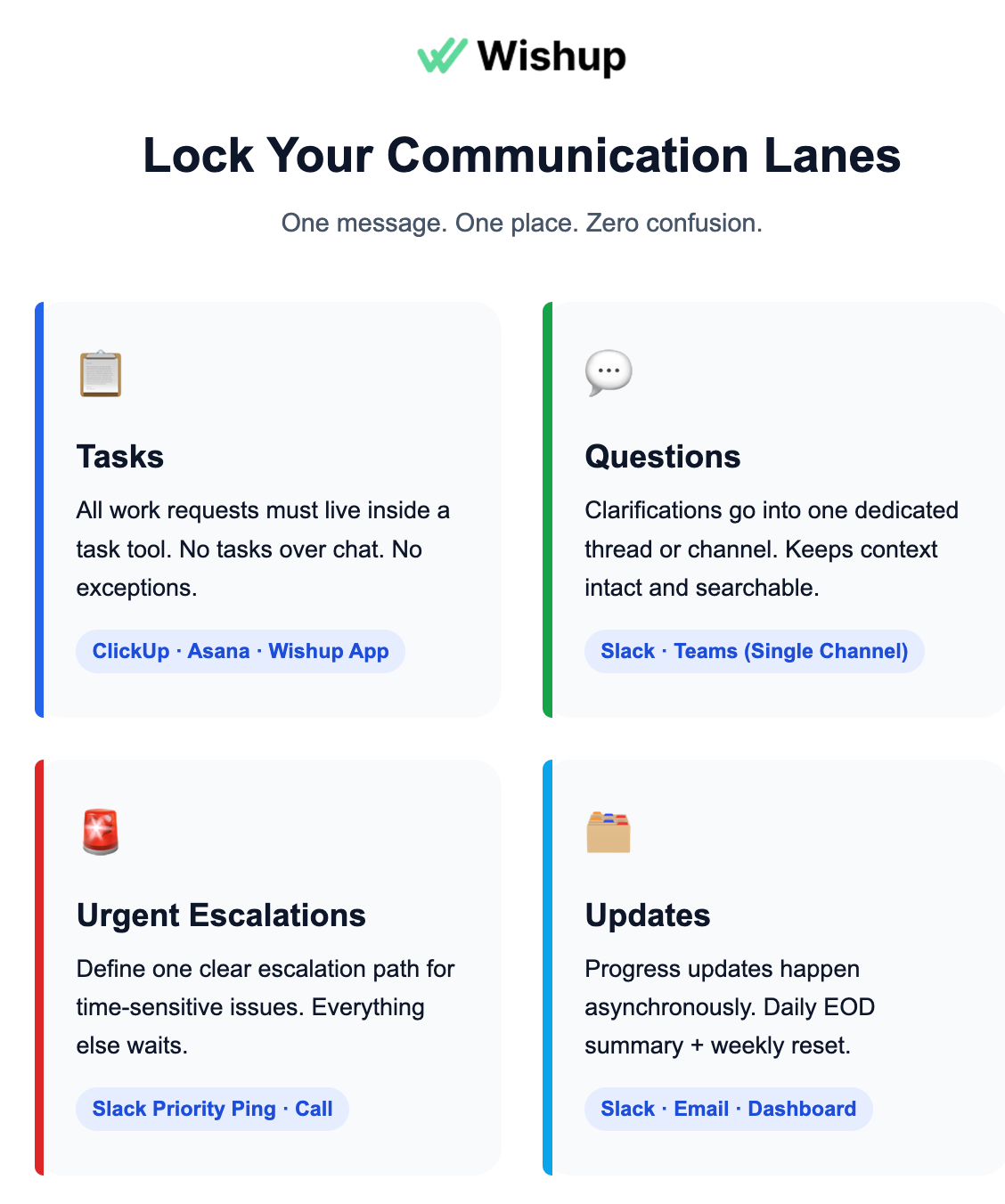
ii) Start a daily video standup (first 7–14 working days)
Keep it short. Same time. 10–15 minutes. The purpose is simple: just to inspect progress and adapt the plan.
My default questions are always the same: What shipped yesterday? What ships today? What’s blocked?
iii) Convey SOPs, KPIs, and EOD format
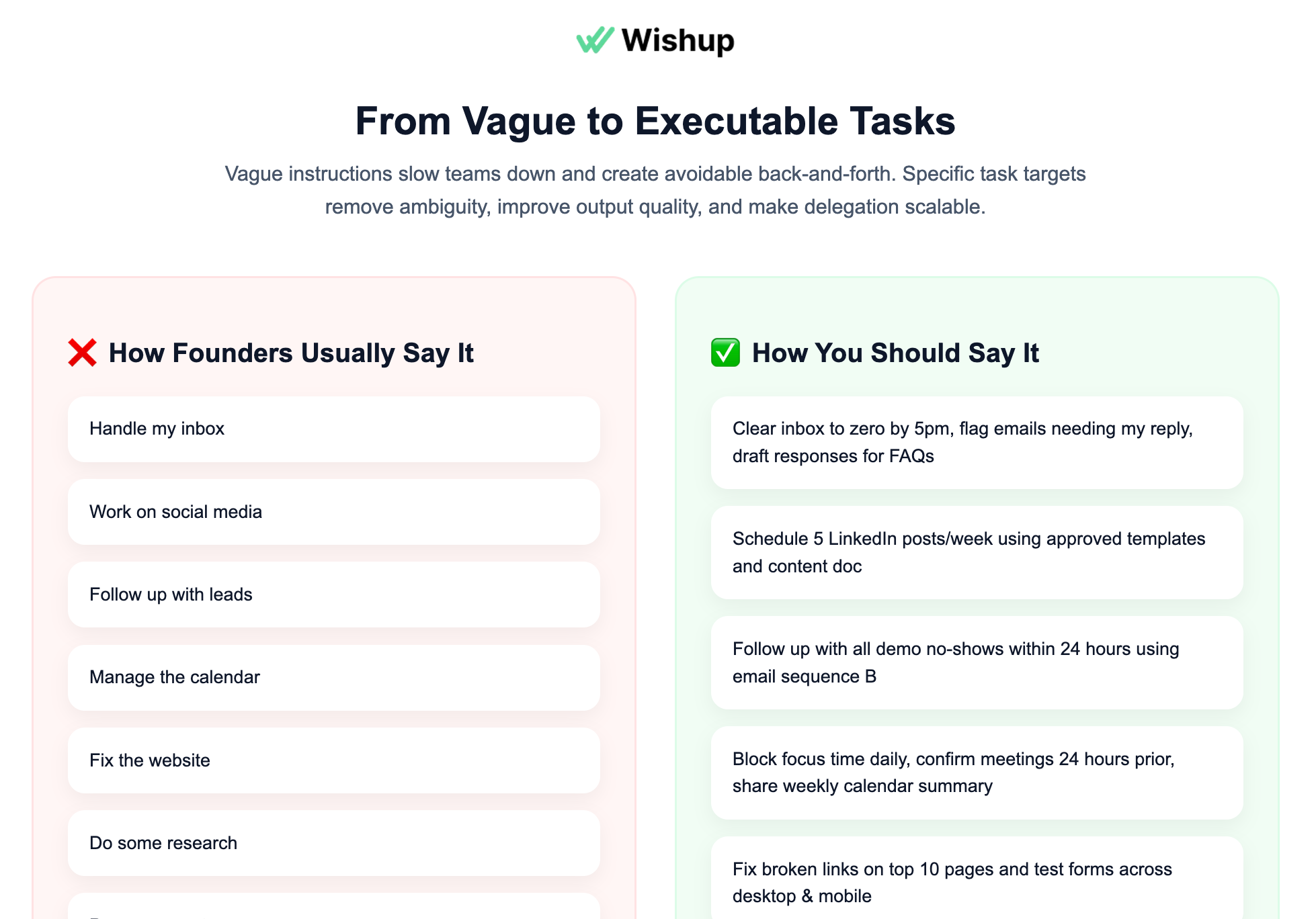
One problem with busy founders is that they wait to “document properly.” That’s a mistake. Establish your SOPs and set KPIs right during the onboarding call or send pre-recorded Loom videos after the call.
Do it like this:
- Record 2–5 Loom videos for the first recurring tasks (inbox triage, calendar rules, CRM updates, reporting).
- Add a simple checklist under each Loom.
- Add one example of “EOD report”. A screenshot or a sample doc
- Send a separate email about the KPIs along with the incentives.
iv) Provision access safely (no password sharing in chat)
Onboarding includes access because your VA can’t operate without it. Use a password manager like Nordpass and provide shared vault access.
What I do in practice:
- Create a shared vault.
- Give least-privilege access first. Expand later.
- Turn on MFA wherever possible.
v) Set up time tracking tool:
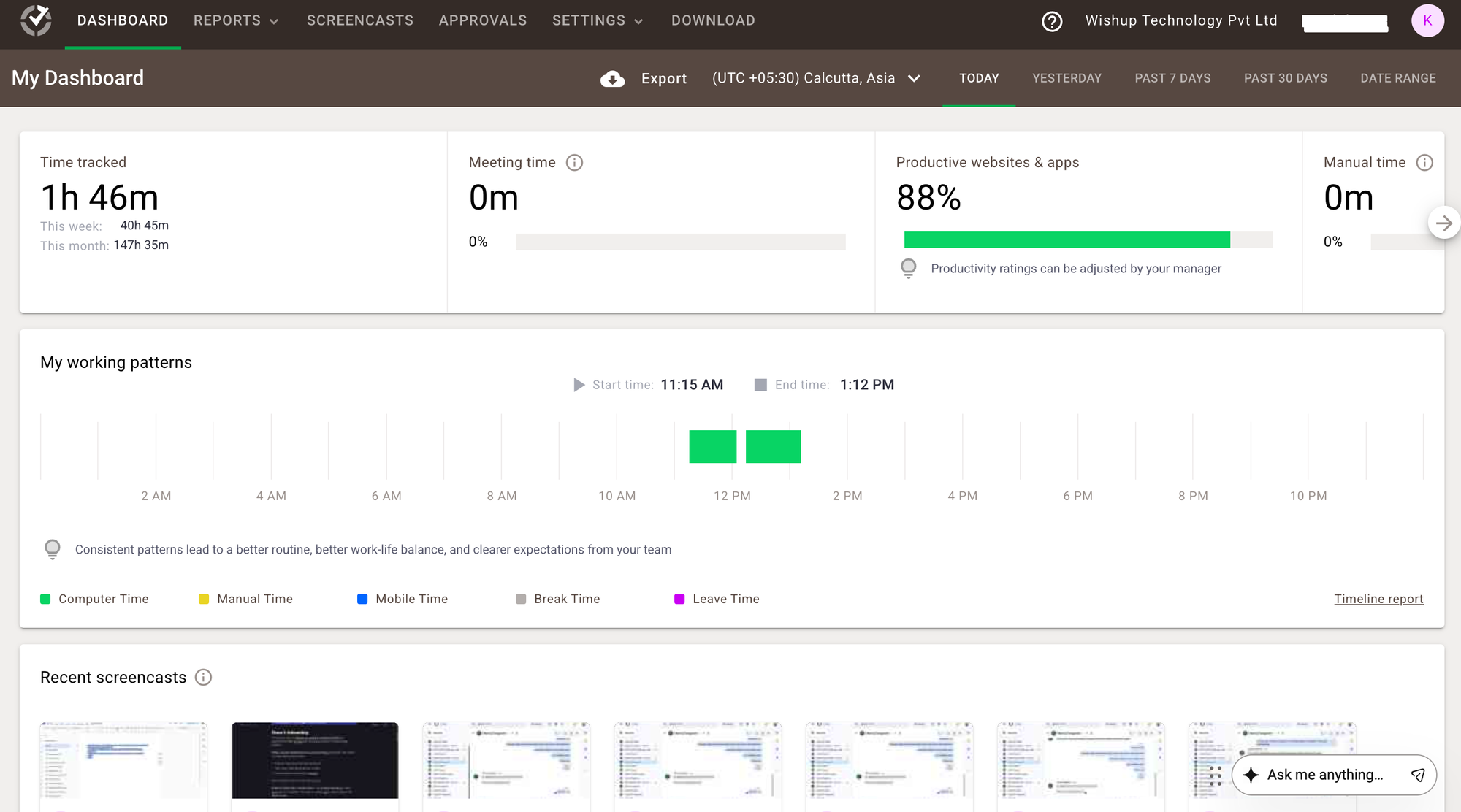
Install a premium time-tracking tool like Time Doctor on your VA’s device, and ensure it records the screen the moment they log in. From keyboard/mouse activity to screenshots of their screen, everything will be tracked and recorded by this tool. Wishup partnered with TimeDoctor to monitor the working hours of all virtual assistants.
Phase 2: Task delegation
Proper delegation relies on crystal clear communication. If your VA has to guess the tasks every day, you’re losing it. A PMI report claims communication gaps drive 56% of task failure. So, here’s how I managed task delegation.
i) Declare one tool for delegation.
All tasks go into your task tool. I used Trello back then. Today, I use the Wishup app, as it’s part of my business. But pick any one that suits you. Never send tasks in DMs or voice notes. If you break this rule, your VA will too. That’s how work gets lost.
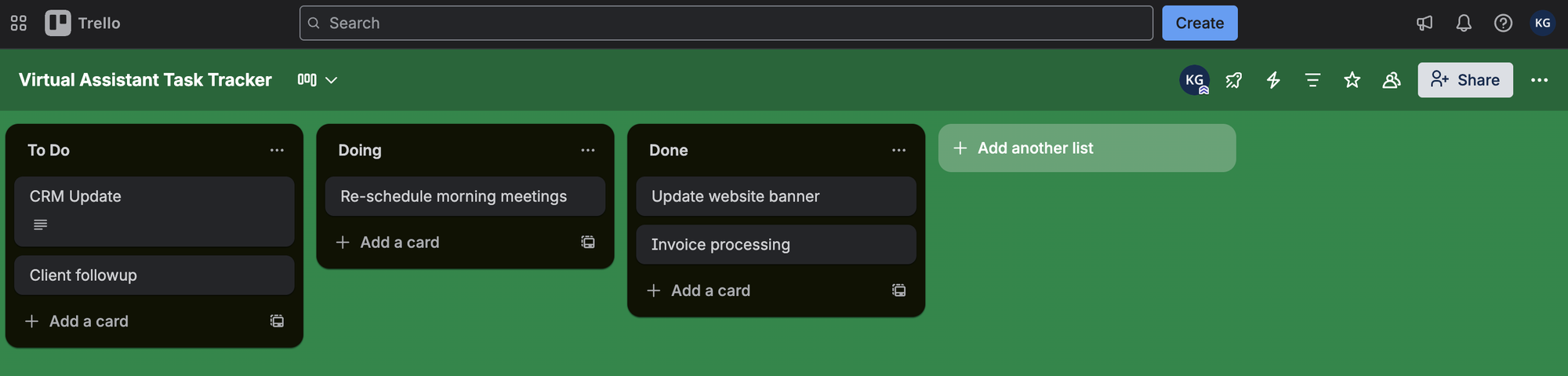
ii) Use a fixed “task card” format for every delegation.
Refrain from using long explanations. Set the same 6 fields, every time:
- Outcome (what the finished result is)
- Definition of done (how you’ll judge it)
- Inputs (links, logins, examples)
- Constraints (tone, format, tools, do-not-do)
- Priority + deadline
- Escalation rule (when to interrupt you)
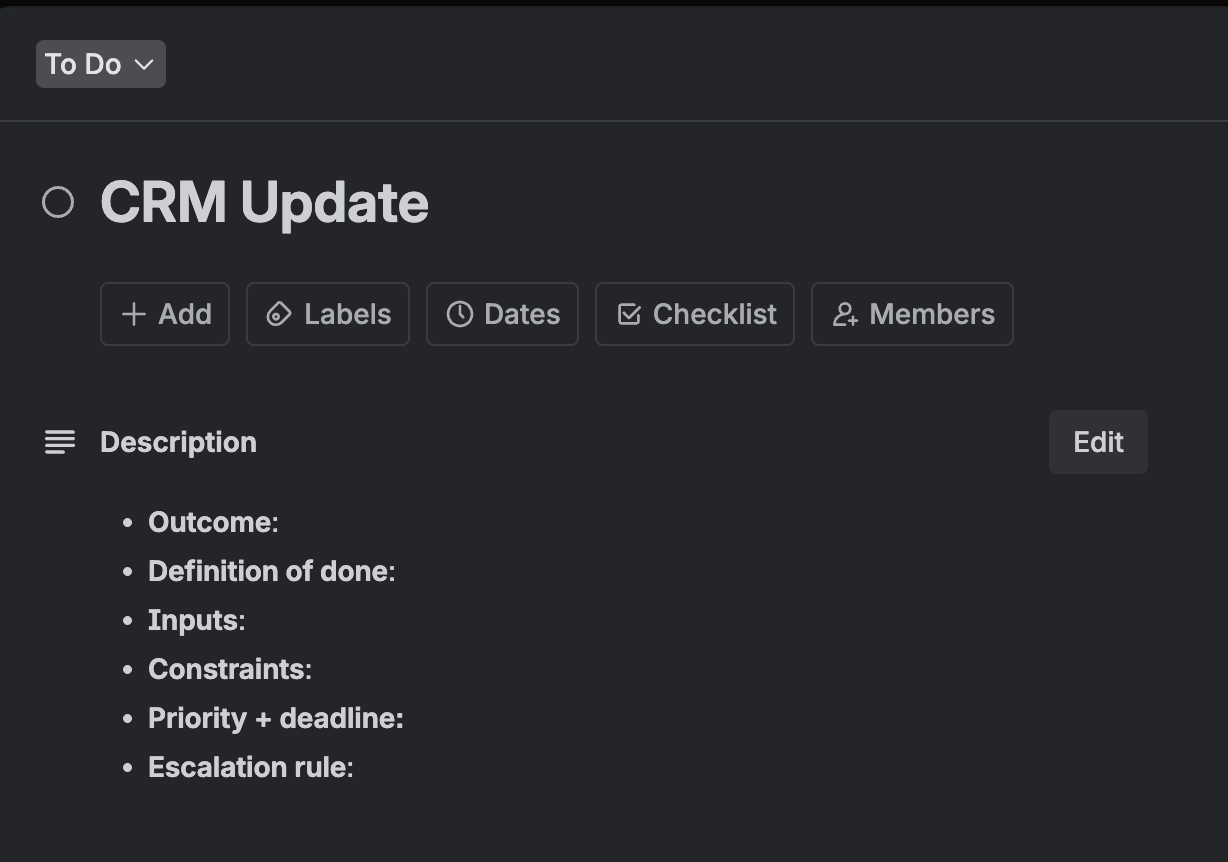
If you do this, the VA stops asking basic follow-ups. Because the task is complete at the time of assignment.
iii) Establish KPIs
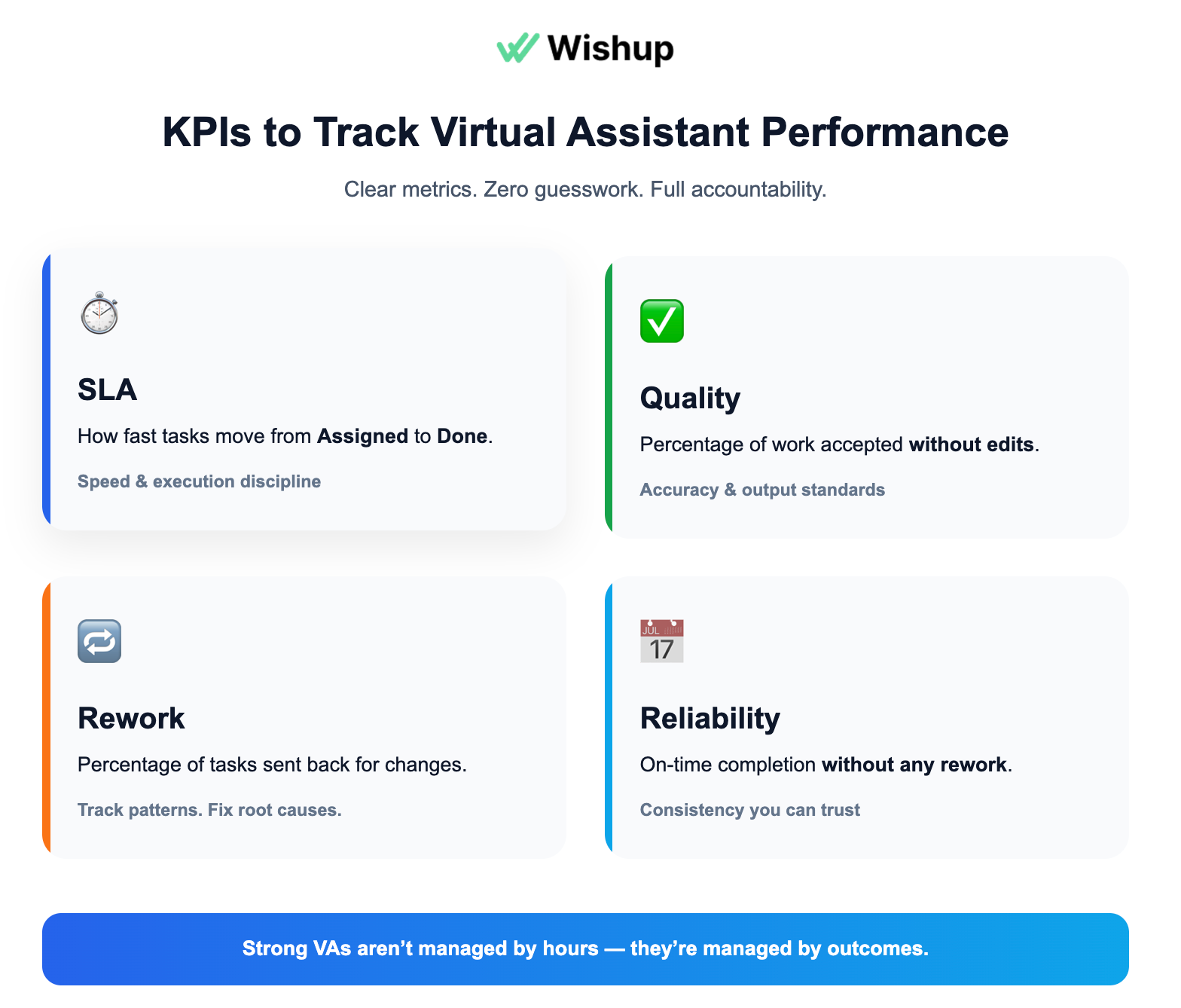
Set 4 important metrics for each category of tasks.
- SLA: how fast tasks move from the ‘assigned’ stage till its gets ‘done’.
- Quality: percentage of a work that’s accepted without edits.
- Rework: percentage of tasks sent back (note the underlying cause).
- Reliability: on-time completion rate without any reworks.
iv) Include references as a benchmark
Founders try to explain quality with words. It doesn’t work. One example output beats paragraphs. Create a simple “examples” folder. For example, if my virtual assistant handles CRM, this is what my “examples” folder would contain:
- Good report
- Good outreach message
- Good CRM notes
- Good customer response
Your VA can easily compare and try to match the standard faster with fewer revisions.
Phase 3: Monitoring a virtual assistant
There’s only a thin line between monitoring your VA and monitoring your system. If you do this right, issues show up early, and fixes are small. Get it wrong, and you become that bad boss who is known for micromanagement. So, here’s the delicate monitoring stack I recommend.
i) Keep one daily touchpoint, but make it operational.
If you’re still in the first month, keep going with the daily video standup. At the same time. No storytelling. Even after the first month, I still keep a lightweight daily check-in. The goal stays the same: what shipped, what’s next, what’s blocked.
ii) Use time tracking software as a weekly diagnostic.
You already set up time tracking. Now you use it properly. It can tempt you to micromanage, but don’t do it. It’s the easiest way to create mistrust between you and your VA. As long as the output quality is up to the standards set, it’s recommended to leave it untouched. However, if there’s a downward trend in productivity, start by assessing which tasks have drained the most time.
iii) Run a weekly KPI pulse (15 minutes).
Let the virtual assistant take the first two weeks to adapt to your business processes. Start analyzing all four KPIs set earlier from the third week. Let it then continue every week, at least for the first quarter. Changing it to bi-weekly or monthly depends on the VA’s performance and your business model. Loop in the corresponding VA manager as well, so they can also better train the VA if needed, based on your operating model.
Phase 4: Feedback or performance review
Feedback is the most critical element of managing a VA. It becomes fuel when done right. Gallup reports that 80% of staff who say they received meaningful feedback in the past week are fully engaged and committed to their work. Here’s how it can be systematically handled.
i) Set a feedback SLA
My rule is simple: if I notice an issue today, I respond today. Even if it’s one line. Late feedback is expensive because the VA repeats the same pattern tomorrow.
ii) Keep feedback attached to the work, not scattered in chat.
All feedback lives on the task card (Trello / Wishup app). That way, the VA can re-read it when the task repeats. Feedback in WhatsApp gets buried. Then it repeats.
iii) Use a fixed 4-line script (every time). This keeps you short and removes emotion. No lectures.
- What I saw: “The report missed X.”
- Impact: “This makes Y's decision harder.”
- Change: “Next time, include X in section 2.”
- Example: “Like this screenshot/sample.”
iv) Conduct periodic performance review
Link your virtual assistant’s KPIs to the major business outcomes. Assess it every 6 months. And reward incentives if it had met or exceeded your expectations. If not, get one-on-one with your VA, understand the challenges they face, and tweak the system accordingly.
Top tools to manage a virtual assistant in 2026
Tools won’t fix vague delegation. But the right stack makes good management feel effortless. My rule is simple. Use fewer tools. Make them non-negotiable.
To learn about the tools in detail, here's a list of tools for effectively managing a VA, and here's a list of tools that can improve your VA's productivity.
If you want a quick overview of the best tools, check the list below.
- Task management: Trello (light), Asana / ClickUp (advanced), internal tools (Wishup app)
- SOPs + knowledge base: Notion, Google Docs/Drive, Process Street, Scribe
- Async video: Loom, Slack/Teams native video
- Password manager: 1Password, Bitwarden
- Time tracking: Toggl Track, Hubstaff, Time Doctor
- Communication channel: Slack, Microsoft Teams (email only for external)
- Scorecards + feedback: Google Sheets
- Checklists: Notion, Google Docs, Process Street
Are you ready to manage a virtual assistant?
If you don’t want to build this system from scratch, get matched with a VA who’s trained to work this way from day one. Schedule a free interview with a Wishup VA.

Author - Neelesh Rangwani · Co-founder at Wishup
With 10+ years in the virtual assistant space, Neelesh has helped 1000+ US and global founders build efficient remote teams by matching them with top 0.1% virtual assistant talent. He writes about virtual assistants, hiring frameworks, remote productivity, and scaling ops.
More posts by Neelesh → · Connect on LinkedIn