

Paperwork, documentation, and file management are the least exciting but crucial parts of running a business. Luckily, with the advent of technology, documentation can now be created and stored online for easier access.
In a digital world, file management goes beyond just storing your documents in a file cabinet at the office. In a fast-paced, growing environment where you instantly need information to be available at your fingertips, cloud file storage is the only solution.
And when it comes to file storage, there is no tool better than Google Drive.
Google Drive is among the world's most popular cloud storage platforms, with approximately two billion users. It’s simple to use, accessible to everyone and keeps your data safe.
A massive advantage of using cloud storage platforms is that you can outsource your file management tasks and spare yourself the trouble of doing the dirty work.
Imagine having a virtual assistant (VA) send you the files you want instead of spending hours searching for them. Instead, that time can be spent on more valuable tasks, networking with clients, and planning growth.
This blog will discuss why you need virtual assistance to help you with Google Drive management and how a VA can be an asset to your business beyond just file organization.

Who is a Virtual Assistant?
A virtual assistant is a contract-based employee who will work for you or your business remotely. There’s not much difference between a full-time in-house and a virtual assistant, except that they will not be working from your office and will not be on your payroll. However, these are significant advantages, especially if you are a small business in its beginning stages.
How so?
Since a virtual assistant works from their preferred location, you are not responsible for provisioning them with office space, computers, or other technology. The cost is borne either by them or the outsourcing company you hire them from.
Second, since they are not on your payroll and are only a service the outsourcing company provides, you don’t have to deal with costs like insurance, health benefits, paid leave, pension plans, and taxation. Those responsibilities are taken care of by the agency.
When you hire a virtual assistant, you enjoy the services of a full-time employee at a fraction of the cost.
How does a Virtual Assistant work?
Although working with a virtual assistant may seem tricky, the entire process is quite simple.
Though they work remotely, a virtual assistant will constantly contact you. You can reach out to them at any point via WhatsApp, email, Slack, or any preferred channel to delegate tasks. At Wishup, our virtual assistants will send you a detailed end-of-day report, documenting their work every day. This makes it really simple to track how they spend their time.
Because they work remotely, you will need to grant your virtual assistant access to your Google Drive and any other relevant IDs and passwords they will need to do their work. But don’t worry; it’s completely secure, as we take the utmost measures to keep your information safe. You can read our blog to learn more about how we keep our clients’ data safe.
What makes a Virtual Assistant perfect for Google Drive Management?
In 2026, most files are stored digitally. Even if you have a physical document, a digital copy will be made for storage. When all your documents are stored online, why do you need a person to work in the office to organize them?
File organization is not a full-time job, and since a virtual assistant has many skills and qualifications beyond organization, you can utilize their expertise in other office operations as well, which we will discuss later in the
Your virtual assistant will quickly adapt if you have an existing file management system. Or, take advantage of their experience and let them help you introduce a new, efficient file management system custom-made for your business.
So, what makes a virtual assistant perfect for Google Drive management? Let’s explore their best qualities -
- Excellent administrators - Virtual assistants are excellent administrators. At Wishup, we hire only candidates with previous experience in various office administrative roles. They are meticulous planners, excellent at organization, and can help you easily create a cohesive file management system.
- Comfortable with remote work - They work remotely, which makes them masters of communication even in a virtual work environment. They can create a uniform filing system to help different departments stay on the same page.
- Experts at their craft - Every entrepreneur wants to work with the best, and file management is a skill of its own, and not everyone can do it well. When you work with a virtual assistant, you are guaranteed to have the most-suited person for the job.
What Tasks Can Google Workspace Expert VAs Do?
A skilled virtual assistant for Google Drive management does far more than create folders. Here is the full range of tasks a Google Workspace expert VA can own from day one.
1. Google Drive Organization and Architecture
Your VA builds a logical, scalable folder structure tailored to how your business actually operates, separating folders by department, project, client, date, or workflow stage. They establish and enforce naming conventions across all files and folders so every document is instantly searchable by anyone on your team, without anyone needing to ask where something is.
2. Shared Drive Setup and Permission Management
One of the most time-consuming and error-prone areas of Google Drive management is access control. Your Google Drive expert VA sets up Shared Drives for teams and departments, assigns viewer, commenter, editor, and manager permissions to the right people, and audits permissions regularly to remove access when team members change roles or leave the business. This protects sensitive data and keeps your Drive clean.
3. File Migration and Cleanup
If your Drive has accumulated years of duplicates, outdated versions, misfiled documents, and unused folders, your VA conducts a full audit, identifying what should be archived, what should be deleted, and what needs to be reorganized. For businesses migrating from another storage platform (Dropbox, OneDrive, Box) to Google Drive, your VA handles the full migration process.
4. Version Control and Document Management
Your VA for document management maintains version history discipline, ensuring the current version of every document is clearly labelled, old drafts are archived rather than deleted, and no one is working from an outdated file. For businesses managing contracts, proposals, reports, or SOPs, this is operationally critical.
5. Google Docs, Sheets, and Slides Management
Your Workspace VA creates, formats, and maintains documents, spreadsheets, and presentations to your brand standards. This includes building templates for recurring document types, meeting notes, project briefs, client reports, and invoices, so your team always starts from a clean, on-brand foundation rather than building from scratch.
6. Google Forms Creation and Management
Your VA builds and manages Google Forms for client onboarding, internal surveys, feedback collection, event registration, and lead capture, connecting form responses to organized Google Sheets for easy tracking and reporting.
7. Google Calendar Administration
Your VA manages team calendars, scheduling meetings, setting up recurring events, blocking focus time, sending invitations, and coordinating across time zones. They can also set up resource calendars for meeting rooms, equipment bookings, or shared team schedules.
8. SOP Documentation and Template Libraries
Your Google Drive expert VA documents your business processes directly in Google Docs — creating SOPs, workflow guides, onboarding checklists, and reference documents that live in your Drive and are accessible to your entire team. This turns your Drive into a living knowledge base, not just a file repository.
9. Google Workspace Admin Support
For businesses on Google Workspace Business plans, your VA can support admin-level tasks, including user management, group creation, storage monitoring, and basic security settings, reducing the load on your IT team or founder for routine Workspace administration.
10. Reporting and Drive Audits
Your VA conducts regular Drive audits, reporting on storage usage, identifying oversharing risks, flagging orphaned files, and keeping your Drive in the kind of shape where you can find anything in under 30 seconds.
Wishup virtual assistants for document management are pre-vetted, Workspace-trained, and ready to onboard in 60 minutes from $1,299/month.
Book your free consultation →
Virtual Assistant's Tasks Beyond Google Drive Management
As we mentioned earlier, a virtual assistant’s skills exceed just file management and can help in various other areas of your business. Some other tasks you can delegate to a virtual assistant include -
Inbox management - Ensuring your email inbox is efficiently organized, no crucial emails are missed, and spam is nowhere to be found.
Scheduling meetings - Coordinating with clients based on your calendar and making sure you are not overbooked at any point of the week.
Online research - Looking up current market trends, keeping a tab on your competitors, and exploring any idea you might have for your business, presented in the form of thoroughly researched presentations.
Content Creation: A virtual assistant for content creators will help you with creating fresh ideas for your platform, bring creativity, think out of the box idea, engage with the followers and lot more.
Customer support - Promptly respond to client emails, calls, and queries, ensuring your customers are satisfied.
Internal and external communication - Deliver essential messages and announcements to internal and external stakeholders.
Travel planning - Booking flights, arranging hotels, and planning the perfect itineraries for work and personal trips. Apart from the mentioned points, there are different ways a virtual assistant can manage your travel plans.
Event planning - Help plan virtual and physical events by coordinating with vendors, planning themes, and sending out invitations. Hiring a virtual assistant for event planning comes with the benefit of saving costs and increasing productivity for your small to mid-sized business.
Project management - Coordinate with different internal departments and keep projects from being pushed past their deadlines.
Arranging gifts for clients - Maintain good client relationships by sending gifts on their birthdays, anniversaries, and other festive times.
Recording minutes of meetings - Being present at virtual and regular meetings (via phone) and taking down important notes for you to peruse later.
Why Hire a Virtual Assistant from Wishup?
Hiring a virtual assistant from a reputed company like Wishup is a much safer and more reliable alternative than hiring a freelancer. Here are some of the key benefits of hiring a Wishup virtual assistant :

1. Quality service at affordable prices
With Wishup, you don’t have to compromise on the quality of talent because of budget restrictions. Instead, with affordable services starting rom $1,299/month, you can benefit from the expertise and skills of our virtual assistants.
2. We handle the recruitment process
Forget about shortlisting candidates, scheduling interviews, and going through countless resumes. We take care of the recruitment process while you get to enjoy our top-quality service.
3. Work with the top 0.1% of applicants
We have a strict hiring process, and only the top 0.1% make the cut. So when you hire from Wishup, you know you are only working with the best talent in the industry.
4. Onboarding in 60 minutes
Skip the lengthy hiring process and choose from our roster of quality virtual assistants. Instead of waiting weeks or months to find the perfect assistant, we can onboard a VA to your business in 60 minutes.
5. Work with global talent
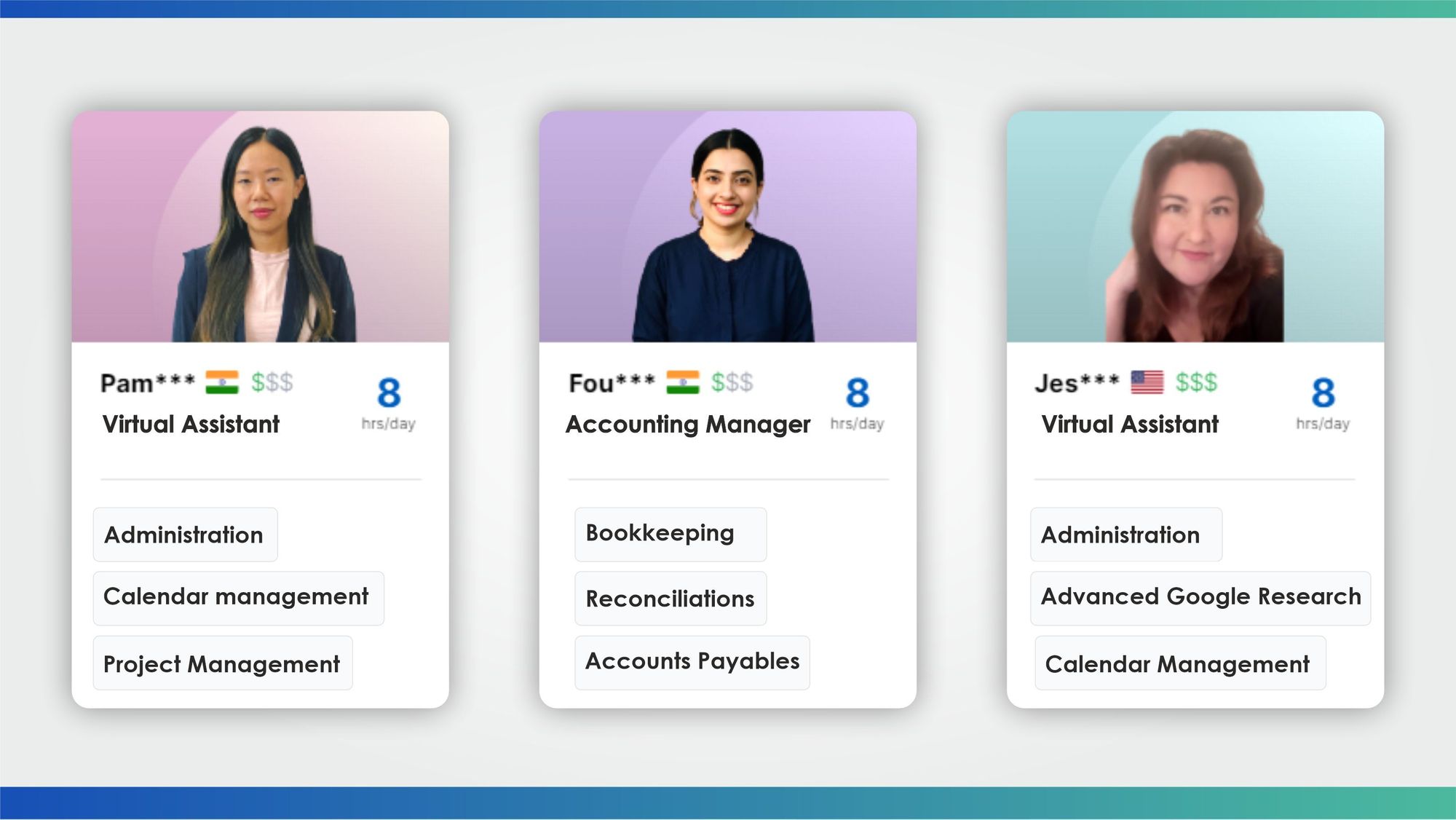
Now that you’re not restricted by location, you can hire a VA from India or the US, as we have both options available to our clients.
6. Instant replacement
Not happy with your VA’s services? Is your VA unavailable to work due to a sudden, unpredictable emergency? No worries, we offer our clients a no-questions-asked replacement free of charge.
7. Scale with ease
Because there are no long-term contracts with virtual assistants, and the subscriptions are monthly, you can scale your team up and down depending on your business needs and requirements. No notice periods, probations, or other formalities are required when you hire a virtual assistant from Wishup.
8. Security guaranteed
A big concern about remote work is data security. All our VAs are required to sign a non-disclosure agreement before taking on a client, so the safety of your sensitive information is guaranteed.
9. Pre-trained and upskilled experts
We train our virtual assistants in 150+ AI and no-code tools after they are onboarded and before they are assigned to clients. Apart from that, we also provide continuous upskilling opportunities on the latest tools and software to keep our VAs up to date and competent.
How to hire a Virtual Assistant from Wishup?
Working with a virtual assistant is simple, and hiring one is even more so.
Here is how you can hire a virtual assistant from Wishup in three simple steps.
- Figure out what tasks you need assistance with. Naturally, Google Drive management might be a priority, but it would be wise also to employ their expertise in other parts of your business, and figuring out what you need will help us pair you with the right VA.
- Schedule a free consultation and tell us your requirements.
- Let us find you the perfect VA from our roster and prepare to onboard them in 60 minutes.

Hire a Virtual Assistant to help you stay organized
Every intelligent entrepreneur needs a helping hand, and who better than a virtual assistant to help take on the tedious work of keeping your files organized? To hire a virtual assistant from Wishup today, schedule a free consultation with our team or drop us an email at [email protected]
Join 1,200+ business owners who use Wishup VAs to stay organized and scale faster, with Google Drive expert VAs available from $1,299/month and onboarding in 60 minutes.
Start today — get $100 off your first month →
FAQs
Who is the virtual assistant for Google Drive management?
A virtual assistant for Google Drive management is a remote professional trained to organize, maintain, and optimize your Google Drive and broader Google Workspace environment.
Their responsibilities include
- Building folder structures and naming conventions,
- Managing Shared Drives and file permissions,
- Auditing and cleaning up disorganized or duplicate files,
- Maintaining version control, creating and
- Managing Google Docs templates and SOPs,
- Administering Google Calendar and supporting broader Workspace admin tasks.
At Wishup, Google Drive expert VAs are pre-vetted from the top 0.1% of applicants and trained in 150+ AI and no-code tools — ready to onboard in 60 minutes.
Is there a better way to organize Google Drive?
Yes, and a Google Drive expert VA can implement it for you in a matter of days. The most effective Google Drive organization system combines four elements:
- A logical top-level folder architecture built around how your business actually operates (by department, client, project, or workflow);
- Consistent naming conventions are applied to every file and folder so content is searchable without manual browsing.
- Shared Drives set up by the team function with clearly defined permission levels;
- A regular audit cadence to catch duplicate files, outdated versions, and access anomalies before they accumulate.
Most businesses that try to organize their Drive themselves find the system degrades within weeks because no one owns it. Assigning it to a dedicated virtual assistant for document management creates accountability and keeps the system running permanently.
How much does a VA charge per hour?
Wishup virtual assistant pricing is structured as a monthly subscription rather than an hourly rate, starting at $1,299/month for the Basic plan (4 hours/day) and $1,999/month for the Elite plan (4 hours/day).
This is significantly more cost-effective than the true annual cost of an in-house hire ($55,000–$85,000+, including benefits and overhead) and eliminates the inconsistency of per-hour freelance billing.
All Wishup plans include a free dedicated account manager, a 7-day money-back guarantee, instant replacement, and no long-term contracts. Full pricing at wishup.co/pricing.
