
A practical guide for primary care clinics, dental practices, therapy offices, and every healthcare specialty that still runs too much on manual admin work.
Healthcare workflows are complex and time-consuming. In the US, providers spend far more time on paperwork and admin than on care. For example, an AMA study found that physicians work 57.8 hours per week on average, but only 27.2 of those are direct patient care and about 7.3 hours are purely administrative tasks (prior authorizations, billing paperwork, etc.).
Similarly, a Google Cloud/Harris Poll report found clinicians spend about 28 hours/week on admin tasks, while medical staff spend 34 hours/week on paperwork.
These burdens fuel burnout: 82% of clinicians report burnout symptoms.
At the same time, patients increasingly demand digital convenience.
Hospitals and clinics are already using CRMs and EHRs to address common care gaps, such as reminding patients about annual mammograms or follow-ups. In fact, nearly 1 in 5 Americans say they forget to schedule as their primary reason for missing appointments, highlighting the importance of timely reminders.
According to a 2025 Healthgrades study, 80% of patients use online scheduling at least part of the time, and 55% would switch doctors if online booking weren’t available. No-shows alone cost US practices roughly $150 billion annually.
Clearly, automating routine workflows (scheduling, reminders, billing, etc.) can save huge time and money.
Healthcare automation market forecasts project global spending to surge from about $46.85 billion in 2025 to $119.2 billion by 2035 as providers adopt AI and digital tools to improve efficiency.
An experienced automation specialist Virtual Assistant (VA) makes this transition practical and fast. Unlike an impersonal software bot, a Wishup VA is a trained human professional who designs, builds, monitors, and continuously improves automated workflows, all while handling the exceptions that software alone cannot resolve.
In other words, a Wishup automation expert VA will set up a Zapier workflow or custom script to handle tasks you’d normally do by hand. This approach combines human judgment with software power, giving providers more time for patient care.
Stringently Vetted Healthcare Automation Expert VAs
Top professionals to streamline healthcare workflows, scheduling, patient support, automation & more.



Improve quality, productivity, efficiency, timeliness, effectiveness, and operational safety.
What Is a Healthcare Automation Virtual Assistant?
A healthcare automation virtual assistant is a trained human professional who builds, manages, and optimizes workflow automations for medical practices, telehealth providers, home care agencies, and healthcare administrative teams, without joining your payroll.
This distinction matters because the term "virtual assistant" is used in two entirely different ways in healthcare.
Wishup healthcare automation VAs are human beings, college graduates with 3+ years of professional experience, trained in 120+ automation tools, and matched to your practice within 60 minutes. They are not chatbots, AI copilots, or software dashboards.
A Wishup workflow automation expert VA brings both technical knowledge and clinical-context awareness. They learn your existing systems, identify which steps are repetitive, and build integrations so data flows between your tools without manual re-entry. They also handle the exceptions — unusual patient requests, insurance edge cases, data mismatches — that software alone cannot resolve reliably.
Think of it this way: automation handles volume. The VA handles judgment. Together, they run your operations while your clinical staff focuses on patients.
Which Healthcare Providers Can Use This?
Clinical task automation applies across nearly every healthcare specialty in the United States. Workflows differ by specialty. Dental practices deal with lab case tracking, while therapy practices manage prior authorizations and outcome measures. However, the underlying operational problems remain the same: too much manual admin, too little staff time, and too many dropped tasks.
Wishup supports healthcare providers across 50+ industries. Here are the specialties where automation VA support is most impactful:
Regardless of your specialty, the three problems Wishup VAs solve are always the same: reduce admin time, recover lost revenue, and free clinical staff to do clinical work.
Core Admin Workflows to Automate in Any Healthcare Practice
These are the non-clinical workflows that consume the most staff time across all healthcare specialties. A Wishup automation specialist virtual assistant can build, run, and monitor each of these.
Appointment Scheduling and Patient Reminders
Many clinics use online calendars or booking portals (e.g., Google Calendar, Zocdoc, Calendly or your EHR's built in scheduler). A VA can integrate these with phone, SMS, and email reminders so that:
- Patients receive a confirmation immediately when they book
- A reminder goes out 48 hours and again 24 hours before the visit
- Cancellations trigger an automatic waitlist outreach to fill the slot
- No-shows receive a reschedule prompt within minutes, not days
One Wishup client recovered over 3,000 missed appointments using this approach and saved doctors more than 20 hours per week on scheduling admin. See more on healthcare appointment scheduling.
Patient Intake and Pre-Visit Forms
Digitizing intake saves front-desk time and reduces chat errors. Tools like Google Forms, Jotform (HIPAA plan) or your patient portals can feed data into your EHR. An automation specialist VA sets up data flows so incoming patient information automatically populates charts and sends alerts for any missing paperwork before the appointment.
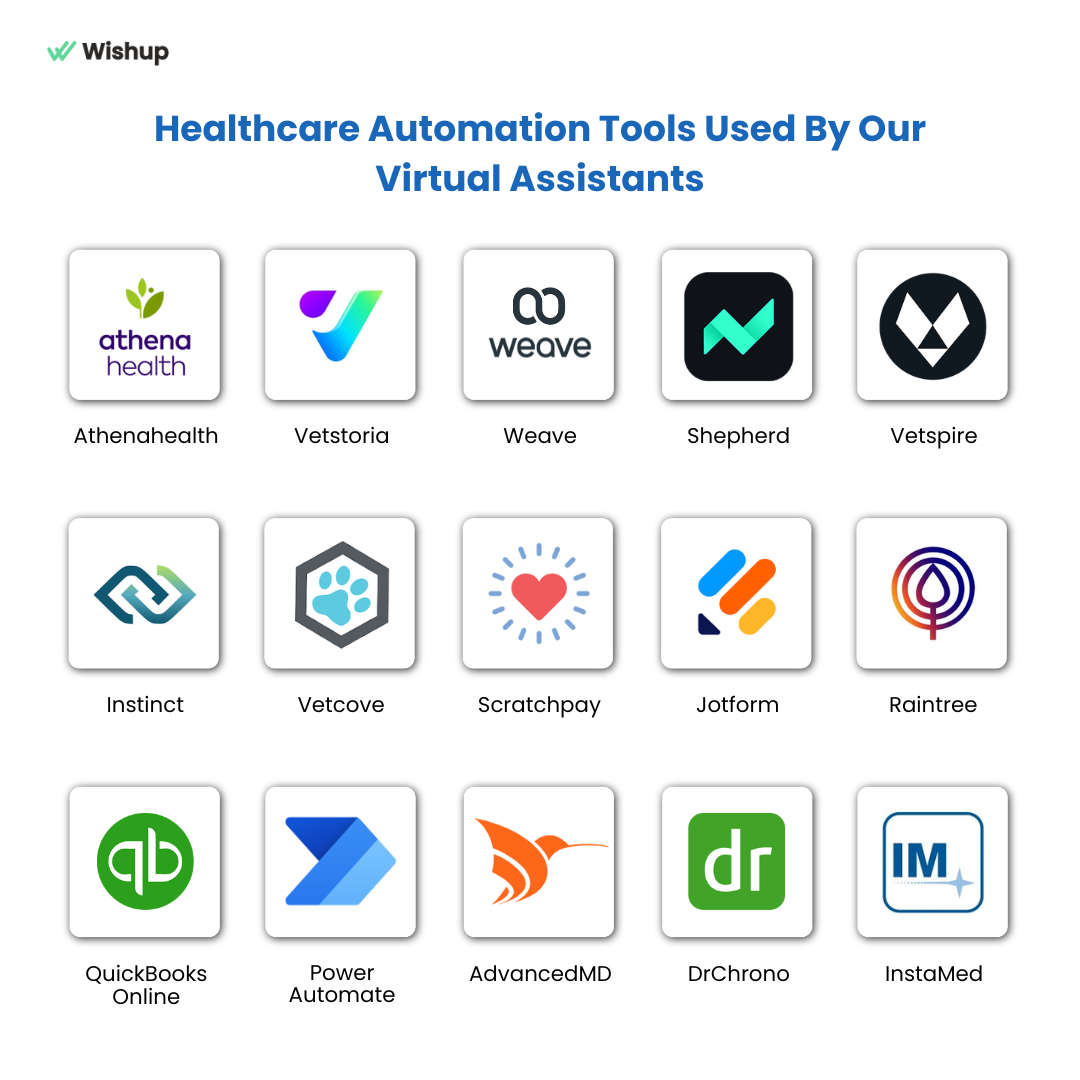
Our VAs are trained on 120+ tools and know popular EMRs including Athenahealth, Kareo, NextGen, DPC EMR.
Insurance Verification and Prior Authorization
Eligibility checks, prior authorization tracking, and claim status follow-up are ripe for automation. A VA trained in medical billing can:
- Run eligibility checks before appointments using payer portals or clearinghouses
- Flag out-of-network issues, deductible estimates, and missing IDs
- Build a daily stuck-claims queue and work it systematically
- Draft appeal letters and document denial reasons for review
Wishup healthcare clients have achieved 40% faster billing cycles by automating these steps.
Patient Communication — Calls, Emails, and Portal Messages
Consistent follow-up keeps patients engaged and reduces drop-off. An email automation expert VA can set up automated sequences for new patient onboarding, prescription refill reminders, post-visit instructions, and lab result notifications.
For calls, practices can also deploy AI VoiceBots to handle routine outreach like appointment reminders and follow-ups automatically. Wishup VAs are trained in US professional phone etiquette and scripting — they answer patient calls with clarity and empathy, following any scripts your practice provides.
Medical Records and Document Management
New lab results, referral letters, and consent forms can be automatically routed into the correct patient charts using OCR and NLP tools. A VA deploys document management systems that label, organize, and archive records by category — so staff spend less time hunting for files. See our medical transcription services for documentation support.
Billing, Claims, and Collections
From charge capture to payment posting to denial management, the revenue cycle has dozens of steps that can be standardized. A CRM automation expert VA can push patient data from intake forms into billing systems, reducing manual entry. Automated payment reminders with secure payment links reduce the time between statement and collection. Wishup clients have reduced accounts receivable by 60% using this model.
Inventory and Supply Ordering
A VA can build workflows that track inventory levels, flag expiring items, and trigger purchase orders when critical supplies hit reorder thresholds. Vendor order confirmations are logged and stored automatically — cutting waste and preventing last-minute stockouts.
Reporting and Daily Operations Dashboards
Practices need up-to-date metrics on scheduling, billing, and operations. A VA produces end-of-day (EOD) reports and tracks key KPIs. They can extract daily revenue and appointment data into a dashboard or spreadsheet and configure automated alerts when key metrics dip below target.
In short, your VA acts like an in-house operations analyst gathering data and keeping you informed, so you see where the bottlenecks are.
How to Increase Output and Reduce Admin Time in Virtual Care Workflows
Telehealth and virtual care practices face the same admin burden as in-person clinics, often amplified by the volume of digital touchpoints. The approach is the same: map your current workflows, identify the steps that are rule-based and repetitive, and build automations with a human VA monitoring every exception. The fastest gains typically come from after-hours booking, automated intake, and claims follow-up.
How to Automate Dental Practice Workflows
What Dental Practice Automation Actually Looks Like
Dental workflow automation is not about buying more software and hoping it integrates. It is about designing repeatable processes where routine actions happen automatically based on a trigger while a skilled VA owns the exceptions, the monitoring, and the ongoing improvement.
In dental practices, automation falls into three categories:
- Native automation inside dental systems — recall lists, automated statements, appointment reminder rules inside Dentrix, Open Dental, or Eaglesoft
- Cross-system workflow automation — when a patient completes an online medical history update, the system updates the chart, posts a task to the front desk, and alerts the hygienist
- Paperless document workflow automation — consent forms routed for e-signature, stored with standard naming, logged for audit, and tied to the correct appointment
15 Dental Workflows a Wishup VA Can Automate
Insurance Verification Before Every Visit
Confirm eligibility and benefits before the appointment, flag out-of-network issues and deductible estimates. Tools: Dentrix, Open Dental, DentalXChange, Make.com, Zapier.
Pre-Visit Medical History Updates (Paperless)
Reduce clipboard time and chart gaps. Send a pre-visit link based on appointment type; route incomplete forms to a follow-up list; update chart fields where your EHR supports it. Tools: NexHealth, Weave, Jotform HIPAA plan, FormDr.
Consent Forms Before Procedures
Have signed consent ready before the patient is in the chair. Trigger based on procedure code, send consent pack, file documents into the correct patient record with consistent naming, and log completion status for audit. Tools: DocuSign, Adobe Acrobat Sign, FormDr.
Post-Treatment Instructions by Email and SMS
Build instruction templates per procedure (reviewed by the provider), trigger delivery after procedure completion status, and add follow-up tasks for high-risk cases. Tools: Klara, RevenueWell, Solutionreach, NexHealth.
Recall Automation Beyond Basic Reminders
Segment recall by overdue buckets, last visit type, and provider preference. Automate multi-step outreach with tracking. Create a weekly recall conversion report. Tools: Dentrix recall, NexHealth 1-click recalls, RevenueWell.
Unscheduled Treatment Plan Follow-Up
Build a pipeline for unscheduled treatment. Automate reminders based on time since diagnosis. Route high-value cases to a priority call list with scripted outreach. Tools: Dental Intel, practice management reporting, GoHighLevel.
No-Show Prevention and 24-Hour Confirmations
Multi-touch confirmations at immediate, 48-hour, and 24-hour intervals. Automated confirm or reschedule links. Escalation rules for high-value appointments.
Last-Minute Cancellation Fill-Ins
Build a waitlist by provider, appointment length, and patient preference. Automate slot-opened outreach in waves. Lock the slot automatically when a replacement confirms.
Review Requests After Successful Visits
Send a review request after a positive visit marker (completed appointment, no open complaint). Route unhappy feedback internally first so the practice can respond before it reaches a public platform. Tools: Podium, Birdeye, NexHealth reviews.
Referral Coordination and Outside Records Tracking
Referral intake form for partner offices, automated status updates and reminder cadence, missing record alerts, and escalation to clinical staff when needed.
Claims Status Follow-Up and Aging Queues
Daily stuck-claims queue from system reports. Automated reminders for documentation requests. Payer response logging and next-step tracking.
Patient Balance Reminders and Secure Payment Links
Statements triggered by balance thresholds and aging. Payment confirmation receipts and posting tasks. Exceptions list for disputes or hardship cases.
Lab Case Tracking (Crowns, Aligners, Appliances)
Create a lab case record at impression or scan completion, trigger reminders to confirm ship and delivery dates, and alert scheduling when a case is delayed.
Inventory Reorder Signals Tied to Procedure Volume
Link procedure counts to reorder thresholds. Automated weekly reorder list. Vendor order confirmation logged and stored. Tools: Inventory modules, Power Automate.
Daily Operational Reporting
End-of-day report structure for key metrics. Automated data pulls your systems allow. Daily snapshot and weekly summary for leadership. Tools: Google Sheets, Looker Studio, Wishup workforce management app.
How to Automate Primary Care Clinic Workflows
The Primary Care Admin Problem
Primary care runs on time. The schedule, inbox, referrals, prior authorizations, labs, and billing queues determine whether your clinicians finish charts before dinner or take work home. And nearly 40% of patients try to book appointments after business hours — if your clinic only takes daytime phone calls, you miss bookings you never see.
A clinical workflow in a primary care practice moves a patient from access through care completion and payment. Most of the friction sits not in clinical decisions, but in the operational steps around care.
The 10 Primary Care Automations That Deliver the Fastest Results
- After-hours online booking workflow and slot rules
- Confirmation and reminder sequence with exception routing
- Intake completion tracker with automated follow-up cadence
- Insurance eligibility and verification prep checklist
- Referral tracker with status reminders to referring and receiving offices
- Lab result follow-up task routing rules
- No-show recovery workflow — reschedule prompt plus waitlist fill
- Claims follow-up cadence for denials and missing information
- Patient balance follow-up for small and aging balances
- Daily clinic ops report and weekly KPI summary pack
HIPAA and What Your VA Can and Cannot Do
Primary care clinics are often covered entities under HIPAA. Contractors who touch protected health information (PHI) can become business associates, which requires a signed Business Associate Agreement (BAA). Wishup signs a BAA with every healthcare client and operates under strict HIPAA, NDA, and SOC 2/GDPR-secured systems.
Your VA can: route messages, draft non-clinical replies, track referrals and records requests, manage scheduling workflows, run revenue cycle worklists, and prepare denial packets for review.
Your VA cannot: make clinical decisions, triage medical risk without a clinician-approved protocol, provide medical advice, or finalize coding decisions if your policy requires coder sign-off.
How to Automate Therapy Practice Workflows
Therapists and clinic managers in mental health counseling, physical therapy, occupational therapy, or speech-language pathology face the same administrative squeeze as other providers.
The AMA reports that physicians spend 7.3 hours per week on paperwork, including prior authorizations and insurance forms. For mental health providers in particular, delays in prior authorization can directly interrupt patient care.
Administrative
Intake packet routing, missing form follow-ups, consent tracking, referral coordination, record updates, and secure communications with audit-friendly tracking.
Clinical Support
Template standardization, chart readiness checks (missing info, duplicates, third-party docs), documentation QA loop, and clinician escalation points — always with a human in the loop.
Patient Engagement
Post-visit instructions, outcome measure scheduling (PHQ-9, GAD-7, LEFS), smart reminders, waitlist fill-ins, reschedule coordination, and risk escalation.
Revenue Cycle
Eligibility checks, prior auth tracking, visit count monitoring, claims status, denial workflows, invoice automation, payment reminders, and daily A/R dashboards.
Therapy Practice Workflow Automation in Practice
Patient Intake and Chart Preparation
Before a patient walks in, a Wishup VA can have their chart completely ready. Patient demographics, histories, consents, and insurance info are collected via digital forms (Google Forms, JotForm, or your EHR portal) and automatically pre-loaded into your practice software. The VA gets a notification about missing pieces and follows up directly with the patient. Eligibility checks run automatically as soon as an appointment is booked.
Scheduling, Reminders, and No-Show Recovery
A Zapier automation expert VA can connect your scheduling software (SimplePractice, Calendly, or your EHR calendar) with messaging platforms to build a multi-touch reminder flow: immediate confirmation, 48-hour reminder, 2-hour reminder. If a patient does not show, the VA triggers a reschedule prompt and fills the slot from a waitlist — often within minutes.
Wishup clients recover thousands of missed appointments and save more than 20 staff hours per week using this model.
Billing Pipeline: Claims, Payments, and Denials
The VA connects your EHR or practice management system with your billing software and payer portals. When a session is coded, the workflow can automatically submit the claim. When payment arrives, it gets logged and a receipt goes to the patient. When a claim is denied, the VA flags it, creates an appeal task, and alerts the billing team. Wishup therapy clients report up to 40% faster billing cycles using this approach.
Post-Session Follow-Up and Patient Engagement
Once a visit is marked complete, the VA can trigger a sequence: thank-you email with home program instructions, a check-in survey 24 hours later, automated reminders for follow-up appointments, and referral outreach after a series of successful sessions. If a high-risk patient misses a safety follow-up, the VA is alerted to intervene personally — the automation handles the routine, the human handles the exceptions.
Prior Authorization Tracking
For mental health providers, prior auth is one of the most time-consuming and error-prone tasks. A VA builds a tracker that monitors authorization status for every active patient, flags approaching visit count limits, sends renewal request prompts, and logs payer decisions — so no session is inadvertently rendered without coverage.
Tools for Automating Daily Tasks in Healthcare Administration
Wishup VAs are trained in 120+ tools. Here are the categories most relevant to automate medical workflows across healthcare specialties.
Workflow Automation Platforms
Zapier, Make.com, and n8n are the most widely used integration platforms for healthcare admin automation. They connect EHRs, scheduling systems, email, SMS gateways, and CRMs into multi-step workflows. A Wishup VA trained in n8n can build open-source, self-hosted integrations that give full control over data flow — critical for HIPAA-sensitive processes. Zapier handles hundreds of app connectors and is ideal for clinics already using cloud-based tools.
EHR and Practice Management Systems
Modern EHRs including Athenahealth, Epic, eClinicalWorks, Kareo, NextGen, Dentrix, Open Dental, Eaglesoft, and SimplePractice offer API or webhook access. Wishup automation expert VAs link these to scheduling tools, billing platforms, and patient communication systems so data flows automatically between systems without manual re-entry.
Patient Communication Tools
Platforms like Twilio (SMS), Klara, Weave, Solutionreach, NexHealth, and Podium enable automated text and email messaging at scale. An email automation expert VA connects these to your appointment system so patients receive the right message at the right time — without staff manually sending each one.
CRM and Task Management
For practices that track patient relationships, referrals, or marketing leads, a CRM automation expert VA can automate lead intake, contact updates, and follow-up task assignment. Tools include Salesforce Health Cloud, HubSpot, GoHighLevel, Monday.com, ClickUp, and Airtable.
Document Management and E-Signature
DocuSign, Adobe Acrobat Sign, and FormDr handle consent forms and intake packets digitally. VAs set up routing rules so every signed document is filed into the correct patient record with consistent naming — reducing chart gaps and creating a reliable audit trail. At scale, that same routing is what a home healthcare AI automation platform automates: it runs OCR over inbound faxes and physician orders, splits combined referral packets into their separate CMS 485 forms, verifies each signature, and posts the extracted fields into the matching patient record.
Billing and Clearinghouse Tools
Clearinghouse platforms (Waystar, Change Healthcare, DentalXChange) and practice management reporting tools integrate with the VA's claim-tracking workflows. The VA uses these to generate daily aged-claim queues, log denial codes, and trigger follow-up tasks.
Choosing the right tool depends on your existing systems. A Wishup automation specialist VA will start with a workflow audit, identify which tools you already have, and build integrations before recommending any new software purchases.
Why Automate: The ROI for Your Practice
Healthcare runs on details. Yet many steps (scheduling, registration, paperwork, billing, etc.) are still done manually.
This creates bottlenecks, errors, and staff burnout. Automating these processes with a skilled VA delivers measurable financial and operational results.
Save 20+ Hours/Week
Wishup clients consistently recover 20 or more staff hours per week when scheduling, reminders, and billing tasks are automated.
Reduce No-Shows
Automated reminders and waitlist workflows cut no-show rates significantly. One client recovered 3,000+ missed appointments.
40% Faster Billing
Clean data inputs, automated eligibility checks, and consistent claims follow-up produce faster reimbursement and fewer write-offs.
Cut A/R by 60%
Systematic denial management, automated payment reminders, and proactive collections reduce accounts receivable aging.
Higher Patient Satisfaction
Patients who can book online, receive timely reminders, and get quick follow-ups are more likely to stay loyal and refer others.
Stronger Compliance
Automated audit trails, HIPAA-compliant data transfers, and deadline tracking make your practice audit-ready at all times.
“When teams can focus on patient care rather than paperwork, outcomes improve — shorter wait times, higher patient satisfaction, and better financial performance.”
A Google Cloud report found 91% of providers hope generative AI will reduce administrative burdens. Wishup's model pairs a remote human VA with automation tools and delivers that benefit today, without requiring your clinical staff to learn new technology.
Why Your Practice Needs a Healthcare Automation Expert Virtual Assistant (VA)
Automation platforms are powerful, but they require expertise. A VA brings the human touch needed to make automation work smoothly:
Process Expertise
A VA will learn your specific workflows (systems, policies, exceptions). They can identify which tasks are ripe for automation and which require human oversight.
For example, they know to route urgent cases to a person while automating routine cases.
Continuous Improvement
Workflows change. A VA continuously monitors processes, reviews data, and refines the automations. If an insurance API changes or a new regulation comes in, your VA updates the workflow.
Technology Implementation
Setting up tools like Zapier, OCR, or chatbots can have pitfalls (permissions, data mappings). A trained VA handles this setup, integration, and troubleshooting so your team isn’t learning new software on the fly.
Communication and Training
The VA also acts as a bridge. They can train your staff on how automated parts work and gather feedback to improve them. This ensures everyone feels confident with the new system.
Flexibility and Coverage
Unlike a rigid in-house hire, a Wishup VA can scale up or change focus as your needs evolve. They provide dedicated support without you handling payroll, benefits, or turnover.
In short, a VA is not just a doer but a workflow specialist.
Our VAs are automation experts who have built thousands of workflows across 50+ industries, including healthcare. They know the right tools (they’re trained in 120+ tech tools and 200+ skills) and best practices for HIPAA-safe operations.
Hiring such a VA means you get both the technology and the human expertise needed to fully automate healthcare processes.
Why Hire Wishup VA for Healthcare Workflow Automation
When you hire a Wishup virtual assistant, you are not outsourcing tasks to a freelancer or switching to a new software platform. You are getting a fully managed, employee-grade service that runs like an in-house operations team — without the payroll burden.
Wishup Hires Elite Talent
Wishup selects from the top 0.1% of candidates through a rigorous 6-step vetting process that includes aptitude testing (99.9th percentile required), cognitive assessment, English proficiency, and personality evaluation. These professionals are college graduates, recruited by ex-entrepreneurs, and typically have 3+ years of professional experience. The average VA retention period at Wishup is 36 months — meaning you work with the same consistent professional long-term, and they learn your practice deeply.
Wishup Trains Talent Rigorously
Every Wishup VA completes an 8-week mandatory AI and communication training program before being placed with a client. They are trained in 120+ AI tools and modern business applications including ChatGPT, Canva, Monday.com, Zoho, Apollo, N8N, and RingCentral. For healthcare, training includes HIPAA protocols, EHR navigation, medical phone etiquette, and workflow automation across 70+ no-code platforms.
Wishup Deploys Talent in 60 Minutes
Wishup matches clients with industry-relevant talent quickly. You can conduct unlimited same-day interviews at no cost. There is no need to manage recruitment, payroll, HR processes, benefits, or equipment internally. Wishup handles all of that. Once you select your VA, onboarding takes approximately 60 minutes — and you can start assigning tasks the same day.
Wishup Manages Talent After Onboarding
Post-onboarding support includes a dedicated VA manager, an automation task support team, and a Customer Success Manager (CSM). You also receive:
- Instant replacement support — new VA within 24 hours if needed, at no extra cost
- Backup VA coverage when your primary VA is on leave
- Strict NDAs and data security controls including SOC 2 and GDPR compliance
- Monitored workflows with weekly QA reviews and fortnightly SOP adherence checks
- Free lifetime access to the Wishup Workforce Management App (worth $299)
- End-of-day (EOD) reports and time tracking
- Live monitoring of task completion
- A consistent feedback and improvement process
- 5-minute response time from your VA during working hours
- 60-minute response time from any Wishup point of contact
- First-task completion guarantee
- 30-day ROI report showing hours saved and revenue impact
Wishup's Operational Guarantees
Unlimited Same-Day Interviews
At no cost. Interview as many candidates as needed until you find the right fit.
90% / 100% Match Rate
90% first-match success rate. 100% guaranteed on the second match.
24-Hour Replacement
If your VA is not the right fit, a replacement is ready within 24 hours at no additional cost.
50+ AI Automations per Quarter
Wishup commits to delivering at least 50 AI automations per quarter for active automation clients.
Guaranteed AI Readiness
Every VA is pre-trained in AI and automation tools before being placed with your practice.
30-Day ROI Report
A structured report showing exactly what your VA saved in time, tasks completed, and revenue impact.
Wishup vs. Other Options
| Option | What You Get | The Gap | Best When |
|---|---|---|---|
| In-House Hire | Direct control, local presence | Recruiting time, turnover risk, payroll overhead, benefits | Large clinic with mature HR operations |
| Freelancer VA | Low initial commitment | Inconsistent coverage, weak compliance discipline, limited automation depth | Short projects with low PHI exposure |
| Software-Only Automation | Workflow triggers and rules | Exceptions pile up, staff absorbs edge cases, adoption stalls | Clinics with a strong existing ops team |
| Wishup VA + Automation | Admin execution + automation build + monitoring + managed support | Requires onboarding access and SOP alignment at the start | Practices that want capacity without adding headcount |
Compare Wishup to Healthcare VA Competitors
How to Get Started in 60 Minutes
Identify and Prioritize Your Workflows
List the admin tasks your team spends the most time on — scheduling, intake forms, billing follow-up, reminders, referrals. Rank them by time cost and revenue impact. The fastest wins are usually scheduling and billing, so start there.
Book a Free Consultation
Describe your needs to Wishup. The team will identify which automation VA profile fits your specialty — whether you need a Zapier expert, an n8n specialist, a CRM automation VA, or a generalist automation expert VA.
Interview Candidates — Same Day, No Fee
Wishup provides unlimited same-day interviews at no cost. You can meet as many VA candidates as needed until you find the right match. Wishup has a 90% first-match success rate and a 100% guarantee on the second match.
Onboard in 60 Minutes
Once you select your VA, onboarding takes approximately 60 minutes. Wishup handles knowledge transfer, SOP alignment, and system access setup. Your VA receives training on your workflows and begins working the same day.
Build the First Automation
Under your VA’s guidance, configure the first workflow — typically an appointment confirmation and reminder sequence, or an insurance eligibility check. The VA builds it, tests it, monitors it for the first week, and adjusts based on output.
Review Your 30-Day ROI Report
At the 30-day mark, Wishup produces a structured ROI report showing hours saved, tasks completed, automations built, and financial impact. This becomes the baseline for the next month’s automation roadmap.
FAQ: 15 Questions US Healthcare Professionals Ask About Workflow Automation VAs
How much does a Wishup healthcare automation VA cost?
Wishup Automation expert VA pricing starts at $1,999/month for 80 hours (part-time) and $2,999/month for 160 hours (full-time). Admin-only VA plans start at $1,299/month. First-time clients receive $100 off and a 3-day trial period. There is no security deposit and no cancellation fee.
Is Wishup a good fit for recurring work, not one-off tasks?
Yes and this is an important point. Wishup is designed for recurring operational and administrative support, not micro-gigs or ad-hoc task execution. The service functions like an in-house team member: consistent, accountable, and managed — delivered as an Employee-as-a-Service model without long-term employment overhead.
How do VAs manage cancellations, no-shows, and rebooking?
As soon as a patient cancels via phone or portal, the VA's system detects the open slot and automatically contacts the next patient on the waiting list. For no-shows, the VA runs a recovery flow: a reschedule offer goes out immediately and the slot returns to the open pool. Wishup clients have recovered thousands of missed appointments using this model.
Can a Wishup VA work with our EHR without direct PHI access?
Yes. Many EHRs have role-based permissions and APIs. A Wishup VA can perform scheduling and billing tasks through a limited user account with access only to non-sensitive sections (appointments, billing codes) or through middleware like Zapier that abstracts the data. Wishup enforces strict access controls and unique logins for every VA.
Do Wishup VAs sign a BAA and follow HIPAA best practices?
Yes. Under the HIPAA Privacy Rule, any contractor handling PHI must sign a Business Associate Agreement (BAA) with the provider. Wishup ensures each healthcare VA operates with HIPAA training, NDAs, and role-based access controls. In fact, we explicitly states its healthcare VAs run on HIPAA-compliance, and SOC2/GDPR‑secured systems. Put simply, they follow industry-standard safeguards (encryption, strict user permissions, logging, etc.) to protect patient privacy.
Which tasks can a VA handle without touching PHI?
Many administrative tasks involve little or no direct PHI. For example, Wishup VAs commonly manage scheduling, reminders, billing follow-ups, call screening, and general paperwork without accessing sensitive medical details. They can update appointment calendars, verify insurance eligibility (using patient ID, not diagnosis), send generic practice newsletters, or transcribe non-sensitive notes – all while remaining HIPAA-compliant.
A VA can do things like route messages, handle portal inquiries, track referrals, manage scheduling workflows (confirmations, waitlists), and prepare billing queues.
In practice, the VA works with only the minimum data needed for each task, using secure access or de-identified information whenever possible. (Anything truly clinical – diagnosing, advising on treatment, signing orders – is strictly off-limits for the VA.)
Can a VA manage appointment scheduling, recalls and follow‑ups securely?
Absolutely. Scheduling is one of the most common tasks for VAs. A VA can link your EMR/practice management system with calendars and SMS/email platforms to automate booking and reminders.
For instance, a VA might set up an automated flow: a new appointment in the EHR triggers a confirmation text (via Twilio) and email (via Gmail or Mailchimp), and then a 48-hour reminder message. If patients cancel, the VA’s workflows can notify waiting list patients in seconds. This ensures continuity of care and fills open slots without front-desk intervention.
All of this is done through secure APIs or integration platforms (like Zapier) that keep data protected. In fact, Wishup healthcare VAs have saved “20+ hours/week per doctor” by handling such scheduling tasks.
How do VAs handle insurance verification and claims communication?
Insurance and claims are partly automatable. A VA can verify coverage by entering patient info into payer portals or clearinghouses (without the provider manually doing it).
They can also track claims status: for example, generating daily lists of pending or denied claims in the billing system and then emailing payers or following up by phone. Insurance tasks such as prepping superbills, checking eligibility, and following up on denied claims can be taken care of by a VA.
The VA might use practice management software reports to reconcile payments and then update your accounting software. All PHI access here is done under controlled access, and the VA never has more access than needed (often working through proxies or delegated credentials). Thus, claims inquiries can be automated and tracked securely.
Can a VA coordinate with EHR/Practice Management systems without direct PHI access?
Yes. Many modern EHRs and PM systems have role-based permissions and APIs.
A VA can often perform scheduling and billing tasks through a limited user account that only has access to non-sensitive sections (appointments, billing codes) or via middleware (Zapier, HL7 interfaces) that abstracts the data.
For example, a VA could push updates into patient records (e.g., appointment status) using an integration token, without ever seeing detailed clinical notes. Wishup enforces strict access controls: their VAs use unique logins and follow the least privilege principle.
In short, the VA never sees what they shouldn’t. They simply trigger the workflows or data transfers under your practice’s oversight.
What phone etiquette and scripting do you train for patient interactions?
Wishup VAs are trained to match US professional standards. They use friendly, respectful tones and follow any scripts or guidelines you provide.
For example, they can follow a phone script like “Hello, this is [Name] calling from Dr. Smith’s office to remind you of your 3 pm visit tomorrow. Do you need to reschedule?”
In practice, our VAs are soft-spoken and empathetic, ensuring patients feel cared-for. You can provide templated answers for FAQs, emergency triage prompts, or even feel-better messages. The VA will memorize and use them on calls and texts.
How do you manage cancellations, no‑shows, and rebooking?
Your VA will set up automated cancellation and waitlist workflows. As soon as a patient cancels via phone or portal, the VA’s system detects the open slot and automatically texts or calls the next patient on the waiting list.
If a patient simply doesn’t show, the VA has a “no-show recovery” flow: they send a reschedule offer plus add the open slot back to the pool.
Our VAs can cut no-show rates significantly: by sending gentle reminders and fill-in messages, and fill gaps. One of our client recovered over 3,000 missed appointments this way.
In essence, the VA constantly monitors appointments, sends automated confirmations/reminders, and immediately addresses any cancellations with follow-ups. This usually reduces your lost time and revenue from empty slots.
Can a VA produce daily revenue/operations reports for the practice?
Yes. VAs can pull data from your EHR or billing system and compile it into easy-to-read dashboards or spreadsheets.
For example, a VA might export the day’s charges, payments, and payer denials into Excel, calculate totals, and email you a summary every evening.
They can also build simple charts (using Google Sheets or BI tools) to show weekly revenue vs. goals. These tasks are often scheduled automations: once the VA has set up the query, the report runs automatically each day. This ensures the practice owner always has fresh numbers without doing manual extractions.
How do VAs coordinate with clinicians versus front‑desk staff?
A Wishup VA essentially becomes part of your team, with clear role delineation.
They typically communicate with clinicians only when necessary (e.g. to confirm a prescription order or clarify a note) and handle most logistics via the front office or manager. In practice, you would give your VA a single point of contact (like an office manager or physician-in-charge).
The VA then channels questions appropriately: clinical escalations get routed to a doctor, while routine matters are resolved with reception staff or automated systems.
Wishup’s workflow tools (Slack, Teams, practice management tasks) ensure the VA’s tasks and alerts go to the right person. Importantly, the VA will not bypass front-desk protocols or enter doctors’ workflows unannounced – they support both sides, ensuring everyone stays aligned.
What safeguards prevent mixing patient data across clinics?
We take data segregation seriously. Each VA is dedicated to one client or clinic at a time, using separate workspaces and logins. This means patient lists, calendars and files for Clinic A are not visible to a VA working for Clinic B. In technical terms, Wishup enforces strict role-based access and unique credentials.
They also train VAs never to copy data from one client and paste it into another system. All work is done within the client’s own secure systems. Combined with NDA policies and continual QA monitoring, this ensures there is no cross-over of patient records between different practices.
Your Practice Deserves a Healthcare Automation Expert, Not Another Software Subscription
Wishup VAs are trained human professionals who build, manage, and continuously improve your administrative automation workflows, so you can focus entirely on patient care.
Why Automation Matters (the ROI)
In sum, automating workflows with a VA delivers clear benefits. By cutting tedious tasks, staff have more time for patients. For example:
- Save clinician/admin hours: Our clients save 20+ hours/week per on admin when tasks are automated. That’s almost half a workday returned to each physician.
- Reduce no-shows and cancellations: Automated reminders and waitlists mean fewer empty slots.
- Faster billing and fewer errors: Automations ensure data like patient demographics and charges are entered correctly and claims are submitted on time. This speeds up the revenue cycle – in case of our client it’s 40% faster billing turnaround.
- Higher patient satisfaction: When patients can book online 24/7, get instant reminders, and receive quick follow-ups, satisfaction improves. Happy patients are loyal patients.
- Compliance and risk reduction: Automated systems enforce consistency (e.g. every patient form is signed), so compliance tasks (HIPAA, audits) become easier.
Because of these gains, many healthcare leaders see automation as essential.
A Google Cloud report even found 91% of providers hope generative AI will reduce administrative burdens.
Our approach of pairing a remote virtual assistant with AI/automation tools—embraces that trend while keeping healthcare in the humanity business.
In conclusion, a Wishup healthcare virtual assistant is a powerful way to streamline your clinic’s workflows. You get a dedicated, skilled person who uses automation tools to save you hours each week, at a fraction of an employee’s cost. And all this comes with strict privacy safeguards (BAA, HIPAA compliance) and quality guarantees (7-day trial, managed support). As one Wishup client said, having the right VA makes scaling stop feeling impossible.
If you’re a US healthcare provider juggling schedules, billing, and patient care, this model can transform your practice.
Hire an automation expert virtual assistant in your time zone and get started in 60 minutes.
