
Hire an Email Automation Expert VA in 60 Minutes
To manage daily tasks, and also help analyze, design, and implement email marketing automation workflows




Why Hire Wishup Email Automation Specialist
If your current system is ‘Search the Inbox and Pray’. We can upgrade you to routing rules and reliable automations.
Fully managed VA service since a decade
Legal NDA by default, SOC2/GDPR
98.8% client satisfaction | 99% on-time delivery
Clients from Harvard and Y Combinator-backed startups
6-step vetting process (aptitude, cognitive, English, and more) + unlimited free interviews
36 month average VA retention rate with 99.9 percentile aptitude test score
Automation Specialist VA+ workflow task support team + dedicated customer success manager
Quality analysis (weekly manager reviews, SOP checks, CSM cadence)
In-house hire vs. Wishup automation expert VA (no payroll tax headaches, no ATS/HR overheads, no surprise charges))
What Your Email Automation VA Owns (Deliverables, not a Laundry List)
Delegate the Repetitive Email Work Automatically
Outbound Email Automation
Gmail Email Automation
Outreach Email Automation
Email Response Automation
Email Sorting Automation
Abandoned Cart Email Automation
Hipaa Compliant Email Marketing Automation
Customer Service Email Automation
Onboarding Email Automation
Post Purchase Email Automation
Personalized Email Automation
And 50+ Other Micro Email Workflow Automations
Backed by the Best


We don't deploy a subject matter expert
What Not to Expect from Your Email Automation Expert VA
What You Don’t Have to Worry About

Replacement options if it’s not the right fit
Managed onboarding so execution starts fast
Documentation + SOPs
Security + access best practices
Cancel /Flexible engagement options
How It Works (3 Steps)
Hire an email automation expert starting from $9.99/hr
Tell us your goals + stack (platform, list size, offer, bandwidth)
Get Matched in 60 Minutes (Unlimited FREE Interviews)
Meet your Email Automation Expert VAs


Sid***

online business manager
8hrs/day

May***
online business manager

Kru***
online business manager

Mal***
online business manager

Md.***
online business manager

Pan***
online business manager

Pra***
online business manager

Sid***
online business manager

Sid***
online business manager

Afr***
accounting manager
8hrs/day
 ▶
▶Who is Wishup Email Automation Expert VA for?
You’re not hiring a “one-time setup.” You’re hiring an ongoing owner
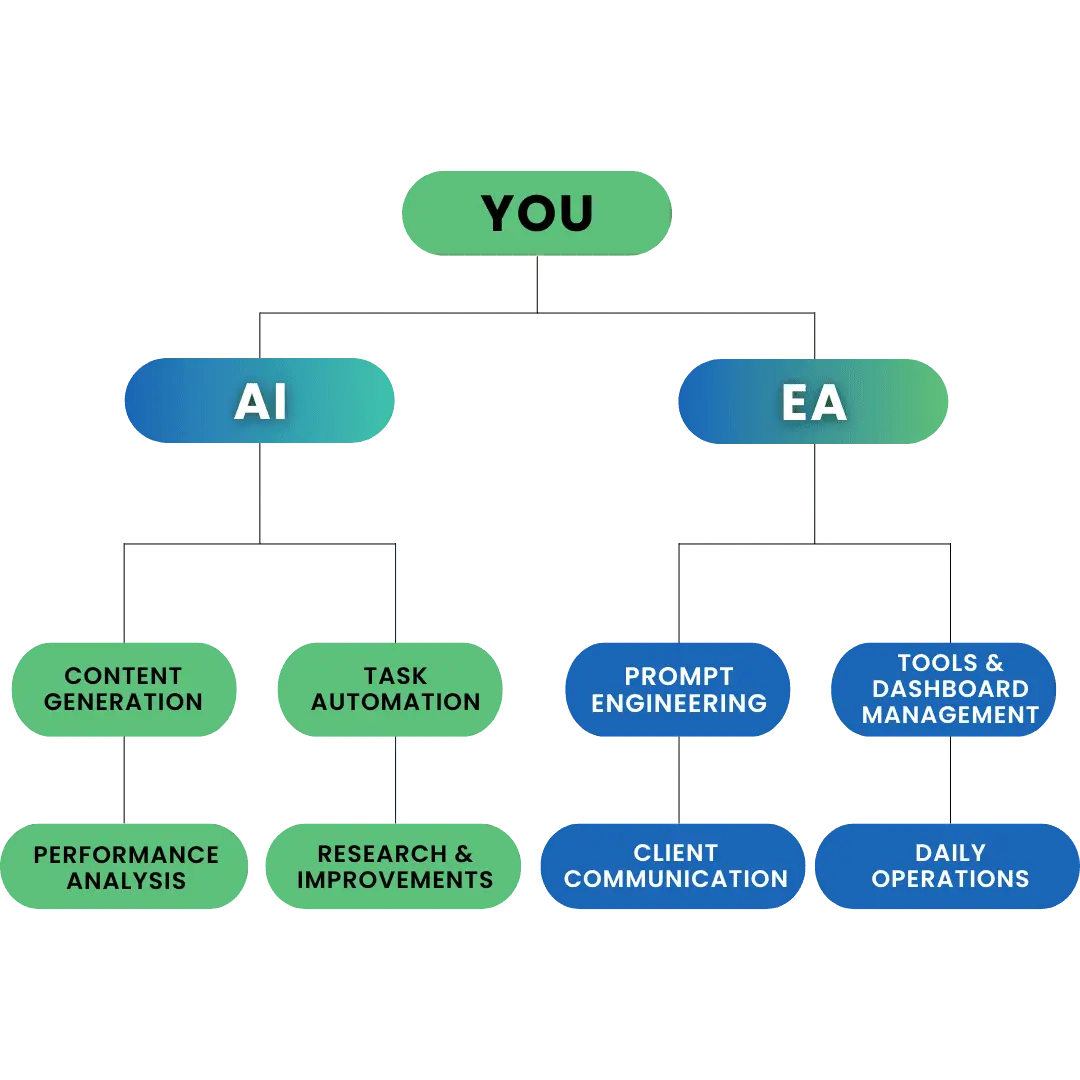
The Two-in-One Advantage

If your email “automation” needs constant saving… here’s the fix
The Wishup Difference

Top 0.1% Email Automation Expert
6-step stringent hiring process, so only the best make it through
8-week Trained Automation Specialist VA
We train our VAs for skills, tools, and professionalism, so you don't have to
50+ Industries Covered
Our VAs specialize in workflow automation, optimizing efficiency across industries
Replacement Within 24 hours
Backup coverage and no extra charge for replacement
The Wishup Impact in the Client’s Words


My VA has done an exceptional job supporting my business. No matter what I ask of him, he figures out a way to make it happen. He is incredibly resourceful and terrific at solving complex problems and optimizing workflow automation.
Brent Nick Clark
Founder - Pendermere Partners LLC


The VA they assigned me is spectacular and is always showing me how to improve my business through workflow automation. He is incredibly smart and capable. If you are looking for a VA with incredible skills for workflow automation, AI, website design, Excel sheets, and client communication--look no further than Wishup.
Jenn Pfeiffer
Founder - The Jenn Pfeiffer Team

I appreciate the value a Wishup VA can bring to a business. The VAs of Wishup are very understanding and well trained in multiple skillsets, making them indispensable.
Niels Van De Bergh
Growth Consultant - Growth-Mechanics

Working with Wishup has given our small and rapidly growing business the ability to move faster while simultaneously freeing up many hours a week. As a result, we can now focus on our strategy. The Wishup team will be a significant contributing factor to our future success.
Jason Gorman
Founder and Managing Partner - Jackrabbit LX

I couldn't be more thrilled with my Wishup VA. It took me a few weeks to get the time to organize the work to assign initially, but it's been the best business decision for me this year.
Andrew McDermott
Founder - Convia Media

We are very pleased with the work that Wishup Virtual Assistants have delivered for us. We use Wishup to augment many aspects of our business, from research, social media to marketing. Their staff is highly educated, very responsive, and experienced. We have been using them for over 6 months and have been telling others about our experience whenever we get the chance. The value they provide is truly immense.
Marvin Gouw
Co-Founder - Cubit

I never considered hiring a virtual assistant for my business but Wishup was different, my virtual assistant exceeded expectations! It is more affordable than I thought and the help she provides on a daily basis is incredible! I get more work done with my VA helping me with important tasks like email management, calendaring, bookkeeping and much more. Highly recommended for any tech founder trying to balance time and productivity.
Lance Rodela
Founder & CEO - Shift Health Inc. (Y Combinator S19)

Compatible With Your Favorite Apps (And More)

The Difference Is Simple: We Vet for Automation Skills. Not Just “Has Used Gmail Since 2012.”
The Difference Is Simple: We Vet for Automation Skills. Not Just “Has Used Gmail Since 2012.”
Automation Expert VA Onboarding Speed & Availability
Talent Quality & Training
VA Interview Success
Free Bookkeeper + Business Tools (Apploye, Pipedrive, etc.)
Replacement & Money-Back
Dedicated Account Manager & VA Knowledge Transfer
Email Automation Expert VA: A Detailed Guide
Specialized in Email Workflow Automation Across Key Business Functions and More