
The best productivity apps for remote workers and virtual assistants fall into 2 operating layers: the tools VAs use to run client workflows, and the tools managers use to coordinate, monitor, and communicate with distributed teams.
This complete list covers both 35 tools across 12 categories, so whether you are a founder delegating to a VA or a manager overseeing a remote team, every tool you need is here.
The first 35 are the core virtual assistant tools Wishup VAs use daily across client engagements. The remaining 10 are the best apps for remote work that managers and team leads use to run distributed operations. Together, they cover every operational layer of a modern remote business.

Benefits of Using Virtual Assistant Software Tools
The benefits of using virtual assistant software will help you understand why you should start using them.
Streamline communication
When you use software tools for communication, the process is streamlined. Whether you communicate with your staff or clients, you can ensure timely communication through communication software.
Improve productivity
When you use software, you reduce the time taken to do work. It helps you achieve more. Software tools help you be accurate and work efficiently. You can improve your overall productivity by using virtual assistant software tools.
Virtual assistant software takes a lot off your plate, letting you focus on what truly matters. It’s not just about saving time; it’s about working smarter.
To enhance productivity further, implementing interactive dashboards that provide real-time insights, track KPIs, and support decision-making across teams is highly recommended.
"Tools like these help you stay organized, reduce mistakes, and respond faster, which means happier clients and a more productive team." – Piotr Górecki, Head of Marketing at Gorrion
Reduce errors
When humans work, errors do occur. But when you use software, the chances of errors are minimised. By reducing errors, you are improving the quality of your work. When humans work, errors do occur. But when you use software, the chances of errors are minimised.
For VAs handling data across multiple platforms, using the right data integration tools ensures information flows accurately between systems without manual re-entry or reconciliation errors. Improved quality helps you keep your clients satisfied.
Faster response times
When you use software, you can work fast. The time taken to complete tasks improves. Faster response time leads to client satisfaction. For example, consider using screen recording software to create quick video tutorials for customer support, saving time and boosting satisfaction.
25 Best Virtual Assistant Software in 2026
Following are VA tools categorized:
Communication Tools
Communication tools are the operational backbone of every VA engagement. Wishup VAs use 2 core platforms to manage client communication, one for async team coordination, one for synchronous meetings and calls.
1. Slack
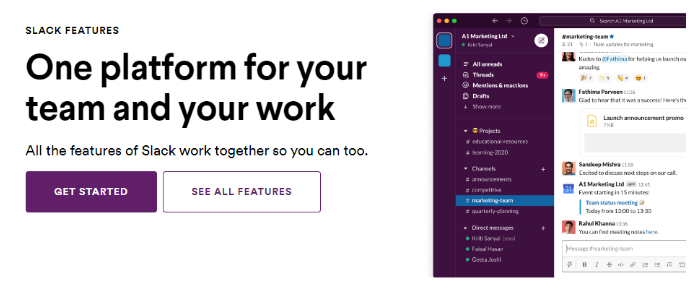
VAs must regularly communicate with clients and software that helps them in Slack.
Special Features: Slack is a tool for team communication that you can use to create channels for interaction. You can share files, send messages, make video calls, and do much more using Slack.
Pricing: The basic tool is free to use, and for advanced features, you can use either the Pro or Business option, priced at $6.67 per month and $12.5 per month, respectively.
BONUS communication tip: use an automated text message system both to communicate with your virtual assistant via SMS without needing to give out your number, and to allow your virtual assistant to communicate via SMS with your customers and prospects.
- Manage client communication across dedicated project channels,
- Set automated reminders and workflow triggers using Slack's built-in automation, and
- Coordinate cross-team task updates without email threads.
2. Zoom

Zoom is one of the best VA Software for video conferencing.
Special Features: You can use Zoom for online meetings, record videos, and even stream them online. With features like waiting rooms and authentication, Zoom ensures your meetings are secure. The concept of 'work from home' became easy thanks to Zoom. While the basic software is free to use, it has limitations.
Pricing: The Business plan is priced at $19.99 per month and has all the features you need.
- Schedule, host, and record client discovery calls on the executive's behalf,
- Manage waiting rooms and authentication for secure client meetings, and
- Transcribe meeting recordings for action item extraction.
AI Tools for Virtual Assistants
AI tools are now the most in-demand category in the VA tools list, used by Wishup VAs across all task types for research, writing, summarisation, and workflow building. The 4 AI tools below are used daily across Wishup's VA operations.
3. ChatGPT
ChatGPT is an AI assistant VAs use to draft, research, summarise, and automate text-heavy tasks across client workflows.
Time saving: Saves 5–7 hours/week on writing and research tasks.
Pricing: Free tier available. ChatGPT Plus at $20/month.
- Drafting first-pass client email responses from bullet-point briefs;
- Summarising 60-minute meeting transcripts into 5-point action lists;
- Generating SEO blog outlines from a target keyword in under 2 minutes.
4. Claude
Claude is an AI assistant built for long-document analysis, nuanced writing, and complex instruction-following — ideal for executive-level VA work.
Time saving: Saves 4–6 hours/week on document review and drafting.
Pricing: Free tier available. Claude Pro at $20/month.
- Analysing 50-page client contracts for key clauses and red flags;
- Drafting executive briefing documents from raw research notes;
- Handling multi-step client SOPs with high instruction accuracy.
5. Gemini
Gemini is Google's AI assistant integrated directly into Google Workspace, making it ideal for VAs already working in Gmail, Docs, and Sheets.
Time saving: Saves 3–5 hours/week for VAs working inside Google Workspace.
Pricing: Included in Google Workspace plans from $7.99/month.
- Summarising long email threads in Gmail with one click;
- Generating first drafts of client proposals inside Google Docs;
- Building automated data formulas in Google Sheets from plain-language instructions.
6. Perplexity
Perplexity is an AI-powered research tool that returns cited, sourced answers, ideal for VAs conducting competitor analysis, market research, and fact-checking.
Time saving: Saves 2–3 hours/week on manual web research.
Pricing: Free tier available. Perplexity Pro at $20/month.
- Pulling cited competitor analysis summaries for client strategy decks;
- Fact-checking statistics in client blog posts before publishing;
- Researching industry news across 5 verticals in a single search session.
Accounting and Bookkeeping Tools
Bookkeeping tools are among the most-used tools for VA specialisations in finance and admin. Wishup's bookkeeper VAs operate across 2 primary platforms, QuickBooks for SMB-focused accounting and Xero for cloud-first financial operations.
7. QuickBooks
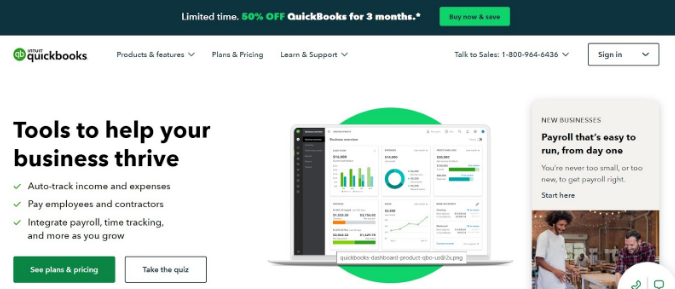
QuickBooks is the best bookkeeping software for bookkeeping services.
Special Features: You can use this software for all your basic bookkeeping operations. From creating invoices to tracking expenses, many handy features make QuickBooks a powerful bookkeeping software for small and midsize businesses. It is a cloud-based software that is secure.
Pricing: Pricing starts from $25 per month and goes on to $180 per month, depending on whether you want advanced features.
- Record daily transactions and categorise expenses against the chart of accounts,
- Generate monthly P&L statements and balance sheet reports for client review, and
- Process invoices and track accounts receivable balances.
9. Xero
Xero is a cloud-based accounting platform designed for growing businesses that need real-time financial visibility across multiple users and locations.
It is the preferred bookkeeping tool for Wishup VAs working with clients who operate across multiple entities, currencies, or international markets — where QuickBooks' SMB-first architecture creates limitations.
Pricing: Starter plan at $20/month for basic invoicing and reconciliation. Standard plan at $47/month for unlimited invoicing and bill payments. Premium plan at $80/month for multi-currency support and advanced reporting.
- Reconcile bank feeds and credit card statements on a daily or weekly schedule with Xero's bank rule automation reducing manual categorisation time by 60–70% compared to manual entry
- Manage multi-currency transactions and generate consolidated financial reports for clients with international operations or cross-border vendor payments
- Run payroll, process employee expense reimbursements, and generate payslips, with all data synced directly to the general ledger without a separate payroll tool
Time Tracking Tools
Time tracking is essential for VAs managing billable hours across multiple clients. Toggl is the most widely used time tracking tool among virtual assistants, lightweight, accurate, and integrates with every project management platform in this list.
10. Time Doctor
Time Doctor is a convenient tool to keep track of billable hours.
Special Features: You can easily carry out analysis and generate reports that are useful for billing. A powerful feature of the tool is it offers productivity insights to help you. It is the ideal tool for remote working.
Pricing: A free trial is available for 14 days. Pricing plans start from $5.9 per user per month, including unlimited projects, basic reporting, and unlimited screenshots.
- Generating daily productivity reports for agency clients managing remote teams;
- Tracking time-on-task across 15+ projects for accurate billing;
- Identifying distraction patterns with productivity insights.
11. Toggl
Toggl is the most-used time tracking tool in the VA tools list, with over 5 million users globally and native integrations with Asana, Trello, ClickUp, and Monday.com.
VAs use Toggl to log billable hours accurately across multiple client engagements, generate transparent time reports, and identify workflow inefficiencies that slow down delivery.
Pricing: Free plan available for up to 5 users with unlimited time tracking. Starter plan at $9/user/month with billable rates and project revenue tracking. Premium plan at $18/user/month with time rounding, scheduled reports, and Jira integration.
- Log billable hours per client project with one-click timers, creating an accurate record for invoice generation without manual hour reconstruction at month end
- Track time across concurrent client tasks to identify which workflows consume disproportionate time and flag them for process improvement or automation
- Generate weekly and monthly time reports in Toggl's client-sharing format, giving clients full transparency into how VA hours were allocated across their task categories
Scheduling and Appointments Tools
Scheduling tools eliminate the back-and-forth of meeting coordination, one of the highest-frequency, lowest-value tasks VAs take off the executive's plate. Calendly is the standard scheduling tool for virtual assistants across Wishup engagements.
12. Calendly
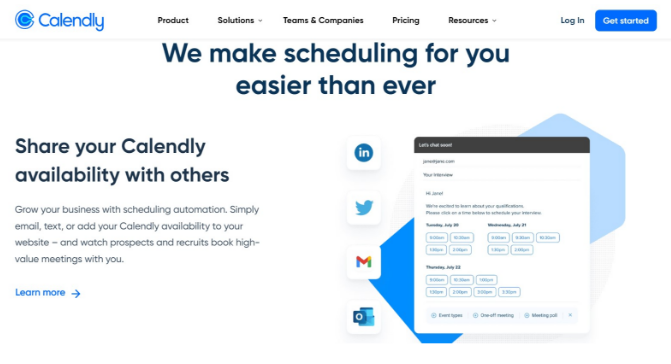
For all your scheduling and appointment needs, Calendly is a great software to use. You can use it to schedule appointments.
Special Features: It is an easy tool to use. Just send the link to your contacts; it takes care of reminders. You can even use this tool to collect payments.
Pricing: While the basic software is free, two other plans with advanced features and unlimited use are available. The Essentials plan is priced at $8 per seat per month, and the Pro plan at $12 per seat per month.
- Manage executive scheduling links so clients book directly without email back-and-forth,
- Set buffer times and availability rules to protect focus blocks, and
- Collect pre-meeting intake information via embedded intake forms.
Project Management Tools
Project management tools are the operational hub of every VA engagement, where tasks are assigned, tracked, and delivered. Wishup VAs are trained across 4 platforms so they match the tool already in use at the client's organisation from day one.
13. Asana
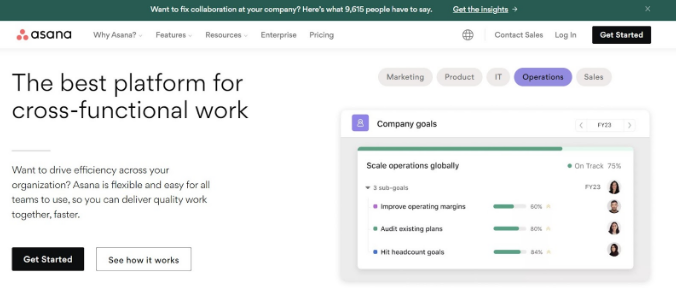
Asana is one of the best virtual assistant software for project management. You can easily manage the entire project management life cycle using this tool. Asana lets you use Kanban boards to simplify your agile project management and sprint plans.
Special features: Team management is a key feature that allows entire teams to work on the software with different access rights. The free version has most of the basic features.
Pricing: If you want advanced features, you can choose the Premium or Business plans, priced at $13.49 per user per month and $30.49 per user per month, respectively.
- Build and manage project timelines with task dependencies and deadline tracking,
- Assign subtasks to team members and track completion status across concurrent projects, and
- Create recurring task templates for weekly and monthly operational workflows.
14. Trello
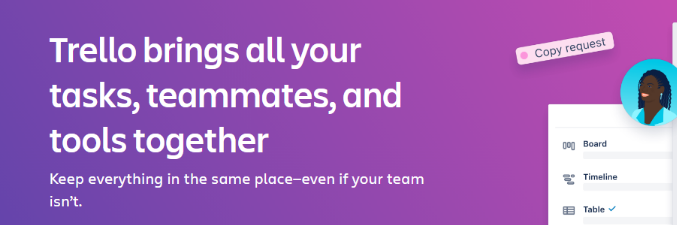
If you need a powerful yet flexible Project Management tool, Trello is the software to use.
Special Features: You can use Trello to manage workflows for projects of any size effectively. Automation, integration with other apps, and 'to-do' lists are a few handy features this tool offers. It is free software for individuals and teams.
Pricing: If you need to deal with multiple projects and want advanced features, you can choose the premium plan billed at $10 per user per month.
15. ClickUp
ClickUp is an all-in-one productivity platform designed to centralize your work. I appreciate how customizable it is, allowing me to tailor workflows to fit my business needs. The time tracking feature, in particular, has helped me better manage my schedule.
Features
- Task management with customizable workflows.
- Time tracking and goal setting.
- Integration with over 1,000 apps.
- Collaboration tools like docs, whiteboards, and real-time chat.
- Centralise task management, document storage, and team communication in one workspace, replacing the need for separate tools for docs, chat, and project tracking
- Build custom automation rules that trigger task assignments, status changes, and notifications when deal stages update in the connected CRM, removing manual handoff steps
- Track time against specific tasks for billing accuracy, with ClickUp's native time tracking eliminating the need for a separate tool in single-platform client setups
16. Monday.com
Monday.com is a visual project management platform used by Wishup VAs for client-facing project dashboards and operational workflow management. It is the preferred tools for VA work in client environments where multiple stakeholders need real-time visibility into project status, without needing to log into a complex PM tool themselves.
Pricing: Free plan available for up to 2 seats. Basic plan at $9/seat/month. Standard plan at $12/seat/month with timeline, calendar, and automation features. Pro plan at $19/seat/month with time tracking and formula columns.
- Build visual project dashboards that give clients real-time progress visibility by status, owner, and deadline, shareable as a live link without login required
- Manage recurring operational workflows using Monday.com's automation centre, triggering status updates, email notifications, and task assignments based on date or field changes
- Coordinate multi-team deliverables with dependency mapping and workload views, preventing bottlenecks when multiple team members contribute to a single client deliverable
Password Management Tools
Password management is a non-negotiable security layer for VAs who access multiple client tools, platforms, and accounts. LastPass is the most widely used password management tool among virtual assistants for its browser integration and shared vault features.
17. Lastpass
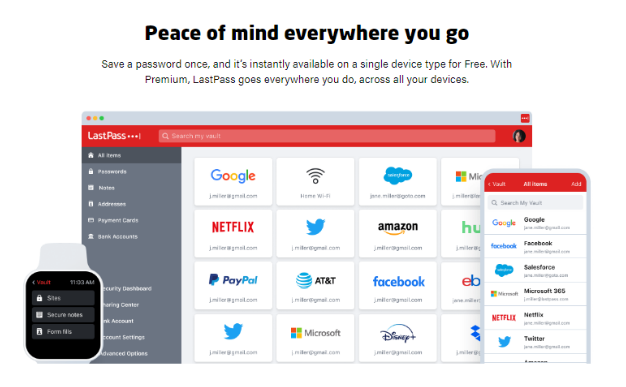
Managing passwords can be tough, so use a password management tool like LastPass the best LastPass alternative to securely keep all your passwords in one place.
Special Features: You can install LastPass as an extension for your browser, and it saves all your passwords. The next time you visit a website, the tool automatically fills in the usernames and passwords. The tool is available for free.
Pricing: You can choose the premium plan priced at $3 per month if you want advanced features.
- Securely store and access client tool credentials without sharing passwords in plain text,
- Generate strong unique passwords for new tool accounts during client onboarding, and
- Manage shared team vaults for tools accessed by multiple VA team members.
File Sharing and Document Management Tools
File management tools are the storage and sharing layer of every VA engagement, where SOPs, client deliverables, and working documents live. Wishup VAs operate across 2 platforms depending on the client's existing infrastructure.
18. Google Drive
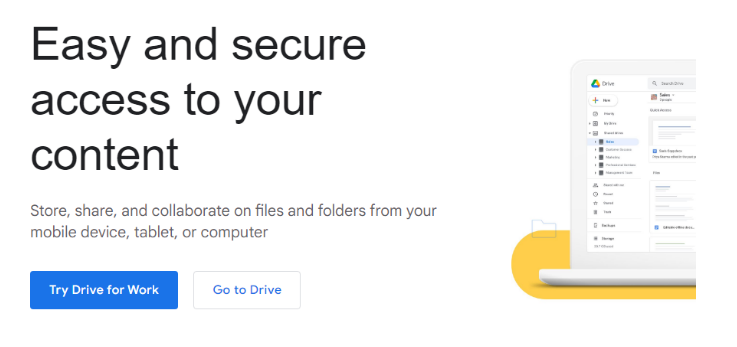
With a Google account, document management becomes easy, thanks to Google Drive.
Special features: You can store all your files on the cloud, ensuring a backup is ready anytime. It can be synced with your computer folders, making version control easy. It is a part of the GSuite package that includes many other useful tools.
Pricing: It is free for up to 15 GB of storage. For 100 GB storage, you must pay $1.99 per month.
- Organising a client's entire document library into a shared folder hierarchy;
- Syncing local files to cloud for real-time version control across a remote team;
- Managing and collaborating on client reports using Google Docs, Sheets, and Slides.
19. Dropbox
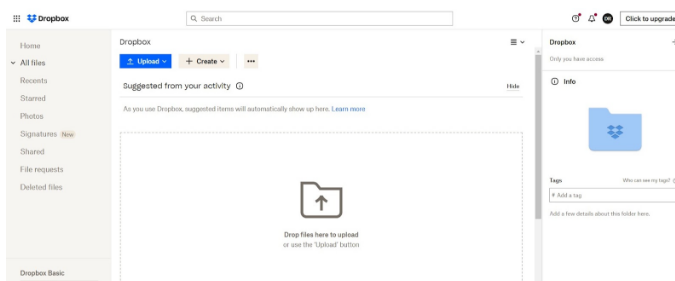
If you want to store files on the cloud, Dropbox is a popular software. It is one of the leading file-sharing tools.
Special Features: Apart from file storage, you can also use it to collaborate with others by sharing files. Version control is easy, and you can even comment on changes made.
Pricing: For a single user, the tool is available for free. If you want to use it for teams, prices start at $19.99 per month and go up to $25 per user per month.
- Sharing large design files and video assets with clients without email size limits;
- Using version history to restore a client document edited incorrectly;
- Collaborating on creative briefs with inline file comments.
Social Media Management Tools
Social media management is one of the highest-volume recurring task categories for VAs across marketing, real estate, e-commerce, and service businesses. Wishup VAs use 3 tools to cover scheduling, analytics, and content creation in this category.
20. Hootsuite
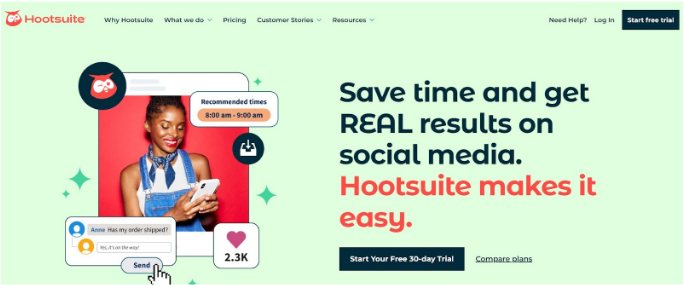
Hootsuite is a useful tool for social media management with many useful features.
Special Features: Hootsuite helps you schedule the posting of content on different platforms. You can use the tool to respond to messages and engage with users. It is also useful to manage ads.
Pricing: For 1 user, choose the Professional plan, for which the pricing is $49 per month. For 3 users, pricing for the Team plan is $129 per month.
- Scheduling 30 days of social media content across LinkedIn, Instagram, and Facebook in one session;
- Responding to client DMs from a single unified inbox;
- Tracking ad performance across 3 client social accounts.
21. Buffer
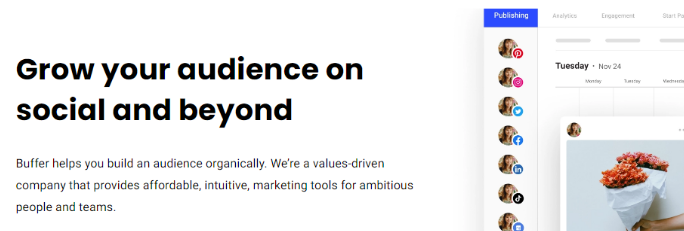
Buffer has handy features to help you with social media . It has useful reports to fine-tune your social media plan.
Special Features: There are two products. The Publish product allows you to publish your content on various platforms. Analyze is a product that gives you insights into how well your social media strategy has worked. The reports will help you fine-tune your social media plan.
Pricing: The basic product is free with some limitations on use. For all features, you must pay $6 per month per channel.
- Publishing a client's weekly content calendar across 6 social channels;
- Generating monthly engagement reports to refine a client's social strategy;
- Managing posts for 3 client accounts from one free dashboard.
Workflow Automation Tools
Workflow automation tools remove repetitive manual work from a VA’s day. These tools for virtual assistant workflows are used to connect apps, move data, and trigger actions automatically.
22. Zapier
Zapier is one of the most important virtual assistant tools for workflow automation. Wishup VAs use Zapier to connect apps, automate repetitive admin work, and reduce manual follow-ups across sales, operations, and reporting workflows.
Time saving: Saves 3–5 hours/week on repetitive tasks like lead routing, task creation, and follow-up automation.
Pricing: Free plan available. Paid plans start at $19.99/month for multi-step workflows and premium app integrations.
- Automatically send new website leads into a CRM like HubSpot with the correct source and contact details,
- Create task records in ClickUp or Asana when a client form is submitted, and
- Trigger follow-up emails, Slack alerts, or calendar reminders when a deal moves to the next stage.
CRM and Pipeline Management Tools
CRM tools help VAs keep lead data clean, follow-ups on time, and pipeline stages updated. These are core tools used by virtual assistant teams supporting sales, business development, and client operations.
23. HubSpot
HubSpot is one of the most widely used VA tools for CRM management, lead tracking, and sales workflow support. Wishup VAs use HubSpot to manage contact records, update deal pipelines, and maintain follow-up consistency without missed opportunities.
Time saving: Saves 2–4 hours/week by reducing manual CRM updates and follow-up tracking.
Pricing: Free CRM available. Paid plans vary by HubSpot product and team size.
- Update contact records, deal stages, and task timelines after client calls or form submissions,
- Build and clean lead lists by removing duplicate contacts and completing missing company data, and
- Schedule follow-up tasks and email sequences so sales conversations move forward on time.
Design and Content Creation Tools
Design tools help VAs create branded visuals faster without waiting on a full design team. In this VA tools list, they support social media, presentations, lead magnets, and internal document.
24. Canva
Canva is one of the most practical tools for VA work in marketing, content, and design support. Wishup VAs use Canva to create branded graphics, edit templates, and produce client-ready visuals for daily business operations.
Time saving: Saves 2–3 hours/week on routine design work such as social media creatives, decks, and simple branded assets.
Pricing: Free plan available. Canva Pro starts at $14.99/month for premium templates, brand kits, and resizing tools.
- Create social media posts, story graphics, and carousel designs using a client’s brand kit,
- Design pitch decks, internal reports, and lead magnet PDFs from pre-approved templates, and
- Resize one design into multiple formats for LinkedIn, Instagram, email headers, and blog banners.
Workspace and Collaboration Tools
Workspace tools help VAs manage email, documents, calendars, and collaboration from one system. Among all virtual assistant tools, these are the most common in day-to-day client operations.
25. Google Workspace
Google Workspace is one of the most essential tools used by virtual assistant professionals for communication, scheduling, documentation, and file collaboration. Wishup VAs use Google Workspace to manage Gmail, Google Calendar, Docs, Sheets, and Drive in one connected operating system.
Time saving: Saves 4–6 hours/week by keeping communication, files, scheduling, and reporting inside one workspace.
Pricing: Business Starter starts at $7/month per user, with higher-tier plans for additional storage, security, and admin controls.
- Manage inboxes, label urgent emails, and draft replies inside Gmail,
- Schedule meetings, protect focus blocks, and send calendar invites through Google Calendar, and
- Build reports, SOPs, trackers, and collaborative documents in Google Docs, Sheets, and Drive.
Remote Work Productivity Tools for Managers and Teams
The tools below extend the list into productivity apps for remote workers who manage teams, document knowledge, capture meetings, and communicate asynchronously. These 9 tools cover the operational and coordination layer that sits above individual VA task execution, giving managers visibility, structure, and documentation infrastructure across distributed teams.
For Employee Management
26. Wishup App: Office in Your Pocket
Team. Time. Tasks. Sorted!

An all-in-one app for small and midsize businesses for team management. Whether you're meeting a client, visiting your project site or away with your family, the Wishup App can help you stay on top of your office right from your phone!
Wishup App Features Include
- Task tracking of the employees
- Daily end-of-day report with a proper description of the task, frequency, task name, and time invested
- Provide feedback on the task shared by the team member
- Get an update on the status of the daily reports shared, pending or missed
- Bookmark the task for later
- Check and approve the leave request of the team members
- Access to the top 0.1% of virtual assistants, available 365 days a year through the app.
- Find the best Virtual Assistants, review their work samples & availability, and onboard them from the app in 30 minutes.
The app is available at the Play Store & App Store for FREE. Download Now!
Team Management Suite
27. Zoho
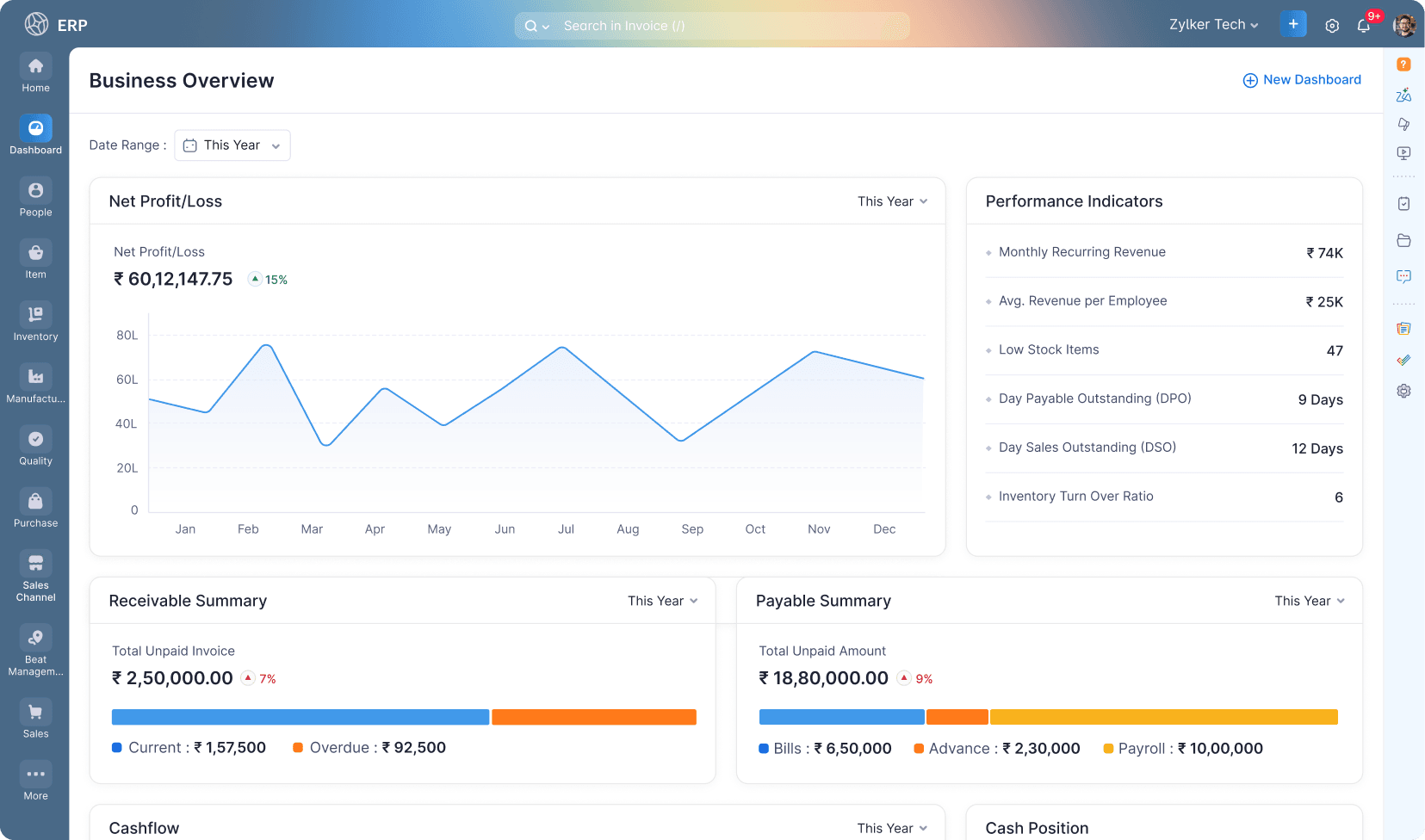
Zoho is an all-in-one business operating system that covers CRM, project management, team communication, HR, finance, and marketing automation in a single integrated platform.
For remote managers running lean teams across multiple functions, Zoho eliminates the tool fragmentation that forces managers to switch between 5 to 8 separate apps to get a complete picture of their operations.
Pricing: Free plan available for Zoho CRM with up to 3 users.
- Zoho One, the full suite of 45+ apps, starts at $37/user/month billed annually.
- Individual Zoho CRM plans start at $14/user/month for the Standard tier.
- Manage the full customer lifecycle inside Zoho CRM, logging every lead interaction, updating deal stages, and triggering automated follow-up sequences without switching between a CRM and a separate email tool
- Track project progress, assign tasks, and monitor team workloads across concurrent projects in Zoho Projects, with Gantt charts, task dependencies, and time tracking built into the same workspace as the CRM
- Run internal team communication, video calls, and document collaboration inside Zoho Cliq and Zoho WorkDrive, keeping all remote team activity inside one platform that integrates natively across every Zoho module
Document and Data Tools
28. Microsoft Office
Microsoft Office is the most widely deployed document and productivity suite in remote work environments, used across Word, Excel, PowerPoint, and Outlook.
For distributed teams operating in enterprise or mid-market organisations where Microsoft is the standard, Office is the non-negotiable productivity foundation that every remote worker needs to be proficient in.
Pricing: Microsoft 365 Business Basic at $6/user/month with web and mobile Office apps, Teams, and 1TB OneDrive storage.
Microsoft 365 Business Standard at $12.50/user/month with full desktop Office apps including Word, Excel, and PowerPoint.
- Create, edit, and collaborate on Word documents for client proposals, SOPs, meeting minutes, and business reports, with tracked changes and comment threads that support asynchronous review cycles across time zones
- Build PowerPoint presentations for executive briefings, investor updates, and client-facing deliverables, using pre-approved branded templates that maintain visual consistency without a design resource
- Manage email, calendar, contacts, and tasks inside Outlook, integrating with Teams, SharePoint, and OneDrive to keep all communication, scheduling, and file management connected in one Microsoft environment
29. Excel

Excel is the most widely used data management and reporting tool among Wishup VAs, applied across financial tracking, operational dashboards, client reporting, and workflow documentation.
For remote teams, Excel is the universal format for structured data exchange that works regardless of which other tools the client uses.
Pricing: Excel for the web is free with any Microsoft account.
- Included in Microsoft 365 Business Basic at $6/user/month.
- Excel standalone licence available at $159.99 one-time (perpetual).
- Build financial tracking spreadsheets for expense management, budget monitoring, and cash flow forecasting, with automated formulas, conditional formatting, and pivot tables that surface key numbers without manual calculation
- Create operational dashboards that consolidate data from multiple sources, CRM pipeline, project status, team capacity, and KPI tracking, into a single shareable view the client reviews on a weekly cadence
- Manage and clean data sets imported from CRM, accounting, and e-commerce platforms, removing duplicates, standardising formats, and preparing data for reporting or import into a downstream tool
Notes and Knowledge Organisation
31. Notion
Notion is a connected workspace platform that combines notes, databases, wikis, project tracking, and document creation in one tool. It is the strongest knowledge organisation platform for remote teams that need a single source of truth for SOPs, client information, team documentation, and operational workflows.
For VAs and managers working across multiple clients or projects, Notion replaces scattered Google Docs, spreadsheets, and Slack threads with one structured, searchable workspace.
Pricing: Free plan for individual use with unlimited pages and blocks.
- Plus plan at $10/user/month for unlimited file uploads, 30-day version history, and guest access.
- Business plan at $15/user/month with advanced permissions and private teamspaces.
- Build and maintain client-specific SOP libraries, documenting every repeatable process, tool login structure, and workflow decision in a searchable, template-based Notion workspace that new VAs can onboard from in under 2 hours
- Create operational dashboards that consolidate project status, task tracking, meeting notes, and reference documents for each client, giving both the VA and the client a single link that answers every "what's the status?" question
- Manage content calendars, editorial pipelines, and research repositories using Notion's linked database views, connecting blog drafts, publish dates, SEO keywords, and approval status in one relational structure that updates across every view simultaneously
Quick Video Recording
32. Loom
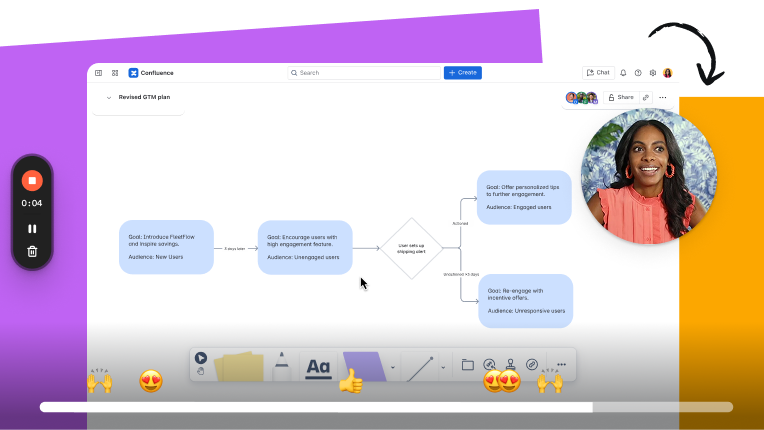
Loom is an async video messaging tool that lets VAs and managers record their screen, camera, or both simultaneously, sending a watchable video instead of writing a long email or scheduling a meeting.
For remote teams where time zone differences make synchronous calls impractical, Loom is one of the highest-impact productivity apps for remote workers, replacing 30-minute meetings with 3-minute video walkthroughs that the recipient watches on their own schedule.
Pricing: Free plan with up to 25 videos and a 5-minute recording limit.
- Business plan at $12.50/user/month with unlimited videos, unlimited recording length, and viewer engagement analytics.
- Enterprise pricing available for large teams.
- Record step-by-step process walkthroughs for client SOPs — capturing screen navigation, verbal explanation, and real tool interaction in one video the client or new VA watches once instead of reading a 20-step written guide
- Deliver weekly work-in-progress updates to clients by recording a screen share of completed tasks, outstanding items, and questions, replacing the written status email with a visual walkthrough that takes 3 minutes to record and 3 minutes to watch
- Train new VAs on client-specific tools and workflows by sending recorded Loom walkthroughs, building a reusable onboarding video library that reduces repeat explanation time by 60–70% across VA transitions
Meeting Note-Taking
33. Fathom
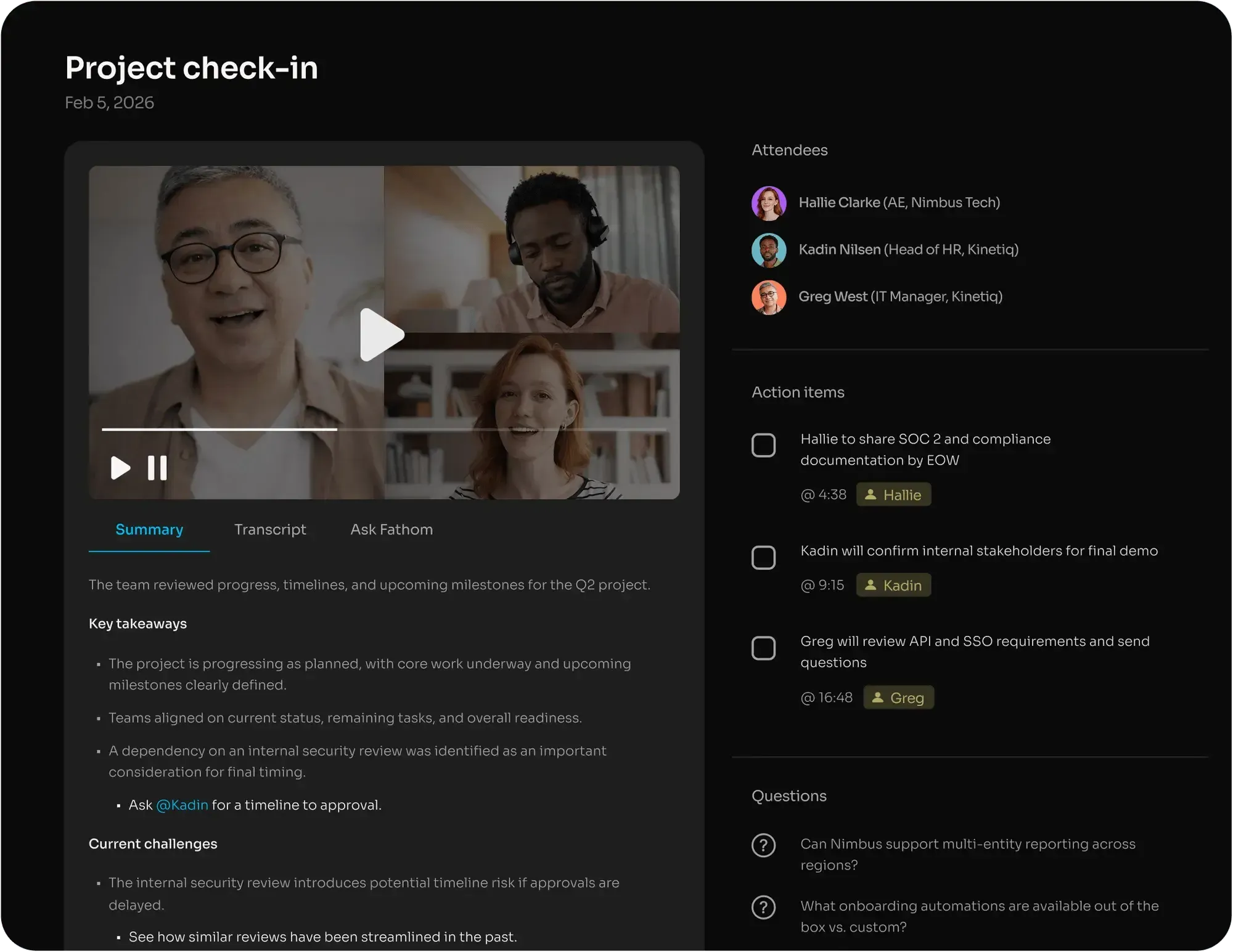
Fathom is an AI meeting assistant that joins Zoom, Google Meet, and Microsoft Teams calls to record, transcribe, and summarise meetings automatically, delivering a structured summary with action items, key decisions, and next steps within minutes of the call ending.
For VAs managing executive schedules and for managers running distributed teams across time zones, Fathom eliminates the most time-consuming post-meeting task: note-taking.
Pricing: Free plan with unlimited recordings, transcriptions, and AI summaries on Zoom, Google Meet, and Teams.
- Fathom Pro at $15/user/month with CRM integrations, custom vocabulary, and team collaboration features.
- Team Edition at $19/user/month with shared meeting libraries and team analytics.
- Capture complete meeting transcripts and AI-generated summaries for every client call, so the VA can extract action items, update the CRM, and send a follow-up email within 10 minutes of the call ending, without the executive spending a single minute on post-meeting admin
- Build a searchable archive of every recorded meeting, allowing the VA or manager to retrieve a specific decision, commitment, or conversation from any past call using a keyword search instead of rewatching the full recording
- Share meeting summaries with stakeholders who couldn't attend, sending a structured recap with key points, decisions made, and assigned action items, keeping the entire team aligned without scheduling a follow-up call to repeat what was discussed
Voice Dictation
34. Wispr Flow
Wispr Flow is an AI-powered voice dictation tool that transcribes spoken words into text, directly inside any app on the user's screen, including Gmail, Notion, Slack, Google Docs, and CRM platforms.
For VAs handling high-volume written communication and for managers who think faster than they type, Wispr Flow is one of the most underused best apps for remote work, turning speech into accurate, formatted text 3 to 4x faster than keyboard typing.
Pricing: Free plan with limited monthly dictation minutes.
- Pro plan at $12/month with unlimited dictation, all app integrations, and custom AI formatting.
- Annual billing available at a reduced rate.
- Dictate email responses, Slack messages, and client update drafts by voice, reducing the time spent on written communication from 45–60 minutes per day to under 15 minutes, by speaking responses instead of typing them word by word
- Capture meeting notes, task briefs, and SOP drafts verbally during or immediately after a call, converting spoken observations into formatted Notion pages, Google Docs, or ClickUp task descriptions without switching to a keyboard
- Draft longer client deliverables, reports, proposals, and research summaries, by dictating a spoken outline that Wispr Flow transcribes in real time, giving the VA a structured first draft to edit rather than a blank page to fill
Time Tracking and Employee Monitoring
35. Apploye
Apploye is a remote employee monitoring and time tracking platform that gives managers real-time visibility into distributed team activity, including active hours, app usage, productivity scores, and optional screenshot capture.
For teams managing virtual assistants or remote employees across time zones, Apploye is the strongest remote work productivity tool for accountability and billing accuracy without micromanagement.
Pricing:
- Solo plan at $4/user/month for freelancers and solo VAs.
- Standard plan at $5/user/month with screenshot monitoring and app tracking.
- Elite plan at $6/user/month with GPS tracking, payroll integration, and client login access.
- Enterprise pricing available for teams of 50+.
- Track billable hours across multiple client projects with GPS-tagged time logs and activity-level monitoring, generating automated timesheets for payroll processing and client billing without manual hour reconstruction
- Monitor real-time productivity scores based on active keyboard and mouse usage during tracked hours, giving managers an objective activity baseline without requiring constant check-in calls or status updates
- Generate detailed daily and weekly productivity reports per team member, showing time allocation by project, app usage breakdown, and idle time percentage, delivered automatically to the manager's inbox on a defined schedule
Hire a VA Who Already Knows All 25 of These Tools
Every Wishup VA arrives pre-trained across the tools for virtual assistants listed in this guide, from ChatGPT and Zapier to HubSpot and Canva. No tool onboarding time. No learning curve cost. Your VA is operational in 60 minutes from $1,299/month.
Wishup's VA matching process identifies which of the 25 tools in this VA tools list are core to your workflow, then matches you with a pre-trained specialist from the top 0.1% of applicants across 1,200+ client engagements.
Onboard in 60 minutes
Wishup's robust processes ensure your VA's onboarding is done within 30 min. It allows your VA to start work almost immediately.
Instant replacement
If you are unhappy with your VA's work, you can get an instant replacement. Just let Wishup know, and they will send a new VA for your business.
Dedicated account manager
Wishup appoints a dedicated account manager for your work. You can get in touch with them for any of your requirements or to get any issues resolved.
3 Day risk-free trial
Start working with a 3-day trial to assess the VA's work. If you are not happy, you can get your money back.
Pre-trained and pre-screened virtual assistants
All VAs are pre-trained on the top software tools. They are screened to ensure they will meet your needs. Only the top 1% of applicants make it to the final selection.
You can hire a virtual assistant in 3 easy steps:
- Decide on the work the VA has to do.
- Consult with Wishup so they can match you with the best VA for your needs.
- Complete onboarding within 24 hours so your VA is ready to start work.
Hire a virtual assistant from Wishup, pre-trained, pre-vetted, onboarding in 60 minutes.

Conclusion
Using the best virtual assistant software listed in this blog will help you improve productivity. You can consider virtual assistant outsourcing if you do not have the time to use software tools. When you hire a virtual assistant from Wishup, they will be trained on all these tools. They can carry out all your tasks using automation, so you get the best results from your work.
If you want to hire a virtual consultant, schedule a consultation with Wishup today. You can also let them know your requirements by emailing [email protected]. Get the best virtual assistant to make your work easy and achieve better results.
Frequently Asked Questions
Which tools are used in virtual assistants?
The 25 most-used virtual assistant tools span 9 categories: AI assistants (ChatGPT, Gemini, Claude, Perplexity), communication (Slack, Zoom), bookkeeping (QuickBooks, Xero), scheduling (Calendly), project management (Asana, Trello, ClickUp, Monday.com), password management (LastPass), file management (Google Drive, Dropbox), social media (Hootsuite, Buffer, Canva), and workflow automation (HubSpot, Mailchimp, Zapier, n8n, Google Workspace).
What does a virtual assistant software do?
Virtual assistant software handles 3 core operational functions: task automation (Zapier, n8n), communication and coordination (Slack, Zoom, Google Workspace), and tracking and reporting (Toggl, Asana, HubSpot), reducing manual work by 8 to 15 hours per week per VA engagement.
What are the best remote work productivity tools for managers?
The 9 best remote work productivity tools for managers and distributed teams are the Wishup App (employee and VA management), Zoho (all-in-one team operations), Microsoft Office and Excel (document and data collaboration), Apploye (remote time tracking and activity monitoring), Notion (notes and knowledge organisation), Loom (async video communication), Fathom (AI meeting note-taking), and Wispr Flow (voice dictation), covering every coordination and documentation layer of a remote team.
What is the difference between VA tools and remote work productivity tools?
VA tools are used by virtual assistants to execute client workflows, manage CRM records, schedule, create content, and automate. Managers use remote work productivity tools to oversee, coordinate, and communicate with distributed teams. The best productivity apps for remote workers serve both functions, giving VAs the tools to deliver and managers the visibility to monitor.
