

A virtual assistant produces results in the first week when the business gives them clear access, defined tasks, and a working communication rhythm before Day 1. Most onboarding failures do not happen because the VA underperformed.
They happen because the business was not ready. A study found that 31% of the workers quit a job within the first 6 months, with lack of clear role expectations cited as a top reason.
Therefore, this guide covers the full 30-day virtual assistant onboarding process for teams and growing businesses managing multiple VAs, shared workflows, and cross-functional tasks. For solo business owners starting with a single VA, the how to onboard a VA for your solo business covers that setup specifically.
By Day 30, your VA handles recurring tasks independently, communicates without reminders, and fits into your team's workflow without creating extra work for you.

What to Prepare Before Your VA Starts?
Preparation before Day 1 determines how fast your VA becomes productive. A VA who joins without access to the right tools, a clear first task, or an understanding of how your team communicates will spend the first week asking questions instead of delivering work.
Complete these 5 steps before your VA's start date.
1. Set up tool access
Grant access to the 3 to 5 tools your VA will use most. For most businesses, these include:
- Google Workspace or Microsoft 365 for documents and email,
- A project management tool such as Asana or Monday.com for task tracking, and
- A communication tool such as Slack.
Do not share your personal login. Create a separate account with the VA's name and set role-specific permissions.
2. Write down your first 3 tasks
List the 3 tasks your VA handles in Week 1. Write each task as a single sentence with a clear output. "Manage my inbox" is not a task. "Flag emails requiring my reply, archive newsletters, and respond to meeting requests using the template in the shared folder" is a task.
3. Record a short welcome video
Record a 5 to 10-minute video covering 3 things:
- Who you are,
- What your business does, and
- What a good week looks like.
Tools like Loom work well for this. This saves the first 30 minutes of Day 1 and gives your VA context that they cannot get from a document.
4. Set your communication norms
Decide and document 3 things before Day 1:
- Which tool your VA uses for daily updates (Slack, email, or WhatsApp),
- What your expected response time is for messages, and
- Whether your VA needs approval before sending anything externally.
Write this down in a shared document. Do not assume your VA will figure it out.
5. Assign a point of contact
Name one person on your team whom the VA can go to with questions.
- For small teams, this is often the founder or operations lead.
- For larger teams, it is typically a department head or operations manager.
One point of contact prevents conflicting instructions from multiple people, which is the most common source of confusion in the first 2 weeks.
Wishup matches businesses with pre-trained VAs in 60 minutes. Every VA arrives tool-ready, trained on 70+ tools including Google Workspace, Asana, Slack, HubSpot, and QuickBooks, so your prep time stays focused on your business, not on training.
Hire a VA to create a system that is truly yours!
The 30-Day VA Onboarding Plan
A 30-day onboarding plan works by moving your VA from guided execution in Week 1 to independent ownership by Week 4. Each phase has a specific goal. Skipping phases or compressing the timeline produces the most common outcome: a VA who is always waiting for instructions instead of working ahead of them.
Week 1 (Days 1 to 7): Access, Communication, and First Task
The goal of Week 1 is simple. Your VA knows what to do, who to talk to, and how to communicate by the end of Day 5. Nothing else matters yet.
Day 1: Orientation
Start with a 30-minute video call. Cover 4 things in order:
- Your business in 2 minutes,
- The team structure,
- The VA's first 3 tasks, and
- The communication rules you documented before Day 1.
Send a written summary of this call in Slack or email immediately after. Do not rely on the VA remembering a verbal briefing.
Day 2 to 3: First real task
Assign one task from your pre-written list. Choose the task with the clearest output and the lowest stakes.
A good first task is something like organizing a shared inbox folder, researching a list of 10 vendors, or updating contact records in your CRM, such as HubSpot or Salesforce. Review the output on Day 3. Give specific written feedback, not general comments like "looks good" or "needs work."
Day 4 to 5: Communication check
By Day 4, your VA sends a short end-of-day update. It covers 3 things:
- Tasks completed,
- Blockers, and
- What they plan to do the next day.
If this does not happen naturally, set it as an explicit expectation on Day 1 and remind them once. A VA who updates without being asked is the single strongest signal of a good onboarding.
Day 6 to 7: Tool walkthrough
Ask your VA to share their screen and walk through the tools they have accessed. This reveals 2 things:
- Whether access is working correctly, and
- Whether they are navigating tools confidently.
Tools to check in
- Week 1 include Google Workspace (Docs, Sheets, Calendar), 4
- your project management tool (Asana, Monday.com, or ClickUp), and
- your primary communication channel (Slack or Microsoft Teams).
Week 2 (Days 8 to 14): Set-Up Workflow
The goal of Week 2 is to move your VA from individual tasks to repeating workflows. By Day 14, they handle at least 2 recurring processes without a prompt from you.
Days 8 to 10: Add recurring tasks
Introduce 2 recurring tasks. These are tasks that happen daily or weekly, such as inbox triage every morning, updating a project tracker every Friday, or pulling a weekly report from a tool like Google Analytics or QuickBooks.
Write a short process note for each one. A process note is not a full SOP. It is 5 to 8 bullet points covering the steps, the expected output, and where to save the result.
Days 11 to 12: First feedback session
Schedule a 20-minute call on Day 11 or 12. Ask 3 questions:
- What is taking longer than expected?
- What information is hard to find?
- What would make the work easier?
Listen more than you talk. The answers tell you where your systems are unclear, not where your VA is underperforming.
Days 13 to 14: Expand task ownership
Add one more task to the VA's list. By Day 14, your VA manages at least 4 tasks independently: 2 recurring and 2 project-based.
Use a shared task board in Asana or Monday.com to track these. Visibility into what your VA is working on removes the need to check in manually.
Week 3 to 4 (Days 15 to 30): SOPs, Calibration, and Performance Check
The goal of Weeks 3 and 4 is to build systems around what is working and fix what is not before the onboarding window closes.
Days 15 to 18: Start building SOPs
An SOP (Standard Operating Procedure) is a written record of how a task gets done. Ask your VA to write an SOP for each recurring task they now handle. A good SOP includes 4 things:
- The trigger (what starts the task),
- The steps in order,
- The expected output, and
- Where the output is saved.
Tools like Notion, Google Docs, or Confluence work well for storing SOPs. A VA who writes their own SOPs builds documentation that protects your business if they are unavailable.
Days 19 to 22: Calibration
Review the SOPs your VA has written. Check for 3 things:
- Accuracy (does the process match how it is actually done?),
- Completeness (are any steps missing?), and
- Clarity (could someone else follow this?).
Make corrections together on a call. This is also the right time to adjust task volume if your VA is underloaded or overwhelmed.
Days 23 to 27: Communication assessment
By Day 23, your VA's communication should be consistent without reminders. Assess it against 3 standards:
- Daily updates sent without prompting,
- Blockers flagged within 2 hours of hitting them, and
- No task sitting idle for more than 24 hours without a status note.
A VA who communicates proactively by Week 4 reduces manager check-in time by roughly 5 hours per week. If communication is still inconsistent at this stage, address it directly in a written message, not a verbal conversation.
Days 28 to 30: 30-day performance check
Run a structured 30-minute review on Day 28, 29, or 30. Cover 4 areas:
- task completion rate (are tasks delivered on time?),
- quality (does the output meet the standard you set?),
- communication (is the daily update rhythm consistent?), and
- SOP completion (how many processes are documented?).
Share written notes from this review with your VA. A written review creates a record and sets the tone for how performance is tracked going forward.
How to Onboard Multiple VAs Without Confusion?
Onboarding multiple VAs at once requires a task ownership system, a shared communication structure, and one person responsible for coordination. Without these 3 things, VAs duplicate work, wait on each other, and escalate avoidable questions to the business owner.
Here is how to structure a multi-VA setup from Day 1.
1. Assign ownership, not just tasks
Each VA owns a function, not a task list. One VA owns inbox and calendar management. A second VA owns research and reporting. A third owns social media and content scheduling.
Ownership means the VA is responsible for the outcome of that function, including flagging gaps, maintaining SOPs, and updating the task board.
Assigning ownership by function prevents the most common multi-VA problem: two VAs waiting for the other to act on the same item.
2. Use one shared task board
All VAs work from a single task board in a tool like Asana, Monday.com, or ClickUp. Each task has 3 fields:
- Owner (which VA),
- Status (not started, in progress, or done), and
- Due date.
A shared board gives you a single view of all active work without asking anyone for updates. It also makes handoffs between VAs visible, which reduces dropped tasks.
3. Create a communication channel structure
Set up 3 Slack channels or Microsoft Teams channels for a multi-VA team:
- One general channel for all VAs and the manager,
- One channel per VA function (example: #inbox-management and #research), and
- One channel for urgent escalations.
Each VA posts its end-of-day update in its function channel. You review 3 short updates instead of running 3 separate check-ins. This saves 30 to 45 minutes daily at the manager level.
4. Run a weekly team sync
Schedule a 30-minute weekly call with all VAs together. Cover 3 things:
- What each VA completed last week,
Where any tasks are blocked or overlapping, and
- Priorities for the coming week.
This call replaces ad hoc messages and prevents VAs from making conflicting decisions on shared work.
5. Stagger onboarding start dates by 1 week
Onboarding 2 or 3 VAs on the same day splits your attention equally across all of them at the moment when each one needs the most guidance.
Start the first VA on Day 1, the second on Day 8, and the third on Day 15. By the time VA 2 starts, VA 1 is already handling recurring tasks independently.
This keeps your onboarding workload manageable and improves the quality of attention each VA receives in their first week.
6. Document shared context once
Create one shared document that all VAs can access. Include 5 things:
- A business overview (2 paragraphs),
- The team structure with names and roles,
- A glossary of internal terms and acronyms,
- The communication norms, and
- Links to each VA's SOP folder.
This document is the single source of truth for anyone new joining the team. It also reduces the number of "quick questions" sent to you directly.
5 Best Practices for Onboarding a Virtual Assistant
The businesses that get the most from a VA onboarding process share 5 habits: they over-communicate in Week 1, they document before they delegate, they give specific feedback instead of vague approval, they treat the first 30 days as a calibration period, and they track output instead of activity.
Here is what each of those looks like in practice.
1. Over-communicate in Week 1, then pull back
Most businesses under-communicate in the first week because they do not want to micromanage. This is the wrong instinct. A VA joining a new business needs more context in Days 1 to 7 than at any other point.
Send daily check-in messages. Give written feedback on every task. Ask if anything is unclear. By Week 3, your VA communicates independently, and you reduce check-ins to 2 to 3 times a week.
2. Document the task before you delegate it
A task that lives only in your head creates a dependency. Delegating an undocumented task means the VA will complete it once, ask for guidance again the next time, and never fully own it.
Before assigning any recurring task, write it down in 5 to 8 bullet points: what triggers the task, what the steps are, what the output looks like, and where it gets saved. This process note becomes the first draft of your SOP.
Related: Learn how to delegate to a virtual assistant in detail.
3. Give specific written feedback, not general approval
"Looks good" and "needs work" are not feedback. Specific written feedback sounds like this: "The report format is correct. The data in column C needs to pull from the Monday.com board, not the spreadsheet. Update this and resend by 3pm."
Written feedback creates a record. The VA refers back to it without asking the same question twice. Verbal feedback disappears the moment the call ends.
4. Treat the first 30 days as a calibration period, not a performance review
The first 30 days reveal gaps in your systems as much as gaps in your virtual assistant's skills. A VA who asks many questions in Week 1 does not signal underperformance. It signals that your documentation is incomplete.
Use that information to build better SOPs rather than to judge capability too early. Edwin Veelo, COO at Centriq Technology, noted about his Wishup VA: the team had never missed a monthly deliverable and responded to urgent needs within the same day.
That level of consistency builds over 30 days of clear expectations, not 30 days of observation.
5. Track output, not hours
A VA who completes all assigned tasks in 5 hours is more valuable than one who fills 8 hours with low-priority work. Define what a good week looks like in terms of deliverables, not time spent.
Use a shared task board in Asana, Monday.com, or ClickUp to track completion. This removes the temptation to measure presence and keeps focus on results.
What clients say: "My assigned VAs complete the tasks set for the day. They hold high standards for themselves, which makes it easy to work with them." – Larina Scott, verified Trustpilot review
What Works in VA Onboarding and What Does Not
The most common onboarding failures come from 4 sources: unclear task briefs, no communication structure, delayed feedback, and treating the VA like a freelancer instead of a team member. Each one is fixable before it becomes a problem.
What Works
1. Giving the VA a dedicated point of contact
A VA who reports to one person operates with clarity. One person sets priorities, one person gives feedback, and one person owns the relationship. This removes the confusion that comes when 3 people send conflicting instructions to the same VA on the same day.
2. Setting a weekly review rhythm from Day 1
A 20-minute weekly call set in advance creates a predictable structure. Your VA prepares for it, you review progress against the task board, and blockers get resolved before they delay work. Businesses that skip weekly reviews report more escalations, more missed deadlines, and more re-work.
3. Sharing context about your business, not just your tasks
A VA who understands why a task matters completes it better than one who follows instructions without context. A 5-minute business overview on Day 1 produces a measurably different result than handing over a task list and expecting the VA to figure out the rest.
3. Starting with a low-stakes task before a high-stakes one
The first task reveals how your VA interprets instructions, formats outputs, and communicates when something is unclear.
Run that test on a task where a mistake costs nothing. Use the result to calibrate your briefs before assigning inbox management, client communication, or financial reporting.
What Does Not Work
1. Assigning 10 tasks on Day 1
Overloading a VA on the first day produces rushed work, missed steps, and a VA who learns to cut corners to keep up. Start with 3 tasks in Week 1. Add tasks as the VA demonstrates ownership of the ones already assigned.
2. Assuming tools knowledge without checking it
A VA who lists Google Workspace on their profile still needs to understand how your specific folder structure, naming conventions, and sharing permissions work. Walk through your setup once in Week 1. Do not assume familiarity means alignment.
3. Giving verbal instructions for recurring tasks
Verbal instructions for tasks that repeat daily or weekly create a dependency on you. Every time the task comes up, the VA needs to remember what you said, or ask again.
Written process notes eliminate this entirely. The 10 minutes it takes to write a process note saves 30 minutes of back-and-forth every week.
4. Waiting until Day 30 to give feedback
Feedback withheld for 30 days means 30 days of the same mistake repeated. Give feedback within 24 hours of reviewing any deliverable.
A correction on Day 3 shapes how the VA works for the rest of the month. A correction on Day 30 starts a new cycle.
5. Treating the VA like an on-demand resource instead of a team member
A VA who receives tasks only when you remember to send them cannot build a proactive rhythm. A VA who is included in weekly priorities, given context about the business, and treated as part of the team builds ownership.
Businesses that treat their VAs as team members report a 92% retention rate beyond 12 months, according to Wishup's internal client data.
The VA Onboarding Checklist
A complete virtual assistant onboarding checklist covers 3 phases:
- what you prepare before Day 1,
- what you set up and verify in the first 2 weeks, and
- what you lock in by Day 30.
Use this as a standalone reference alongside the 30-day plan. Each item has a clear owner and a clear output.
Phase 1: Before Day 1
- Create the VA’s work email and role-based tool access
- Add them to your task manager and communication tool
- Write down the first 3 tasks with clear outputs and deadlines
- Prepare short process notes for recurring tasks
- Record a short welcome video with business context and team structure
- Define communication rules, response times, and approval boundaries
- Assign one point of contact for all questions
Phase 2: Days 1 to 14
- Run a 30-minute orientation call on Day 1
- Assign one low-risk starter task and review it with written feedback
- Confirm the VA sends daily updates with completed work, blockers, and next steps
- Check that all tools are working through a short screen-share walkthrough
- Introduce 2 recurring tasks with simple written instructions
- Hold a feedback call around Day 10 to identify gaps or bottlenecks
- Move all active work into one shared task board with owner, status, and due date
Phase 3: Days 15 to 30
- Ask the VA to document SOPs for recurring tasks
- Review and refine those SOPs for clarity and accuracy
- Adjust workload if the VA is underloaded or overwhelmed
- Check whether communication is proactive and blockers are flagged early
- Run a 30-day review covering task quality, timeliness, communication, and SOP completion
- Confirm the VA can now manage recurring work without constant follow-up
How to Know Your VA Onboarding Worked: 30-Day Success Metrics
A successful 30-day virtual assistant onboarding produces 4 measurable outcomes: your VA handles at least 5 recurring tasks independently, communicates daily without prompting, has documented at least 3 SOPs, and requires fewer than 3 check-in messages from you per week.
If those 4 outcomes are true by Day 30, the onboarding worked. Here is how to measure each one.
1. Task independence
Count the number of tasks your VA completes in Week 4 without a prompt from you. A VA who independently manages recurring work, such as inbox triage, weekly reports, CRM updates, or social media scheduling, has crossed from guided execution into operational ownership.
The target by Day 30 is 5 independently managed recurring tasks. Fewer than 3 points to unclear briefs or insufficient SOP coverage.
2. Communication consistency
Review the last 7 days of end-of-day updates. Check 3 things:
- Were updates sent every working day without a reminder?
- Were blockers flagged within 2 hours of hitting them?
- Were task statuses kept current on the shared board?
A VA who communicates proactively by Day 30 frees up an estimated 4 to 5 hours of manager time per week that would otherwise go toward check-ins and status requests.
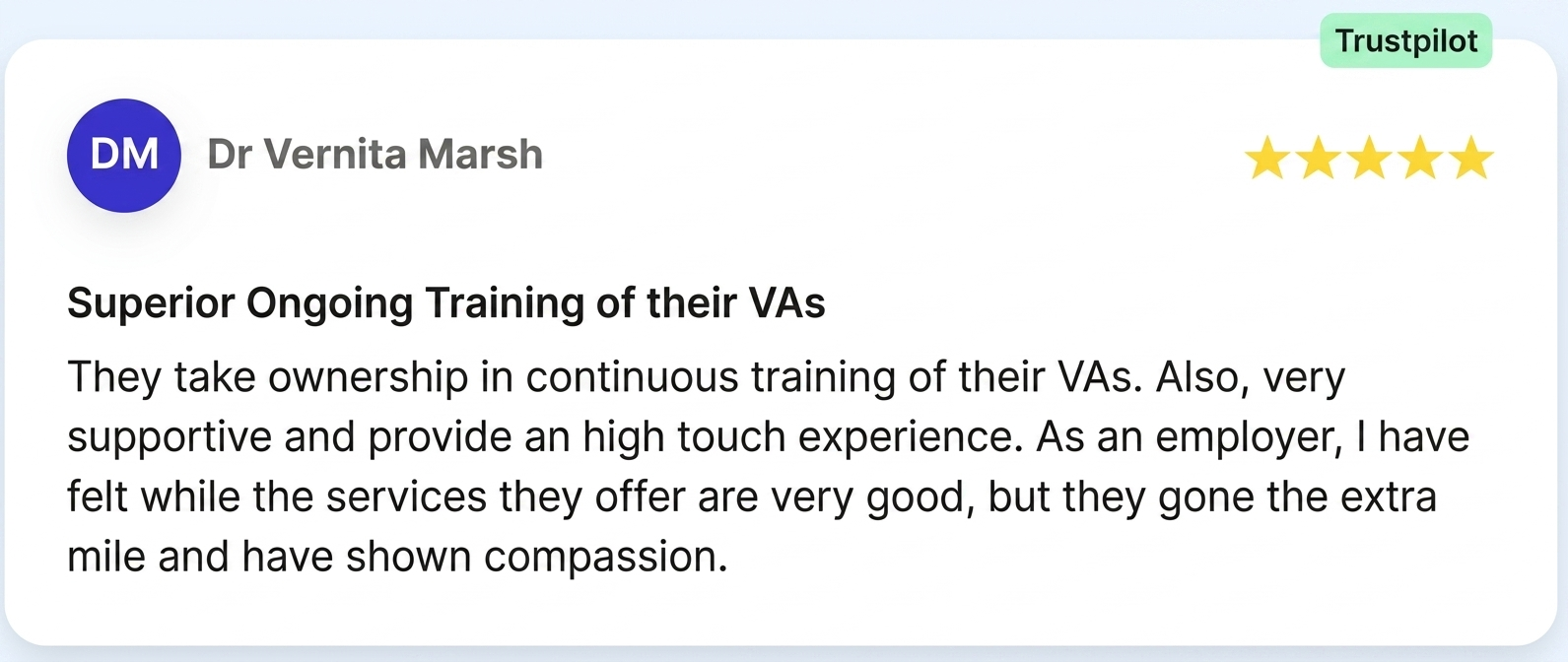
Dr Vernita Marsh, a verified Trustpilot reviewer, noted about her Wishup VA: the team took ownership of continuous training and provided a high-touch experience, going the extra mile and showing genuine care. That level of ownership shows in communication quality before it shows anywhere else.
3. SOP documentation
Count the number of completed SOPs in your shared folder by Day 30. The minimum target is 3:
- one for the VA's highest-volume task,
- one for the most complex task, and
- one for any task that involves external communication.
SOPs protect your business if the VA is unavailable and reduce re-training time if a replacement is needed.
Businesses that document processes during onboarding reduce re-onboarding time by up to 60% when switching VAs, according to operational continuity research. Pair this with Wishup's 24-hour replacement guarantee and documented SOPs become a direct business continuity asset, not just an admin exercise.
4. Manager check-in frequency
Track how many times you proactively message your VA per day in Week 4. A well-onboarded VA generates inbound updates, not outbound requests from you. The target is fewer than 3 unprompted check-ins per week by Day 30.
If you are still messaging your VA more than once daily to ask for updates or task status, the communication structure from Section 2 needs to be re-established with a direct written conversation, not a verbal one.
What to Do If the Onboarding Did Not Work?
Three outcomes at Day 30 signal a systemic problem rather than a VA performance problem.
- The first is a VA who still asks the same questions repeatedly. This means your process notes and SOPs are incomplete. Fix the documentation before reassessing the VA.
- The second is tasks consistently delivered late. This means task volume, deadline clarity, or tool access is the issue. Review the shared task board together and identify where the bottleneck sits.
- The third is communication, which is still inconsistent after a direct written conversation about it. This is the only outcome that signals a genuine fit issue. Wishup clients in this situation use the 24-hour replacement guarantee.
- A replacement VA starts the 30-day process with the SOPs and context documents already built, which means Week 1 moves significantly faster the second time.

Most businesses spend 2 to 4 weeks finding, screening, and interviewing VA candidates before onboarding begins. Wishup compresses that to 60 minutes.
Read how the time taken to hire a virtual assistant changes when pre-vetting is already done.
Then hire a virtual assistant and start your 30-day plan the same week.
Wrapping Up: The First 30 Days Set the Standard for Everything After
Onboarding a virtual assistant is not about giving more instructions. It is about building a system they can work inside without chasing you for every next step.
Set access before Day 1, define ownership early, lock in communication rules, and document recurring work as SOPs. Do that well, and by Day 30, your VA should be handling repeat tasks with less follow-up from you.
For teams and businesses, the same rule applies at scale. One owner, one shared task board, and clear function-level responsibility. Without that structure, more VAs create more noise. With it, they create leverage.
Once the onboarding is completed, here's how to manage your virtual assistant.
🚀 Meet Wishup in 30 Seconds
Wishup is a US-based (Delaware) virtual assistant company that offers remote virtual assistants to busy founders and executives worldwide. Our trained VAs handle everything from admin tasks to specialized work, helping you focus on what truly matters.
- ✅ 10+ years in the industry
- ✅ 1,500+ founders served across 50+ industries
- ✅ 200+ skill areas, 70+ no-code tools, 50+ AI tools
- ✅ Clients from Harvard and Y Combinator-backed startups
- ✅ Onboards trained VAs in just 60 minutes
- ✅ 98.8% client satisfaction | 99% on-time delivery
- ✅ Top 0.1% talent only – pre-vetted & ready to start
- ✅ 6-step vetting process (aptitude, cognitive, English, and more)
- ✅ Lifetime satisfaction guarantee
FAQs
How do you onboard a virtual assistant?
Onboard a virtual assistant by completing 5 steps before
- Day 1: grant tool access, document the first 3 tasks with specific outputs, record a short welcome video, write down your communication norms, and name a single point of contact.
- In Week 1, run a 30-minute orientation call, assign one low-stakes task, and confirm the VA sends a daily end-of-day update.
- By Day 30, your VA handles at least 5 recurring tasks independently, has documented at least 3 SOPs, and communicates without reminders.
What are the 5 C's of onboarding?
The 5 C's of onboarding are Compliance, Clarification, Culture, Connection, and Check-back. Compliance covers the rules, policies, and access setup. Clarification covers the role expectations and task briefs.
- Culture covers how the team communicates and what good work looks like in your business.
- Connection covers building a working relationship between the VA and the team.
- Check-back covers structured review points at Day 7, Day 14, and Day 30 to assess progress and address gaps early.
What are the 4 stages of onboarding?
The 4 stages of onboarding are:
- pre-boarding,
- orientation,
- role integration, and
- performance calibration.
Pre-boarding covers everything that happens before Day 1: tool access, task documentation, and communication setup.
Orientation covers Day 1 to Day 7: the welcome call, first task, and communication rhythm. Role integration covers
Day 8 to Day 21: recurring workflows, SOP creation, and expanding task ownership. Performance calibration covers
Day 22 to Day 30: reviewing output quality, communication consistency, and SOP completion against the 4 success metrics.
What is the hourly rate for a virtual assistant?
Virtual assistant hourly rates range from $5 to $75 per hour, depending on location, experience level, and service model. Overseas VAs from India charge $5 to $10 per hour for general admin work. US-based freelance VAs charge $19 to $75 per hour.
Managed VA services like Wishup include pre-vetting, training across 70+ tools, a dedicated VA manager, backup coverage, and a 24-hour replacement guarantee. For a detailed breakdown, the virtual assistant cost guide covers pricing by model, task type, and provider.
