
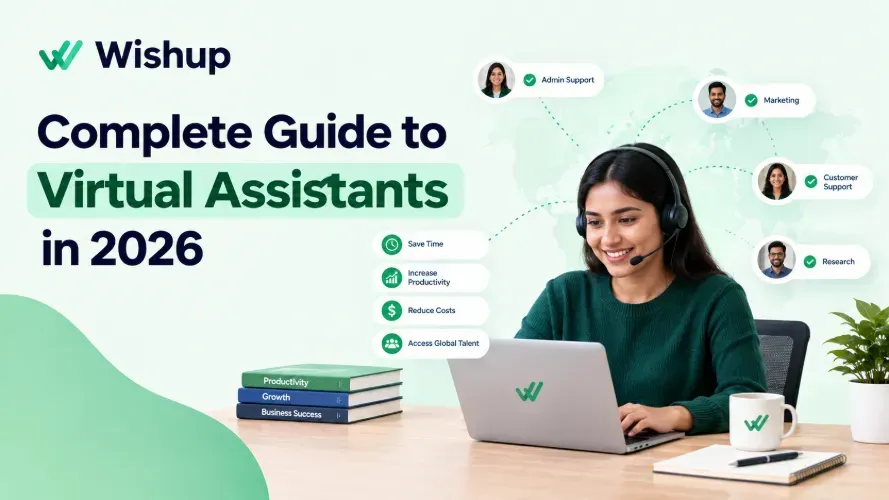
What Does a Virtual Assistant Do?
A virtual assistant does the recurring administrative, research, communication, and reporting work that keeps a business running, from a remote location. In practice, that means managing your inbox and calendar, handling data entry and CRM updates, doing follow-up emails, preparing reports, and running the small tasks that eat up a founder's day.
Wishup is a virtual assistant company in the United States. Wishup's virtual assistants are pre-vetted from the top 0.1 percent of applicants, trained on 120 plus tools, ready after 60 minute onboarding, trusted by 1200 clients, and priced from $1299 a month.
This guide lists 100 specific tasks a virtual assistant can take over, grouped by function, so you can see exactly what to delegate and what to keep. If you already know you need help, start with the virtual assistant hiring page.
What Is a Virtual Assistant?
A virtual assistant is a remote professional who provides administrative, creative, technical, or specialised assistance to clients from outside the client's office. They work through email, video calls, project management software, and chat tools rather than sitting at a desk in your building.
Four things define the role:
- A professional. A virtual assistant is a trained worker with defined skills, not a casual helper.
- Remote by design. The work happens online, often across time zones, which allows flexible hours.
- Skilled in specific tools. Many virtual assistants specialise in bookkeeping, social media, customer support, or research, on top of core admin work.
- Contract-based. A virtual assistant works hourly, part-time, or full-time, either independently or through an agency.
What Is Virtual Assistant Meaning? (Definition)
Virtual assistant means a person who performs assistant duties remotely, using the internet instead of an office to deliver the work. The definition covers the same duties an in-office assistant handles, such as scheduling, email, data entry, and research, with the difference being location and the way the work is delivered.
What's the difference between a virtual assistant and an AI assistant? An AI assistant is software. A virtual assistant is a human who may use AI tools but applies judgment, follows your standard operating procedures, and takes responsibility for results.
The Core Duties of a Virtual Assistant
The work of a virtual assistant usually starts with eight core duties. Each one appears in almost every role, whatever the industry.
Inbox. A virtual assistant sorts, labels, and replies to email so you only see what needs your decision.
Calendar. A virtual assistant handles scheduling, rescheduling, time zones, and focus-time blocks.
Data entry. A virtual assistant keeps spreadsheets, databases, and records accurate and free of duplicates.
CRM update. A virtual assistant logs every call, email, and deal stage so your pipeline reflects reality.
Research. A virtual assistant finds leads, compares vendors, and summarises competitors and markets.
Report. A virtual assistant compiles weekly and monthly numbers into a summary you can read in five minutes.
Follow-up. A virtual assistant chases overdue invoices, unanswered proposals, and post-meeting action items.
Onboarding. A virtual assistant prepares paperwork, accounts, and welcome steps for new clients and new hires.
Top 60 Tasks You Can Outsource to a Virtual Assistant
Social Media Management
A virtual assistant can run your presence across Instagram, LinkedIn, Facebook, TikTok, and Pinterest so you never touch a scheduler or comment thread. See how social media management support works in practice.
Content creation and scheduling
- Design visual graphics for each platform in Canva using your brand colour palette and fonts.
- Write captions with target keywords, hashtags, and calls-to-action sized to each platform's character limit.
- Schedule posts at peak engagement times using Buffer or Hootsuite.
- Repurpose long blog posts into Instagram carousels, LinkedIn articles, and X threads, then review any AI-drafted copy so it reads as human.
- Research trending hashtags and audio in your niche for weekly content planning.
Community and analytics
- Reply to comments and DMs within 2 hours using your brand voice guide.
- Monitor brand mentions and tags across all platforms daily.
- Send a Friday report covering reach, impressions, saves, and click-through rate.
- Flag high-performing posts for paid promotion.
- Compile a monthly competitor content analysis covering post frequency, engagement rate, and themes.
Email Marketing
A virtual assistant can manage your email programme end to end in Mailchimp or ActiveCampaign.
- Segment email lists by subscriber behaviour, purchase history, and engagement.
- Write and design newsletters using approved templates.
- Set up welcome sequences, abandoned cart flows, and re-engagement campaigns.
- A/B test two subject lines per campaign and report the winning open rate.
- Remove inactive subscribers monthly and report list health: open rate, click rate, and unsubscribe rate.
Inbox and Travel Management
A virtual assistant can take your inbox to zero every day and handle travel, removing the 90 minutes many founders lose to email each morning. Learn more about inbox management help.
- Sort and label email into four tiers: Urgent (same day), Action Required (48 hours), FYI (archive), and Spam (delete).
- Draft replies to routine enquiries from approved templates, ready for one-click approval.
- Unsubscribe from marketing lists and block spam senders.
- Book flights, hotels, and ground transport, then send a complete itinerary with confirmation numbers and check-in times.
- Compare travel options across budget, standard, and premium tiers and recommend one with a reason.
Bookkeeping
A virtual assistant can handle the recording and reporting layer of your finances in QuickBooks or FreshBooks, so your accountant receives clean data instead of a pile of receipts.
- Create and send recurring client invoices with automatic payment reminders.
- Record and categorise every expense by project, cost centre, or tax category.
- Reconcile bank and credit card statements against transactions each week.
- Flag invoices overdue by more than 7 days and send follow-up reminders.
- Prepare monthly income and expense summaries for your accountant's quarterly review.
Customer Service
A virtual assistant can handle tier-1 support across email, live chat, and social media using Freshdesk, Intercom, or Zendesk.
- Answer product and service enquiries within 2 hours using your FAQ response library.
- Log, categorise, and prioritise support tickets, resolving tier-1 issues and escalating tier-2 issues with full context notes. This is where a lot of escalations lose time, since the note is only as good as the person's memory of the thread. Tooling that can hand off tickets with full context generates that summary from the conversation itself, which matters most when the VA covering a different shift is the one reading it.
- Send CSAT and Net Promoter Score surveys after each resolved ticket.
- Process returns, refunds, and order issues according to your written policy.
- Send a weekly report on tickets received, resolved, escalated, and average response time, with recurring complaints flagged.
Calendar Management
A virtual assistant can treat your calendar as a strategic asset, protecting deep-work time while making sure every meeting is confirmed and prepared for.
- Schedule client calls, discovery calls, and standups in Calendly with buffers, intake questions, and reminders.
- Audit your calendar weekly and move low-priority meetings away from revenue time.
- Prepare a one-page brief for each meeting covering attendees, agenda, background, and your desired outcome.
- Send follow-up emails within 24 hours summarising decisions, action items, and the next meeting date.
- Coordinate across time zones and send invites with the correct local times.
Lead Generation
A virtual assistant can run the prospecting layer of your sales pipeline and deliver qualified leads to your CRM.
- Research target accounts in LinkedIn Sales Navigator by title, company size, industry, and recent activity.
- Verify emails with Hunter.io or Apollo.io and check for duplicates in your CRM.
- Score and tag leads against your ideal customer profile.
- Enrol qualified leads in personalised outreach sequences in HubSpot or Salesforce.
- Send a weekly pipeline report: leads sourced, contacted, replied, and meetings booked.
Project Management
A virtual assistant can keep projects moving without your daily involvement.
- Build project timelines in Asana or Trello with owners and deadlines for each milestone.
- Run weekly status meetings and send action items within 24 hours.
- Track deliverables and flag delays 5 days before they affect later milestones.
- Keep a risk log of blockers, dependencies, and contingency actions.
- Archive finished project files and write a post-project summary covering timeline, budget vs actual, and lessons learned.
Data Entry
A virtual assistant can own structured data entry so every system reflects current information.
- Enter and update CRM contact records: name, company, phone, email, last interaction, and notes.
- Import and clean lead lists, removing duplicates and flagging incomplete records.
- Maintain product and service databases with current pricing, descriptions, and availability.
- Turn raw form, survey, and spreadsheet data into structured weekly reports.
- Audit data quality monthly and correct missing, outdated, or duplicate entries.
Content Creation
A virtual assistant can handle content production and distribution so you only supply ideas and approve the final version.
- Research keywords and outline blog posts with H2 headings, key points, and internal link suggestions.
- Format and publish posts in WordPress, Webflow, or Ghost with images, meta descriptions, alt text, and a grammar check.
- Transcribe podcasts and videos into show notes with timestamps and key quotes.
- Create lead magnets, checklists, templates, one-pagers, and infographics in Canva or Google Slides.
- Cross-publish content on LinkedIn, X, and Facebook through Buffer or Hootsuite.
Phone Answering
A virtual assistant can make sure every call is answered, logged, and acted on without interrupting your focus.
- Answer inbound calls during business hours using your approved greeting script.
- Qualify callers with a 5-question intake: name, company, purpose, urgency, and callback time.
- Route urgent calls to you straight away and schedule callbacks for everything else.
- Log every call in your CRM within 10 minutes: caller, purpose, outcome, and next action.
- Send follow-up emails confirming next steps, callbacks, or requested information.
40 More Virtual Assistant Tasks Across 4 Departments
The first 60 tasks cover the most common starting points. The next 40 show the full scope of what a virtual assistant does across a whole business.
Department 1: Operations and Administration (Tasks 61 to 70)
- Draft and send meeting agendas 24 hours before each call.
- Update contact databases and CRM records daily.
- Prepare expense reports and submit reimbursement requests.
- Coordinate with vendors on timelines and deliverables.
- Track subscription renewals and software licences.
- File contracts, invoices, and receipts into an organised folder system.
- Handle HR admin: onboarding paperwork, offer letter drafts, and interview scheduling.
- Coordinate internal team meetings and share action items afterwards.
- Track and renew business licences, permits, and compliance deadlines.
- Scan, sort, and flag priority items from physical and digital mail.
Department 2: Finance and Bookkeeping (Tasks 71 to 80)
Finance work is one of the most time-expensive jobs for a small business owner. A virtual assistant handles the recording and tracking so your accountant or CFO gets organised data.
- Send recurring client invoices through QuickBooks or FreshBooks.
- Track accounts receivable and follow up on late payments.
- Categorise every expense by project or cost centre.
- Reconcile bank and card statements monthly.
- Prepare a weekly cash flow summary for founder review.
- Process vendor bills and route payment approvals.
- Keep a payroll schedule and flag discrepancies to your accountant.
- Track billable hours across client projects and produce billing reports.
- Gather quarterly tax data and hand it to your CPA.
- Monitor budget vs actual on active projects and flag overspend early.
Department 3: Marketing and Communications (Tasks 81 to 90)
Marketing execution is where most founders lose the most time. A virtual assistant runs the daily and weekly work while you set the strategy.
- Write and schedule newsletters in Mailchimp or ActiveCampaign.
- Design social graphics in Canva to your brand guide.
- Turn blog posts into LinkedIn articles, X threads, and Instagram carousels.
- Build influencer and podcast outreach lists for your niche.
- Monitor and reply to Google, Yelp, and Trustpilot reviews.
- Track competitor content, pricing changes, and product launches weekly.
- Upload, format, and publish posts on your website blog.
- Maintain email segments based on customer behaviour.
- Coordinate freelance designers, copywriters, and video editors.
- Compile a monthly marketing report on traffic, open rates, engagement, and conversions.
Department 4: Sales and Customer Success (Tasks 91 to 100)
Sales support is where delegation protects revenue directly. Most founders hand over admin first, yet sales support often pays back faster.
- Qualify inbound leads against your ideal customer profile.
- Send personalised follow-up emails after discovery calls.
- Complete a CRM update after every interaction: stage, notes, and next step.
- Research company size, decision-makers, and recent news before outreach.
- Run automated drip sequences in HubSpot or Salesforce.
- Send proposals and contracts through DocuSign and track signatures.
- Run quarterly re-engagement campaigns for dormant clients.
- Answer tier-1 support tickets and escalate tier-2 and above.
- Collect testimonials and NPS surveys from completed clients.
- Track renewal dates and send notices 60, 30, and 7 days before expiry.
Virtual Assistant Tasks vs Tasks You Keep In-House
Knowing what a virtual assistant does is half the answer. The other half is knowing what stays with you.
Delegate to a virtual assistant | Keep in-house |
|---|---|
Inbox sorting and routine replies | Final decisions on partnerships and hiring |
Calendar scheduling and meeting prep | Negotiations and pricing strategy |
Data entry and CRM updates | Company vision and product direction |
Research and first-draft reports | Sensitive staff conversations |
Follow-up on invoices and proposals | Signing authority on contracts and payments |
Content formatting and publishing | Brand voice ownership and final approval |
How Delegation to a Virtual Assistant Works
Delegation works when the task is recurring, rules-based, and measurable. A good test is simple: if you have done the task the same way three times, a virtual assistant can do it the fourth time.
Start with a time audit. Track your work for one week, then mark every task that does not need your judgment. Those tasks form your first delegation list.
Why a Standard Operating Procedure Matters
A standard operating procedure is a written, step-by-step guide for one task. It is what turns delegation from "please handle this" into repeatable work.
Each standard operating procedure should cover the goal of the task, the tools and logins used, the steps in order, the quality check, and who to ask when something breaks. A screen recording with a short checklist is often enough. Once the virtual assistant follows it successfully, they can update it as the process improves.
Freelance Virtual Assistant vs Virtual Assistant Company
A freelance virtual assistant works alone, which keeps cost flexible but puts sourcing, training, and replacement on you. When a freelancer becomes unavailable, work usually stops until you hire again.
A virtual assistant company handles vetting, training, account support, and replacement. That structure suits recurring workflows such as inbox triage, CRM hygiene, reporting, and follow-up, where consistency every week matters more than one-off help.
Benefits of Hiring a Virtual Assistant
More time for core work. Handing off repetitive tasks frees hours for sales, product, and strategy.
Higher productivity. Streamlined operations mean fewer dropped balls and faster turnaround. Pairing a virtual assistant with a transcription tool turns calls into structured meeting notes.
Less stress and better work-life balance. A lighter workload leaves room for rest and personal time.
Room to scale. A virtual assistant can absorb growth that would otherwise require a new full-time hire.
Wider talent reach. Remote hiring opens a global talent pool.
Better customer service. Faster replies and consistent follow-up improve the customer experience.
Lower cost. You save on office space, equipment, and many overheads of a full-time employee.
What to Look For When Hiring a Virtual Assistant
Career motivation. Choose someone who wants to grow professionally, since motivated people care about quality.
Proven results. Review the candidate's resume and profiles for achievements that match your needs.
Sharp interview questions. Ask about problem-solving, communication, independent work, the tools you use, and how they handle tight deadlines.
A skills test. Give a short paid test in data entry, social media, or customer support before deciding.
Solid hiring practice. Write a clear job description, set expectations, give feedback, and agree on communication channels.
Honest cost evaluation. The most expensive option is not always the best, and the cheapest is not always the worst.
How to Hire and Onboard a Virtual Assistant
- List the areas where you need assistance. Write down every task you want to hand off and the skill each one needs.
- Interview candidates. Many virtual assistant companies offer a free consultation or interview, so use it to test fit and ask questions.
- Plan onboarding. Onboarding a virtual assistant means sharing tool access, handing over your standard operating procedures, setting deadlines, and agreeing on check-ins.
- Confirm the practical details. Check time zone overlap, industry experience, references, budget, and payment terms before the first day.
Virtual Assistants by Industry
The 100 tasks above apply to every business type. Some industries need extra, specialised skills.
Healthcare virtual assistant. Handles HIPAA-compliant patient intake, EHR data entry in Kareo, DrChrono, or Practice Fusion, appointment scheduling, insurance prior authorisation, and billing support for clinics.
Real estate virtual assistant. Manages MLS listings on Zillow, Realtor.com, and Redfin, CRM updates in Follow Up Boss, DocuSign transaction coordination, lead qualification, and market reports.
Ecommerce virtual assistant. Optimises product listings on Shopify and Amazon, tracks orders and returns, manages support tickets, monitors inventory, and talks to suppliers.
Startup virtual assistant. Prepares customer onboarding documents, trial-to-paid follow-up sequences, CRM upkeep in HubSpot or Notion, internal tool admin, and investor update drafts.
FAQs
What is a virtual assistant?
A virtual assistant is a remote professional who provides administrative, creative, technical, or specialised assistance to clients from outside their office, using email, video calls, and online tools.
What does a virtual assistant do?
A virtual assistant handles recurring business tasks remotely, including inbox management, calendar scheduling, data entry, CRM updates, research, reports, follow-up emails, bookkeeping, customer support, and social media.
What is virtual assistant meaning?
Virtual assistant means a person who performs assistant duties remotely over the internet instead of in an office. The duties match an in-office assistant; only the location and delivery method differ.
What are the main duties of a virtual assistant?
The main duties of a virtual assistant are inbox management, calendar scheduling, data entry, CRM updates, research, reporting, follow-up, and onboarding support for clients and new hires.
What tasks should you keep instead of giving to a virtual assistant?
Keep final decisions, negotiations, pricing strategy, company vision, sensitive staff conversations, and signing authority on contracts and payments.
How do you onboard a virtual assistant?
Share access to your tools, hand over a standard operating procedure for each task, set clear deadlines, agree on communication channels, and schedule regular check-ins for the first few weeks.
¿Qué hace un asistente virtual?
Un asistente virtual hace tareas administrativas a distancia: gestiona el correo, la agenda, la entrada de datos, la investigación, los informes y el seguimiento con clientes.
Hire a Virtual Assistant
Now you know what a virtual assistant does across 100 tasks. The next step is choosing the first ten you will stop doing yourself. If you want to see what does a virtual assistant do inside your own business, book a free interview with Wishup.
